Image
ABI │ GHOST ESP
UpdatingInstant DeliveryDescription
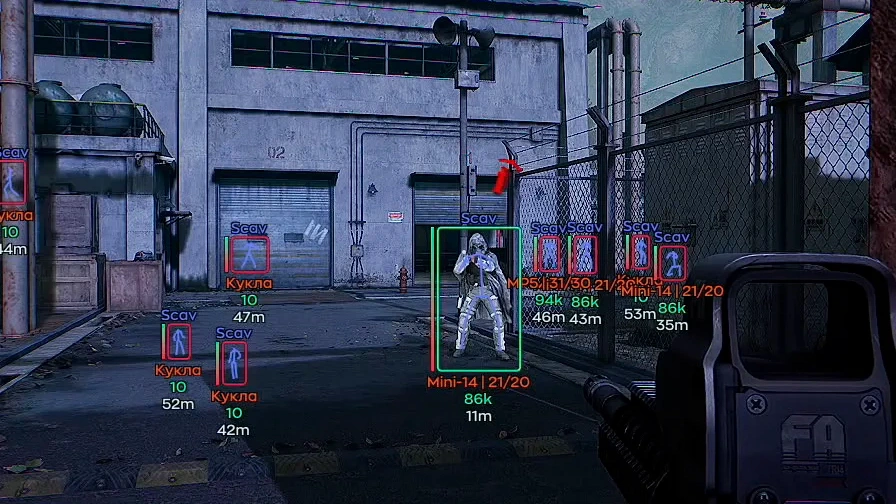
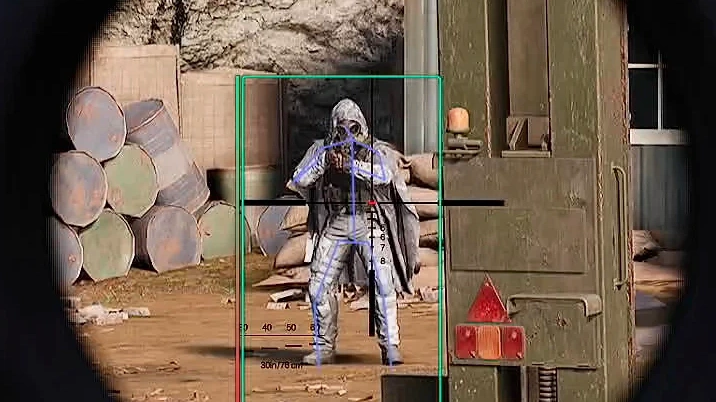
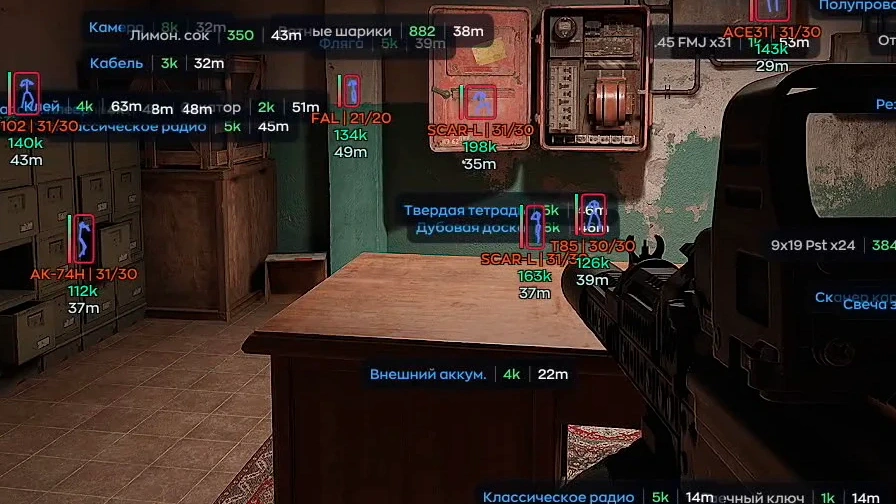
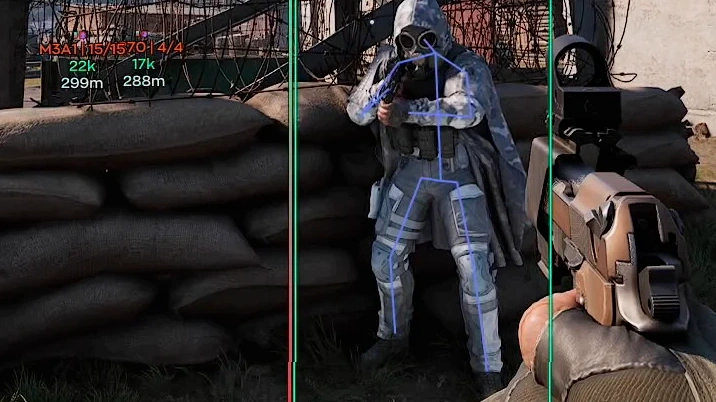
- Player ESP – displays players through walls
- AI/NPC ESP – displays bots, AI, and other NPCs
- Enable – enables player display via ESP
- Box – shows players using boxes
- Skeleton – displays player skeletons
- Name – shows player in-game nicknames
- Level – displays the current character level
- Weapon – shows the weapon the player is using
- Price – displays the total value of a player’s equipment
- Party – shows players who are in your group
- Distance – displays the distance to players
- Armor – shows the enemy’s protection and gear level
- Look Direction – displays the direction the player is looking
- Health – shows the player’s current health
- Show Inventory – displays the contents of the selected player’s inventory
- Visible Check ESP Colors – allows separate color configuration for visible and obstructed targets
- Custom Color – allows choosing custom colors for each ESP element
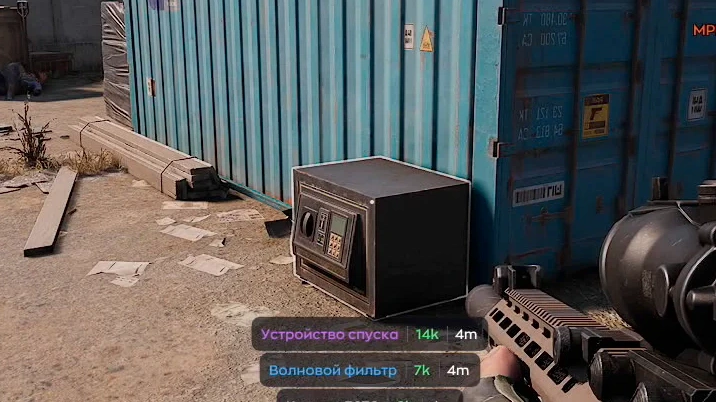
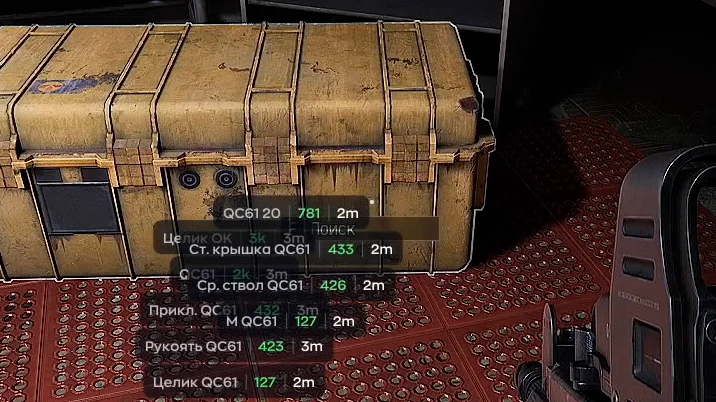
- Enable – enables item display via Loot ESP
- Common – displays common rarity items
- Rare – displays rare rarity items
- Epic – displays epic rarity items
- Legendary – displays legendary rarity items
- Mythic – displays mythic rarity items
- Red – displays unique (red) rarity items
- Short Name – displays shortened item names
- Show Armor – shows protection level or armor class of equipment items
- Show Count – displays the quantity of items in a stack
- Max Distance – allows setting the maximum display distance for objects
- Min Price – hides items cheaper than the specified value
- Font Size – allows changing the font size of World ESP elements
- Config Name – allows specifying the name of a new config
- Create – creates a new config with the current menu settings
- Save – saves changes to the selected config
- Load – loads a previously saved config
- Delete – deletes the selected config
- Keybind List – shows a list of active hotkeys and assigned functions
- Battle Mode – hides unnecessary ESP during firefights (toggleable via keybind)
- Menu Key – allows assigning a key to open and close the menu
- DPI Scale – adjusts the menu interface scale for comfortable display on different screen resolutions
- Streamproof – hides cheat visuals when captured via OBS/Discord
- Enable – enables ESP display of dead player and NPC bodies
- Show Bot Corpse – displays dead bot bodies
- Show Icon – shows an icon above the body for quick recognition
- Background – adds a background to corpse ESP for better readability
- Min Price – displays only bodies with loot value above the specified amount
- Max Distance – limits the maximum display distance of bodies
- Show Inventory – allows viewing the contents of the found body’s inventory
- Enable – activates the radar with the display of objects around the player
- Size – adjusts the size of the radar window
- Max Distance – sets the maximum distance for displaying targets on the radar
- Zoom – changes the radar scale for a more convenient view of the surroundings
- Point Size – adjusts the size of the object markers on the radar
- Point Style – allows you to select the marker display style
- Background – enables the radar background for better visibility of the markers
- Outline – adds a border to the radar elements
- Enemy – enables the display of enemies on the radar and allows you to customize their color
- Bot – enables the display of bots on the radar and allows you to customize their color
Operating system: Windows 10, Windows 11 (21H2, 22H2, 23H2, 24H2, 25H2, 26H1)
Processor: Intel & AMD
Video card: Nvidia & AMD
Client: Arena Breakout Launcher, Steam, Microsoft Store, Epic Games (EGS)
Bundle Offers
Save when you add all items
✓ All bundle items in cart