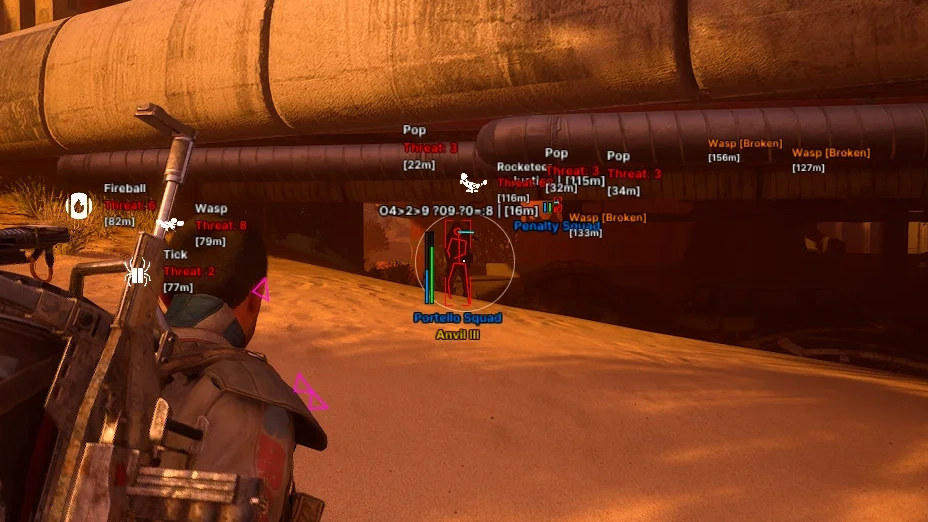
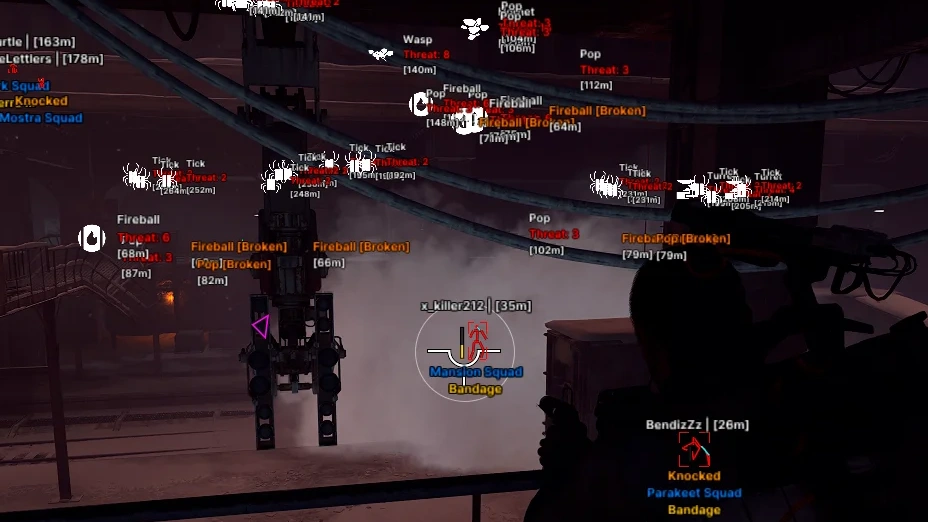
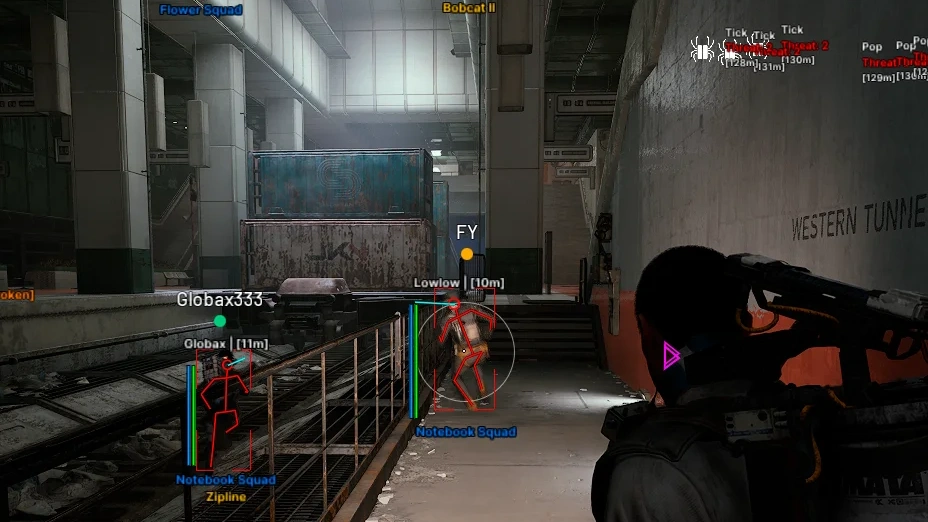
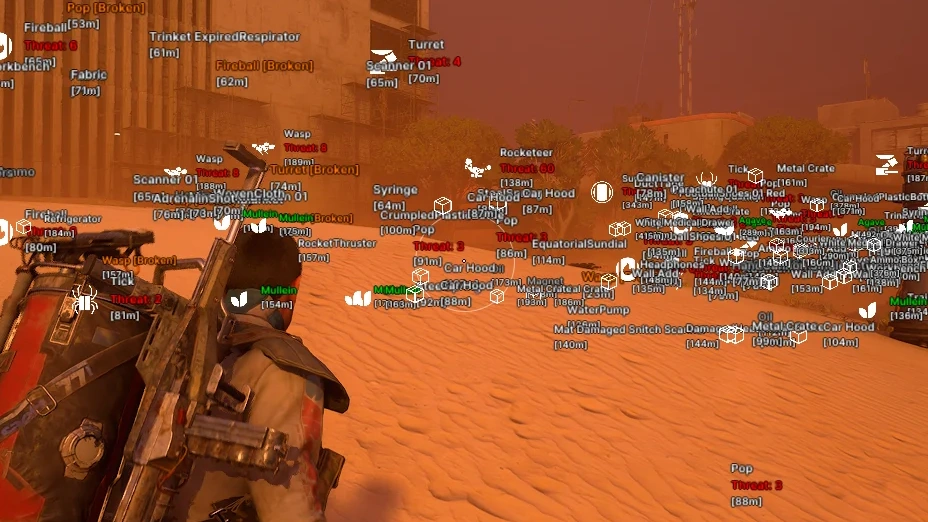
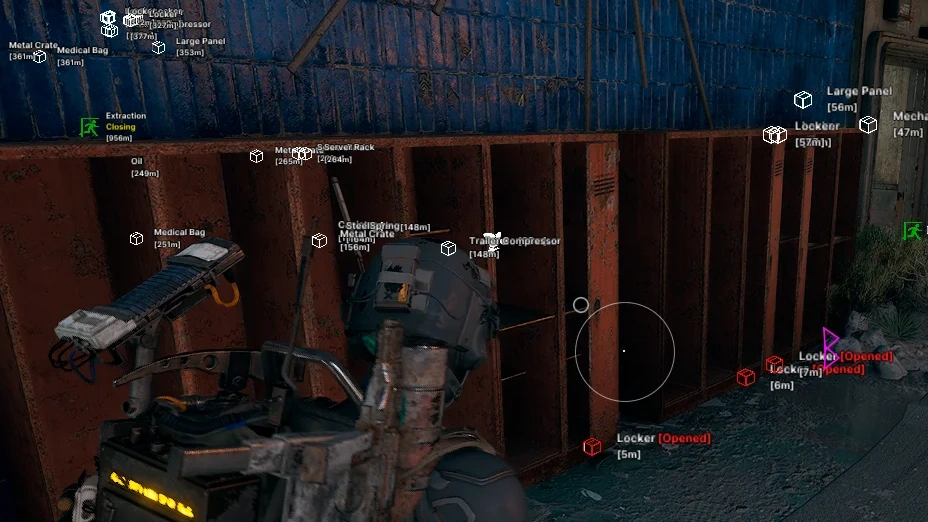
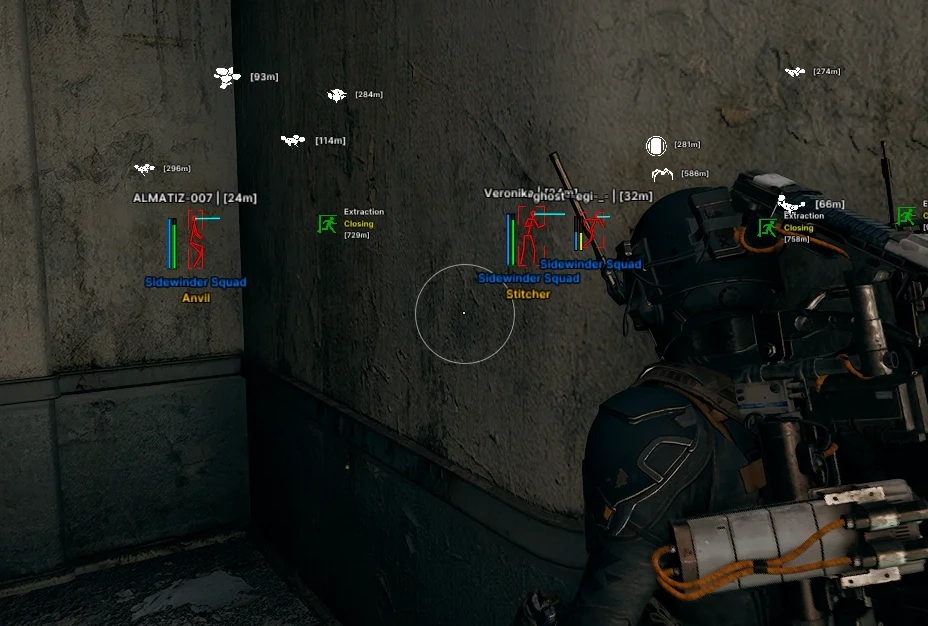
Description
- Enable – enables/disables the aimbot
- Targets – selects targets for the aimbot
- Aim Key – assigns the aimbot activation key
- Aim Bone – selects the body part the aimbot will aim at (head, neck, chest, torso)
- FOV – adjusts the aimbot's working area around the crosshair
- FOV Circle – displays the aimbot's working area as a circle
- Smooth – adjusts the smoothness of aiming at the target
- Target Line – displays a line to the locked target
- Max Distance – the maximum distance at which the aimbot will lock onto targets
- ARC Weakpoint Aimbot – automatically aim onto the vulnerable points of ARCs
- Enabled – enables/disables player ESP
- Hide Teammates – hides teammates from ESP display
- Box – displays a box around the player model
- Player BoxType – selects the type of box around the player model
- 2D – displays a standard 2D box
- 3D – displays a 3D box around the player model
- Corner – displays the box only as corners
- Skeleton – displays the player's skeleton
- Direction – shows the direction the player is looking
- Head – highlights the player's head through ESP
- Health – displays the player's health level
- Shield – displays the player's shield level
- Distance – shows the distance to the player
- Squad – displays information about the player's squad
- Weapon – shows the weapon the player is using
- Name – displays the player's name
- Max Distance – the maximum distance for displaying players through ESP
- Text Position – selects the position of text information relative to the player
- Top – displays information above
- Bottom – displays information below
- Hide Teammates – hides teammates from the ESP
- Looking At You Indicator – shows an indicator if another player is looking in your direction
- Player Snaplines – displays lines from the screen to the players
- Customizable ESP Text Position – allows you to adjust the position of the ESP text labels
- China Hat – adds a Chinese hat to the players’ heads
- Enabled – enables/disables ESP for ARC robots
- ARC Name – displays the ARC robot's name
- ARC Threat – shows the threat level or highlights dangerous ARC robots
- ARC Icon – displays the corresponding ARC robot icon
- ARC Bodies – displays the remains of destroyed ARC robots
- ARC Filter – allows selecting which types of ARC robots to display (Wasp, Cremator, Matriarch, etc.)
- Distance – shows the distance to ARC robots
- Max Distance – the maximum distance for displaying ARC through ESP
- ARC Weakpoint ESP – displays the vulnerable points of ARCs
- Extraction Enabled – enables/disables ESP for extraction points
- Extraction Icon – displays the extraction point icon
- Extraction State – shows the current state of the extraction point
- Extraction Distance – shows the distance to the extraction point
- Extraction Max Distance – the maximum distance for displaying extraction points
- Nature Enabled – enables/disables ESP for natural resources and objects
- Nature Icon – displays icons for natural objects
- Nature Name – shows the name of the natural object
- Nature Distance – shows the distance to the natural object
- Nature Max Distance – the maximum distance for displaying natural objects
- Nature Filter – allows selecting specific types of natural objects to display
- Bodies Enabled – enables/disables ESP for dead player bodies
- Bodies Distance – shows the distance to the body
- Bodies Name – displays the dead player's name
- Bodies Max Distance – the maximum distance for displaying bodies through ESP
- Mine ESP – shows mines on the map
- Mine Name – displays the mine’s name
- Mine Distance – shows the distance to the mine
- Mine Max Distance – sets the maximum distance for displaying mines
- Container Enabled – enables/disables ESP for containers
- Container Name – displays the container name
- Container Icon – shows the container icon
- Hide Looted – hides already searched containers from ESP
- Container Distance – shows the distance to the container
- Container Max Distance – the maximum distance for displaying containers
- Container Filter – allows selecting specific types of containers to display
- Items Enabled – enables/disables ESP for items
- Items Name – displays the item name
- Items Rarity – shows the item rarity
- Items Quantity – displays the item quantity
- Items Value – shows the item value
- Items Weight – displays the item weight
- Items Icon – shows the item icon
- Items Distance – shows the distance to the item
- Items Max Distance – the maximum distance for displaying items through ESP
- Enabled – enables/disables the radar
- Shape – selects the radar shape
- Size – adjusts the radar size
- Range – adjusts the radar range
- Opacity – controls the transparency of the radar background
- Crosshair – displays a central marker on the radar
- Range Lines – shows lines or circles indicating distance on the radar
- FOV Cone – displays a sector corresponding to the player's view direction
- Rotate – rotates the radar according to the player's direction
- Direction – displays the movement or view direction of objects on the radar
- Style – selects the display style of objects on the radar
- Icon Size – adjusts the size of icons on the radar
- Categories – selects object categories to display on the radar
- Players – show players
- ARC – show ARC robots
- Extractions – show extraction points
- Radar Background – adjusts the radar background color
- Radar Grid – adjusts the radar grid color
- Radar Player – adjusts the player display color
- Radar ARC – adjusts the color of ARC robots
- Radar Extraction – adjusts the color of extraction points
- Radar Item – adjusts the color of items
- Radar Nature – adjusts the color of natural objects
- Radar Container – adjusts the color of containers
- Radar Dot Size – allows you to adjust the size of the dots representing objects on the radar
- Long Revive – increases the interaction distance with a teammate to revive them
- Long Consumable – increases the interaction distance with items
- Zoom Enabled – enables the field of view zoom function (zoom hack)
- FOV Changer – allows changing the camera field of view
- Super Flashlight – increases the brightness and power of the flashlight
- Disable Enemy Flashlight – disables the visual effect of enemy flashlights
- Flashlight Color – allows changing the flashlight light color
- Fullbright – increases the brightness of the game environment
- Fullbright Intensity – adjusts the intensity of the Fullbright effect
- Sky Color – allows you to adjust the sky color
- Stream-Proof – the cheat and its elements are invisible when capturing the game window through OBS, Discord, etc.
- Font Size – adjust the font size for ESP
- DPI – allows changing the interface scale
- Auto Scale – automatically adjusts the interface scale
- ESP Background – enables background fill for ESP elements
- ESP Background Opacity – allows adjusting the transparency level of the background fill
- ESP Background Categories – ESP categories for background fill
- OOF Arrows – arrows indicating the direction of players/ARCs outside the screen
- Battle-Mode – a special mode that enables/disables selected ESP categories at the press of a button while CombatMode is active
- Menu Key – allows assigning a key to open and control the mod menu
- Panic Key – allows quickly activating an emergency mode to disable the mod menu in-game
- New Config – a field for entering the name of a new configuration
- Create – creates a new configuration with the specified name
- Save – saves the current mod menu settings to the active configuration
- Reset to Defaults – resets the mod menu settings to default values
- Load – loads the selected configuration
- Delete – deletes the selected configuration
- Multi-Language Support – adds support for English, Russian, Chinese, and Japanese
Operating system: Windows 10, Windows 11 (21H2, 22H2, 23H2, 24H2, 25H2)
Processor: Intel & AMD
Video card: Nvidia & AMD
Client: Steam
RAM: 16 GB
A normal Windows install is required: not Enterprise, not optimized or repacked.
Krush for ARC Raiders is an external cheat made for steady, legit-looking play. Its vector aimbot has FOV, smoothing and target settings, and the ESP covers players, every type of ARC, natural resources, components, containers and loot, each with detailed customisation. A radar hack shows everything around you, and exploits such as a super flashlight and zoom help on darker maps. It is stream-proof, so it stays hidden from recording and streaming software, and a config system keeps your setups. It runs on the Steam version of the game on Windows 10 or 11.
ARC Raiders │ KRUSH
Undetected- Instant delivery: your key arrives by email and on your order page.
- Setup guide and loader included.
- 24/7 support tickets.
Questions before you buy? Open a ticket
Bundle Offers
Save when you add all items