Image
ARC Raiders │ UNNAMED INTERNAL
UndetectedInstant DeliveryDescription
- Enabled - on/off the aimbot
- Aim Key - the key for activating the AIM
- Aim Type - the principle of selecting targets for aim (by sight, by distance)
- Bones - selection of bones where the aimbot will fall
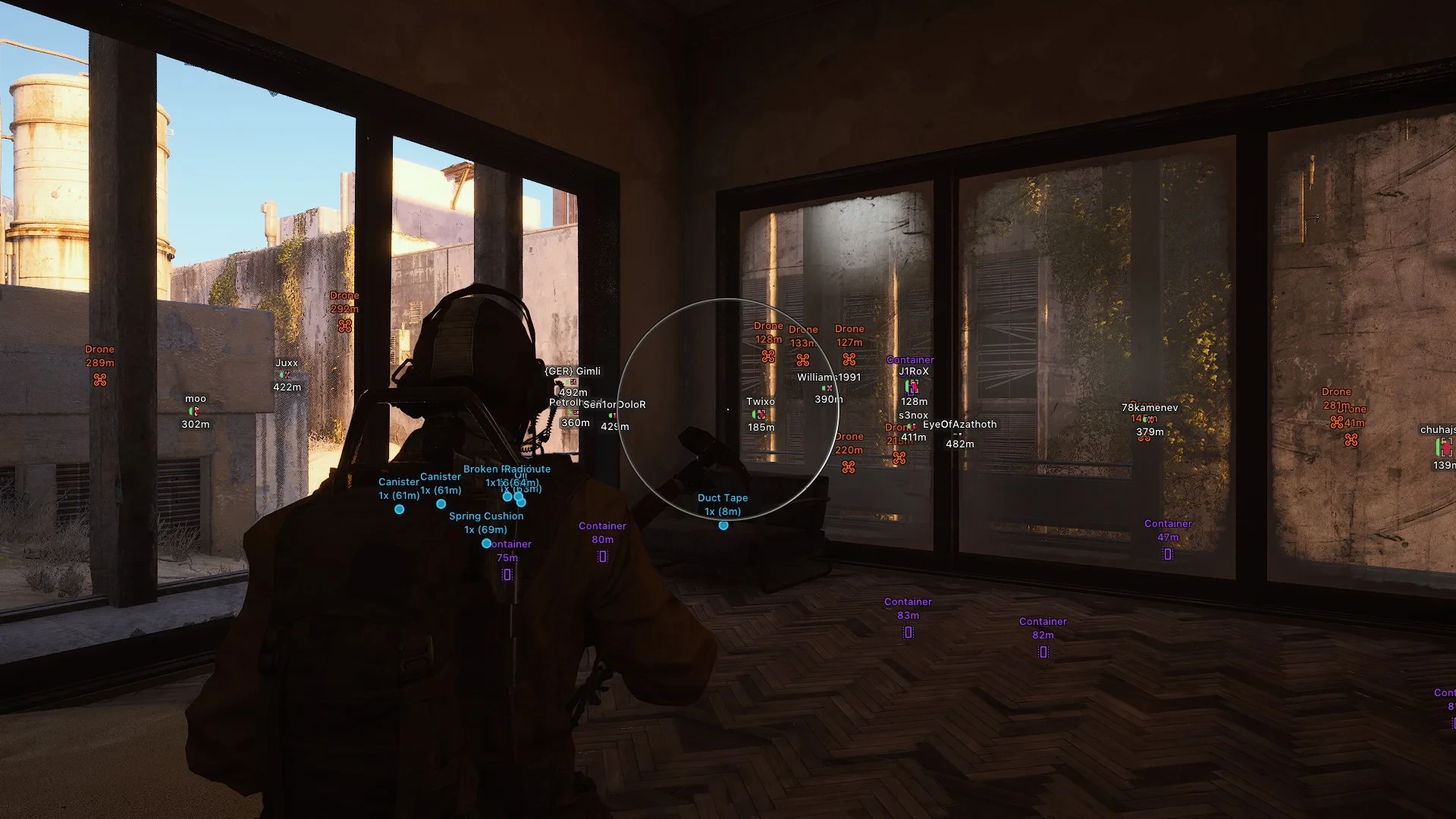
- Draw FOV - show the aimbot's workspace as a circle
- FOV - the scope of the aimbot
- Smooth - smoothing movements during aim operation
- Speed - the speed of aiming at the target
- Stickiness - the level of sticking to the goal
- Max Distance - the range of the aim in meters.
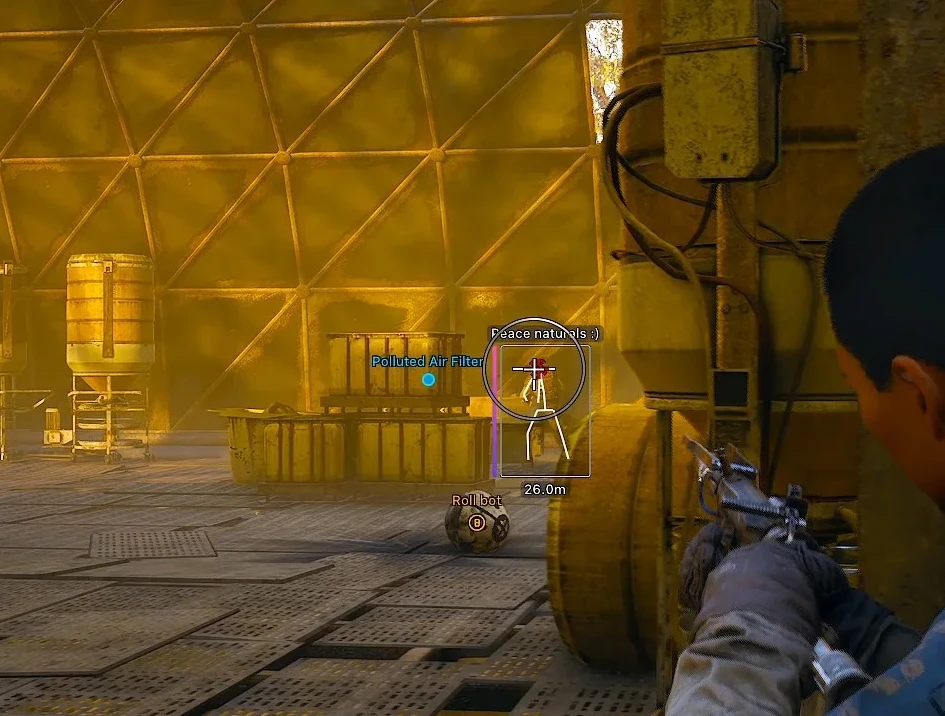
- Name - display robot names
- Distance - show distance to robots in meters
- Icon - display the robot icon (type) next to its name
- Arc Types - choose which arcs the WH will work on
- Max Distance - arc display range in meters
- Outline Box - information about robots displayed in a dark rectangular box for better readability
- Font Size - configure font size
- Crosshair - custom crosshair in the center of the screen
- Battle Mode - deactivates all World & Loot ESP while keeping only Player/Arc WH active (configurable)
- Configs - profile system for different game styles (create, save, load, delete)
- Scale - adjust menu scaling
- Out of Arrows - show the direction of players and robots outside your field of view (off-screen) as arrows
- Flashlight Bright - the ability to adjust the brightness of the flashlight
- Flashlight Color - the ability to change the color of the flashlight
- Fullbright - disables in-game shadows and dimming (bright picture)
- Long Distance Consumable - allows you to use consumable items at an extended distance
- Long Distance Revive - allows you to raise your allies from an increased distance
- FOV Changer - allows you to enlarge the field of view
- Camera Zoom - zoom level adjustment (zoom hack)
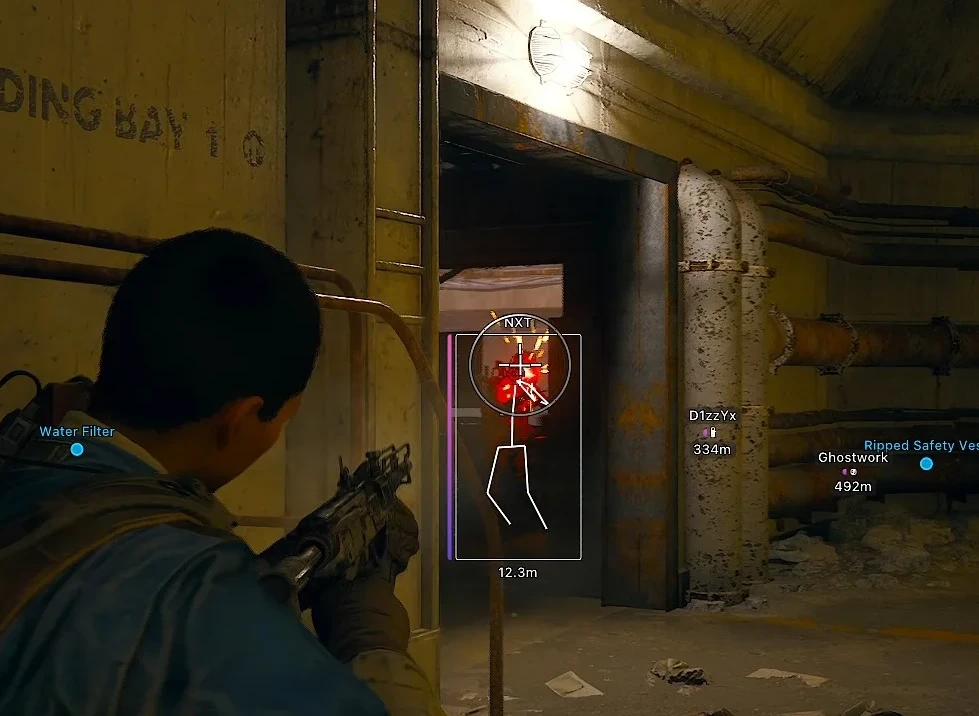
- Box - WH in the form of boxes
- Skeleton - WH in the form of skeletons
- Name - show player nicknames
- Squad Name - display squad names
- Distance - distance to targets
- Health Bar - HP level in the form of a bar
- Shield Bar - armor level in the form of a bar
- Shield Level - shows the shield in different colors depending on the level (light, medium, heavy)
- View Line - shows the sight direction
- Head Dot - displays a dot on the head
- Max Distance - player display range in meters
- Weapon in Hand - show the weapon in the player's hands
- Player Level - displays the level of the players
- Corpse - display bodies of slain players and arcs
- Mines - displays mines on the map
- Doors - displays doors on the map
- Extraction Points - display evacuation points on the map (trapdoor, elevator, subway)
- Ignore Inactive/Inaccessible Points - do not show non-working evacuation points
- State - display current status of the evacuation point
- Loot - display various loot
- Container - display containers (can configure the types of boxes displayed)
- Distance - display the distance to objects
- Name - display the names of objects
- Max Distance - configure the range for displaying objects in the environment
- Loot Filter - allows you to select only certain items and objects to display via ESP
- Rarity & Type Filter - filters for displaying loot of only a certain type and rarity
Operating system: Windows 10, Windows 11 (21H2, 22H2, 23H2, 24H2, 25H2)
Processor: INTEL & AMD
Video card: NVIDIA & AMD
Client: Steam
Bundle Offers
Save when you add all items
✓ All bundle items in cart