Description
- Enable – enables/disables the aimbot on targets
- Aim Key – allows you to assign an aimbot activation key
- Aim Type – selects the aimbot type (Vector or Silent)
- Mode – selects the aimbot operating mode (hold button or always active)
- Target – defines target categories for the aimbot
- Find Bone Type – selects the method for determining the aim point
- Bones Selection – allows you to choose the bone to aim at
- Bone Priority – sets the priority for bone selection
- Prediction – accounts for target movement while aiming (leading)
- Humanization – adds natural movement while aiming
- Recoil Control System – compensates for weapon recoil while the aimbot is active
- Draw FOV – displays the aimbot field of view
- Draw FOV Background – adds a background inside the FOV area
- FOV Size – adjusts the target search area size
- Smooth – adjusts aiming smoothness
- Target Switch Delay – sets the delay before switching to another target
- Visibility Check – aim works only on targets in line of sight (not behind cover)
- Max Distance – sets the maximum aimbot range
- Switch Delay – sets the delay for changing the target after losing the current target (0 – 5000 ms)
- Target Release – immediately stops aiming after the target is killed or knocked out
- Sway Compensation – compensates for the sway of the sight when aiming
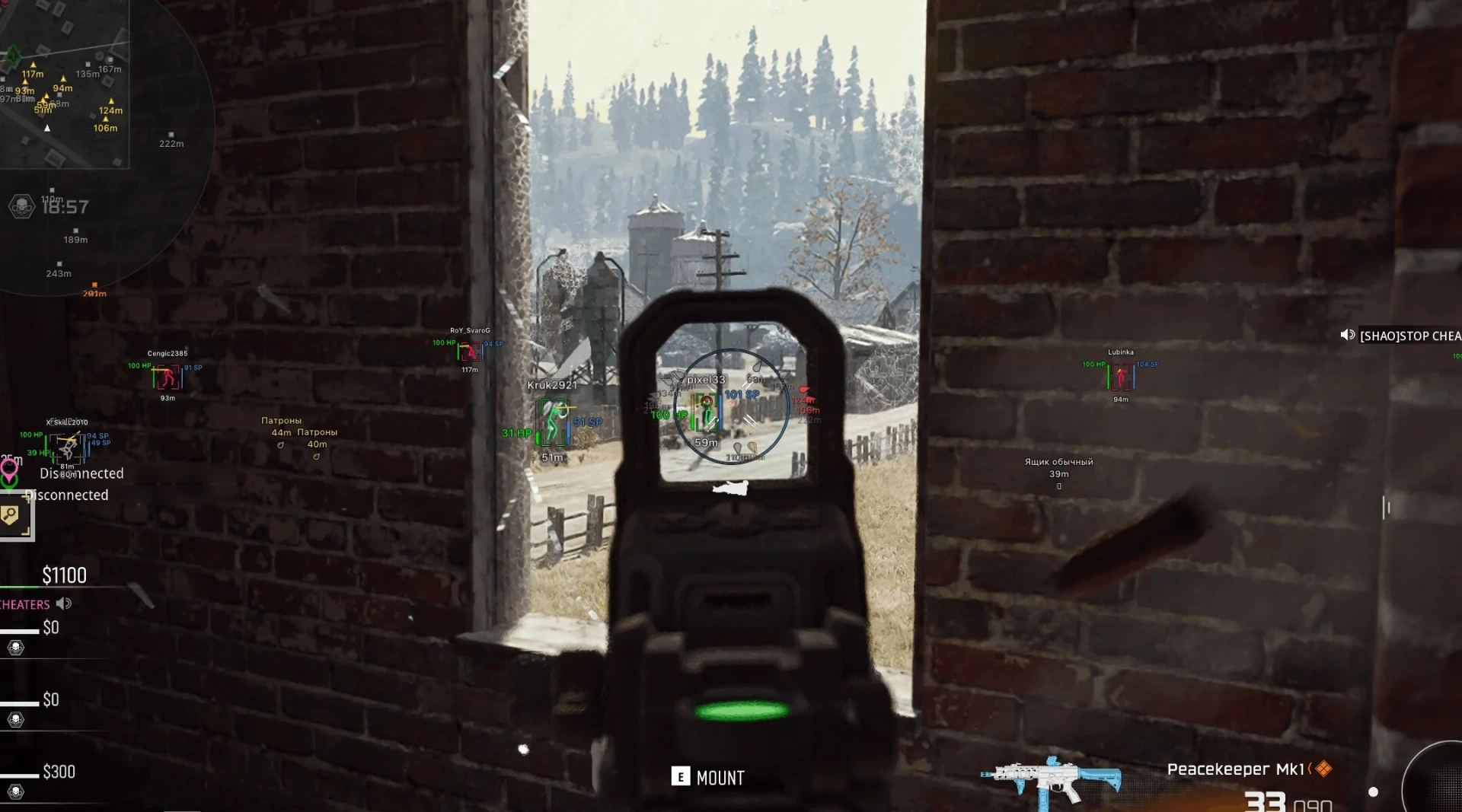
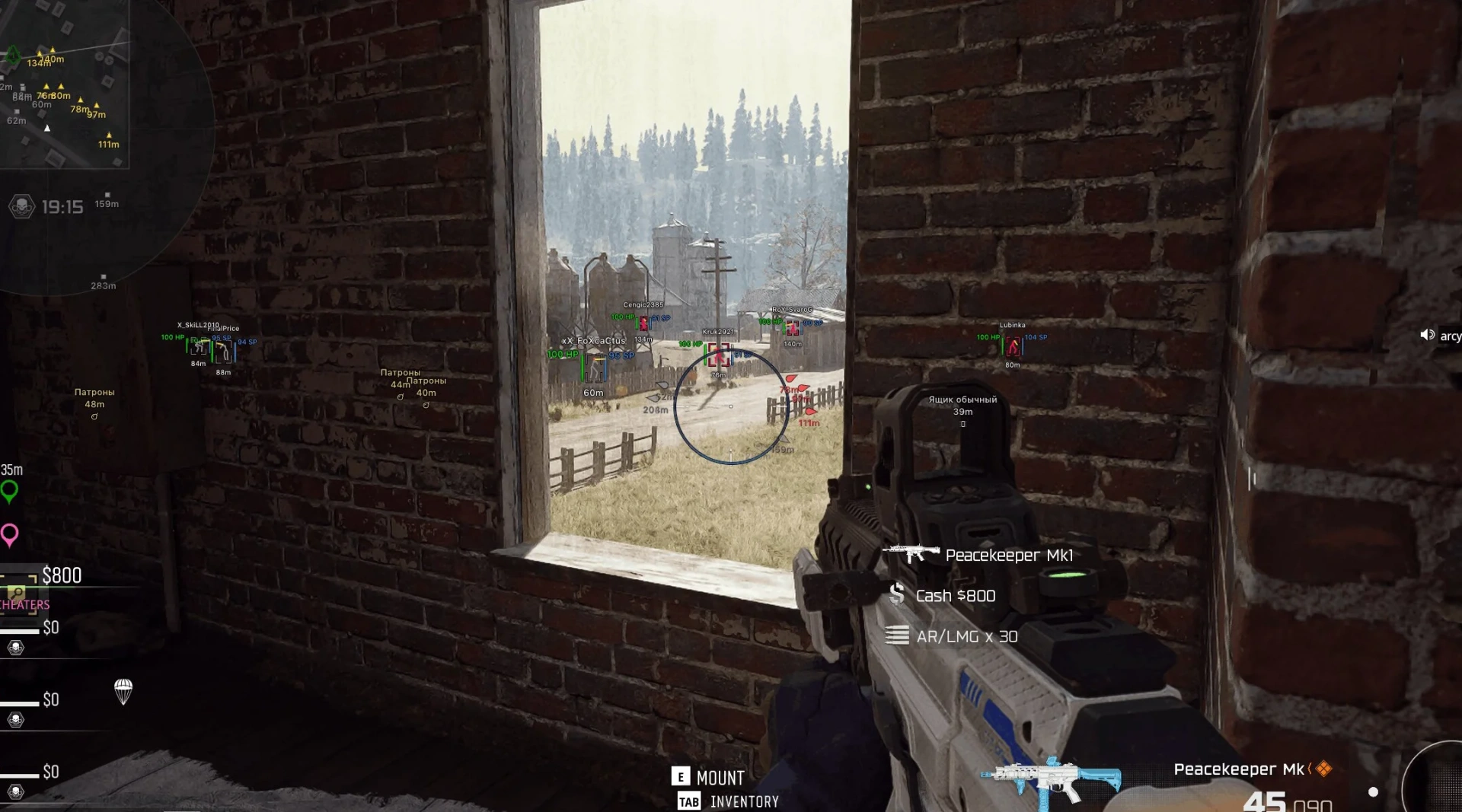
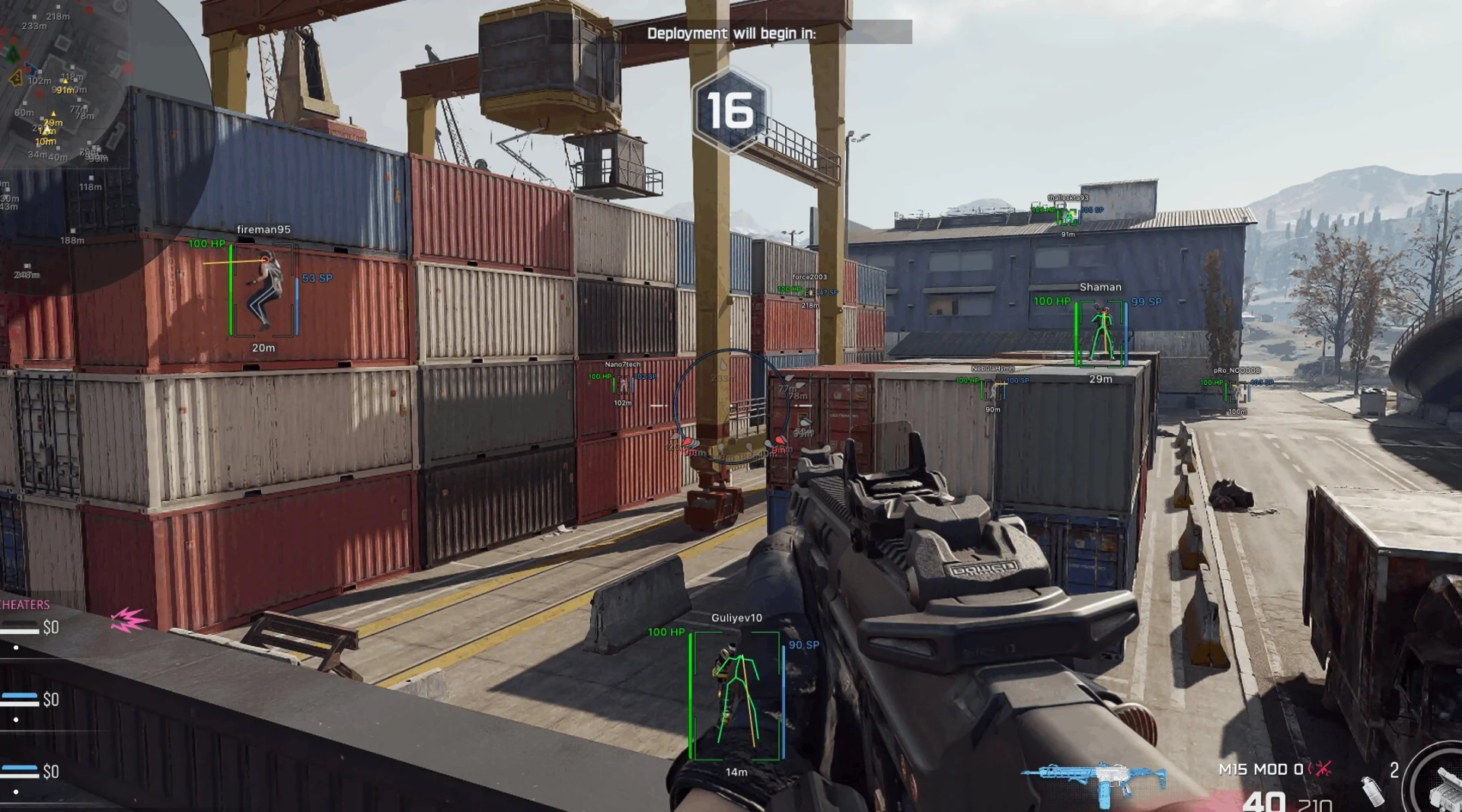
- Bounding Box – displays a box around the player
- Box Fill – adds fill to the box
- Skeleton – displays the player's skeleton with thickness and head circle settings
- View Line – shows the player's view direction with customizable start and end colors
- Line to Enemy – displays a line to the enemy with customizable position and color
- Health Bar – shows the player's health level
- Shield Bar – displays the player's armor level
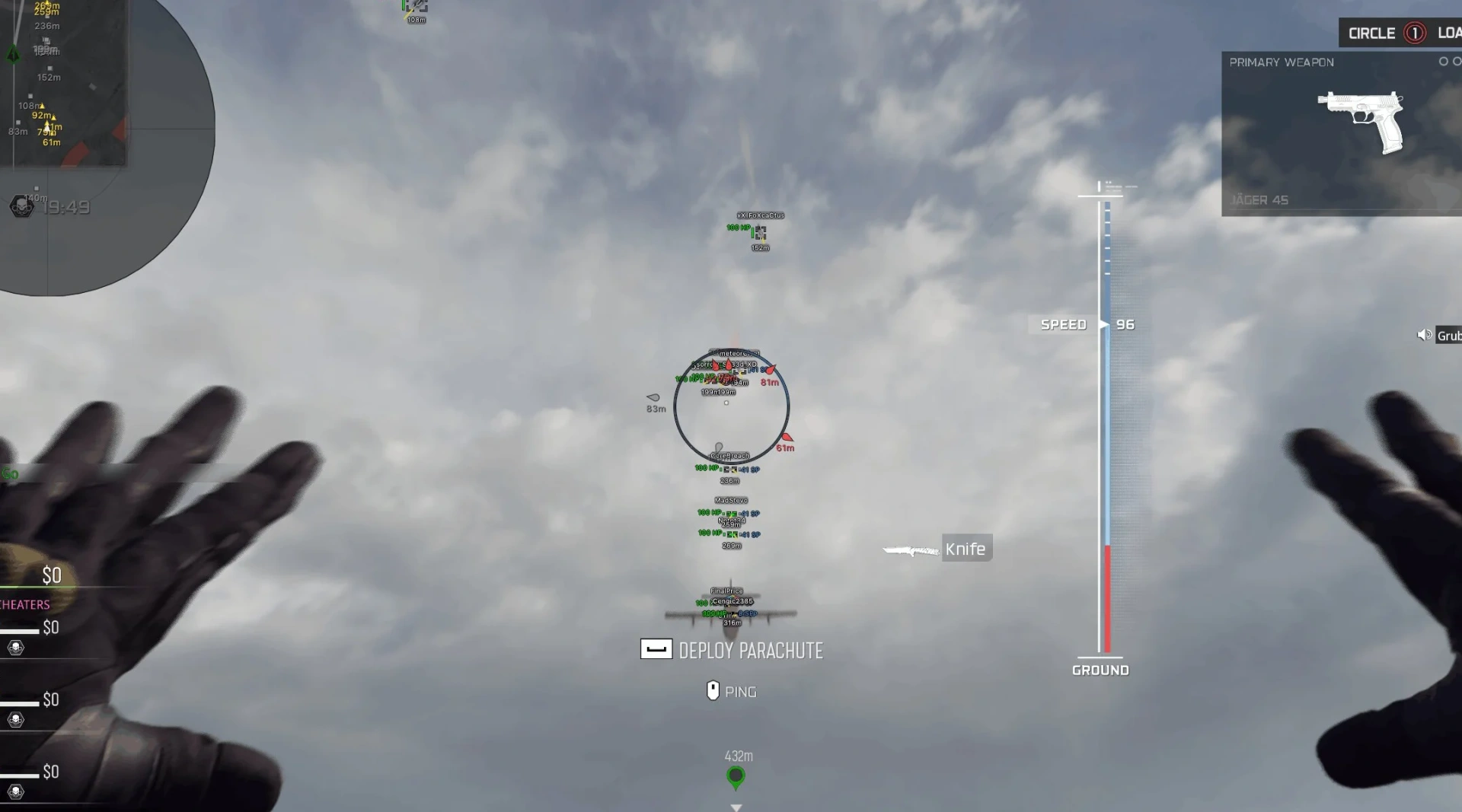
- Nicknames – shows player nicknames
- Weapon Names – displays the name of the weapon in hand
- Team Name – shows the team name
- Distance – displays the distance to the player
- Team Colors – allows using different colors for teams
- Draw Knocked – displays knocked players
- Draw Bots – displays bots
- Visibility Check – determines player visibility
- Max Distance – sets the maximum ESP display distance
- Level – displays the player’s level above the frame
- Kills / Deaths / Assists – shows kills, deaths, and assists below the frame
- Weapon in Hands – displays the weapon in the player’s hands
- Distance Color – allows you to customize the color of the distance display
- Armor Plates – shows the number of armor plates above the player’s frame
- Armor Satchel – displays the pouch icon
- Platform – shows the players’ game client (Steam, Battle, Xbox, etc.)
- Show Distance – displays the distance to objects
- Transparency – adjusts object ESP transparency
- Max Distance – sets the maximum display distance
- Common – displays common items
- Uncommon – displays uncommon items
- Rare – displays rare items
- Epic – displays epic items
- Legendary – displays legendary items
- Dropped Items – displays dropped items
- Ammo – shows ammunition
- Armor – shows armor
- Equipment – shows equipment
- Money – shows money
- Weapon Class Filter – allows you to filter weapons by class
- Weapon Class Tag – shows the weapon class
- Ammo Filter – separately displays the type of ammunition
- Equipment Filter – separate filters for grenades, equipment, and other items
- Vehicles – displays ground and air vehicles
- Enable – enables the radar
- Entities – allows you to choose which entities to display, including enemies, teammates, bots, knocked players, and items
- Position Settings – adjusts the radar position and size
- Show Distance – displays the distance to targets on the radar
- Off-Screen Arrows – enables arrows for targets outside the screen
- Ammo Filter – adds ammo filtering on the radar
- Equipment Filter – adds equipment filtering on the radar
- Draw Vehicles – displays vehicles on the radar
- Menu Keybind – allows you to assign a key to open the menu
- Unload Keybind – allows you to assign a key to unload the menu
- DPI Scale – adjusts the menu interface scale
- VSync – enables vertical synchronization
- Theme – allows you to choose a dark or light menu theme
- Language – allows you to choose the menu language (English, Russian, Chinese)
- Battle-Mode – enables/disables the display of players, loot, items, etc. (customizable, by keybind)
- Create – creates a new configuration
- Get Shared – loads a configuration using a unique key
- Launch – loads the selected configuration
- Save – saves the current settings
- Edit Name – changes the configuration name
- Share – creates a unique key to share the configuration with other users
- Remove – deletes the selected configuration
- FOV Changer – changes the field of view
Operating system: Windows 10, Windows 11 (21H2, 22H2, 23H2, 24H2, 25H2, 26H1, 26H2)
Processor: AMD & Intel
Video card: AMD & NVIDIA
Client: Steam, Warzone, Black Ops 6, Black Ops 7, Modern Warfare 4
RAM: 16 GB
A normal Windows install is required: not Enterprise, not optimized or repacked.
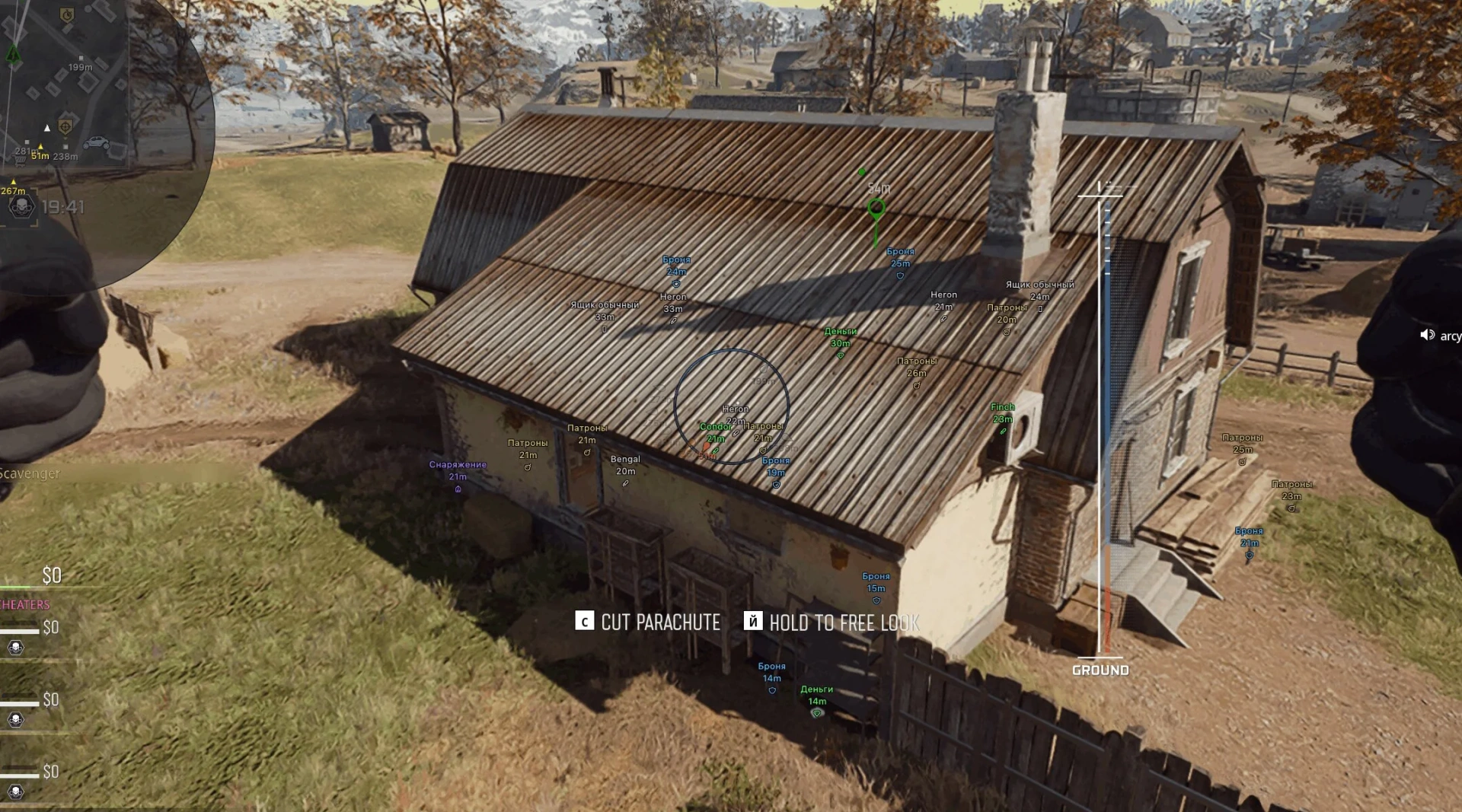
Arcane for Call of Duty is an external cheat that runs on Warzone, Black Ops 7 and Modern Warfare 4. Its aimbot works in vector or silent mode, with bone selection and priority, prediction, humanization, recoil control, sway compensation and a visibility check. The player ESP draws boxes, skeletons, view lines, health and armor bars, armor plates, nicknames, weapons, level, K/D/A and the platform of each player. The world ESP shows loot by rarity, ammo, armor, equipment, money and vehicles with class filters, and a radar hack with off-screen arrows keeps the whole area in view. Battle Mode hides the clutter during fights, and configs can be saved and shared with a key. The menu is in English, Russian or Chinese.
COD │ ARCANE
Undetected- Instant delivery: your key arrives by email and on your order page.
- Setup guide and loader included.
- 24/7 support tickets.
Questions before you buy? Open a ticket
Bundle Offers
Save when you add all items