Image
DayZ │ MEMEZ
UndetectedInstant DeliveryDescription
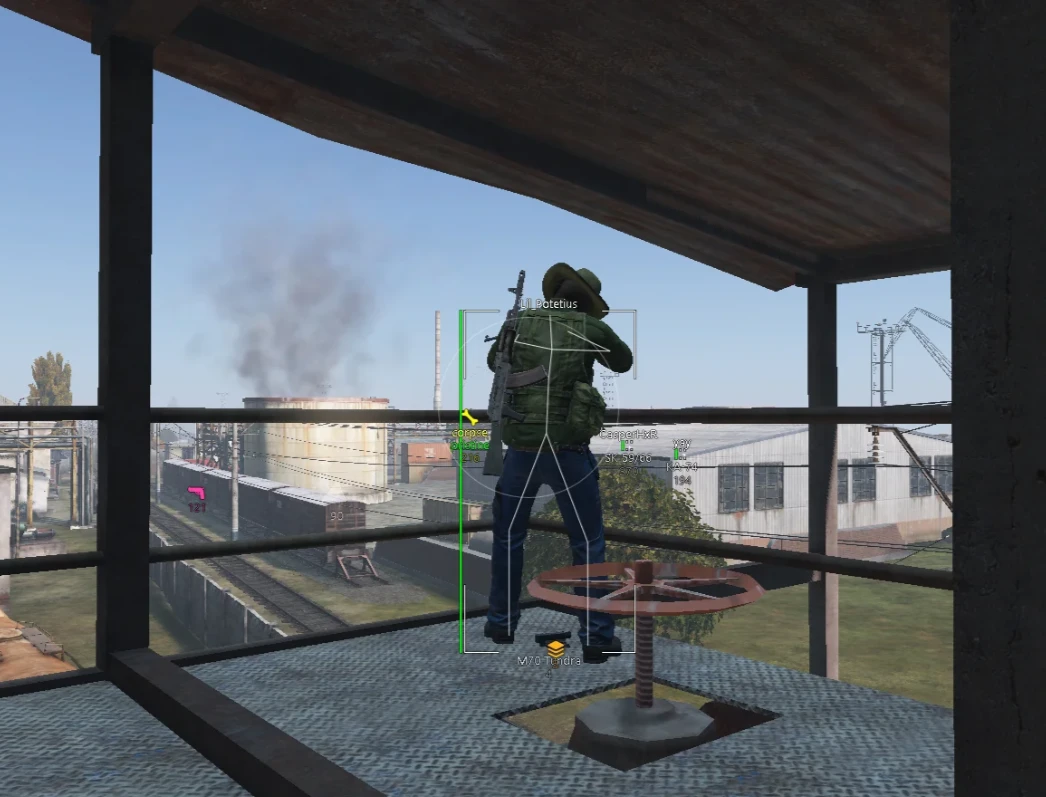
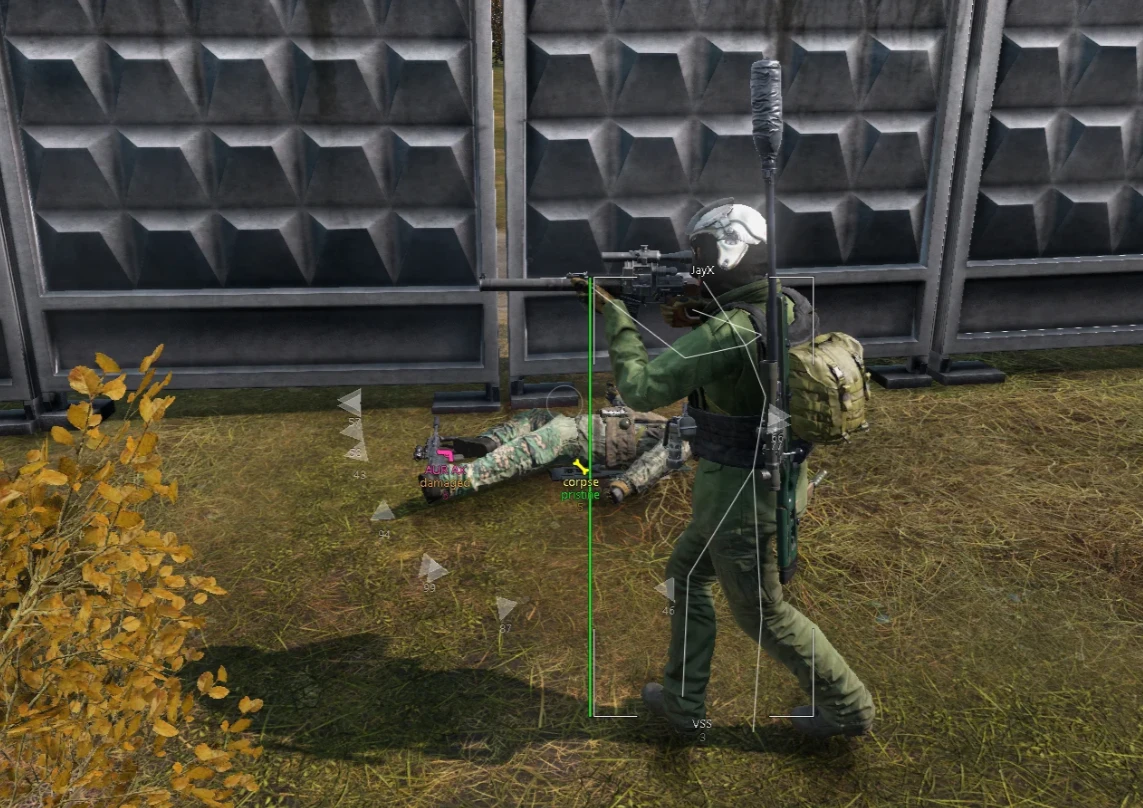
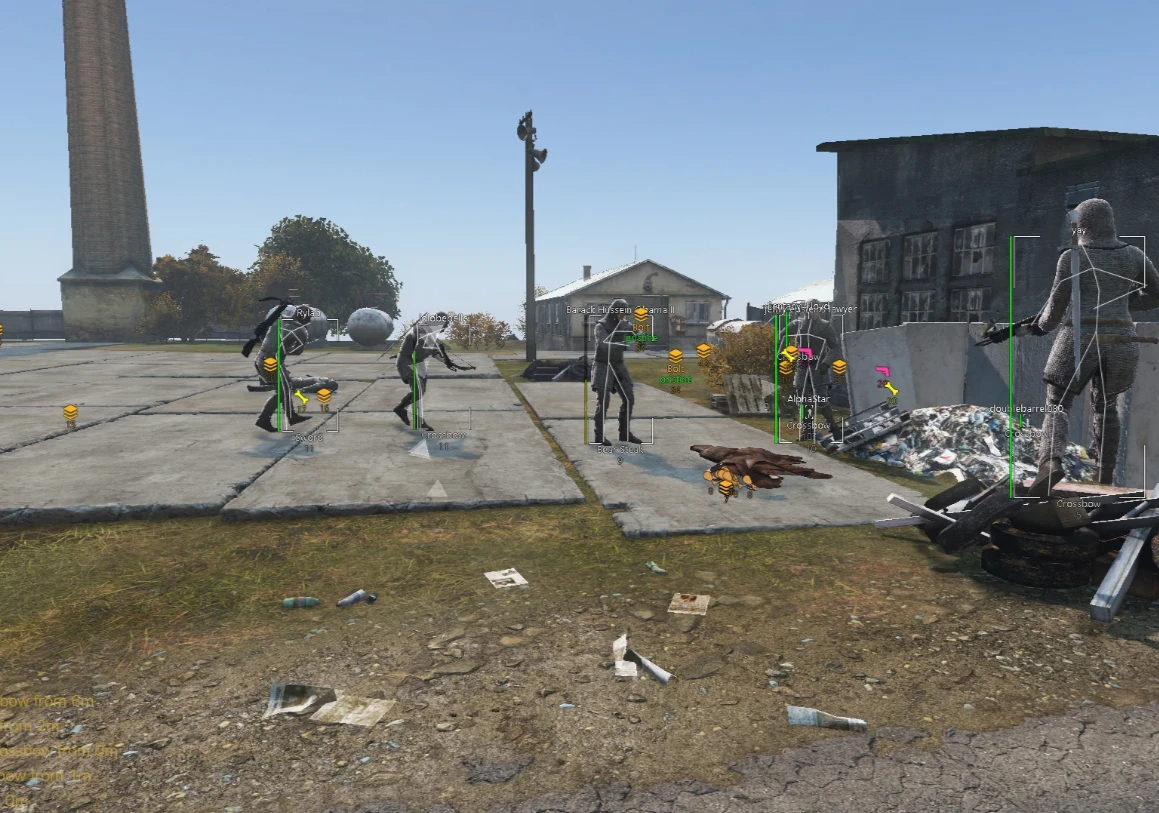
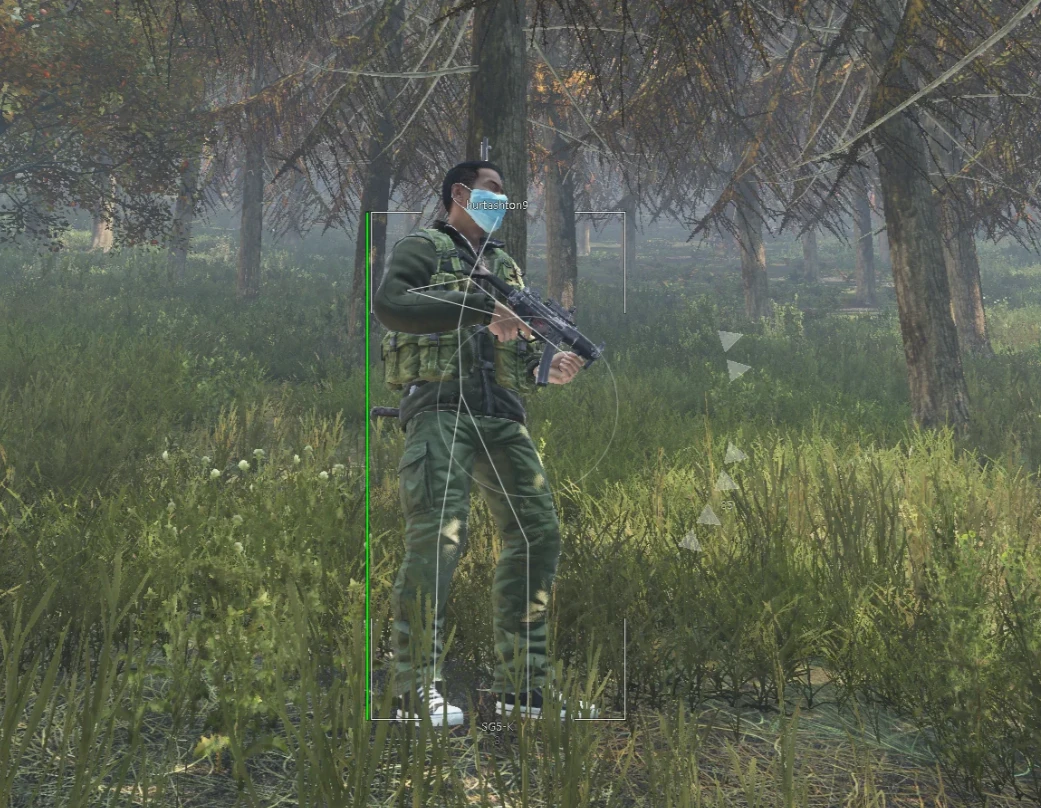
- Player Box - displays players as boxes
- Show Bots - displays bots
- Show Zombies - enables ESP for zombies
- Player Health - shows player health level
- Player Name - displays player nicknames
- Player Skeleton - displays the player model skeleton
- Player Weapon - shows the weapon in the player's hands
- Player Distance - displays distance to the player
- Player Inventory - displays the player's inventory contents
- Out of FOV Arrows - arrows pointing to players outside your field of view
- OOF Arrows Radius - radius for off‑screen indicator activation
- Zombie Box - displays zombies as boxes
- Zombie Name - shows the zombie type or name
- Zombie Distance - displays distance to zombies
- Max Distance - maximum rendering distance for players and zombies
- Aimbot - enables or disables automatic target aiming
- Aim Bone - select body part for aimbot targeting (head, body, or random)
- Aimbot FOV - radius in which the aimbot can lock onto targets
- Aimbot Distance - maximum aimbot working distance
- Draw Aim FOV - displays the aimbot radius on screen
- Target Zombies - allows aimbot to target zombies
- Auto Target - automatically selects the nearest suitable target
- Nearest Cities - displays nearby cities
- Animals - displays animals
- Vehicles - displays vehicles
- Max Distance - maximum rendering distance for world objects
- Loot Condition - filters loot by condition
- Max Loot Distance - maximum loot display distance
- Loot Name Radius - distance at which item names are shown
- Corpses - display player corpses
- Wrecks - display destroyed vehicles and debris
- Tools - display tools
- Weapons - display weapons
- Weapon Attachments - display weapon attachments
- Medicine - display medical items
- Clothing - display clothing
- Food - display food
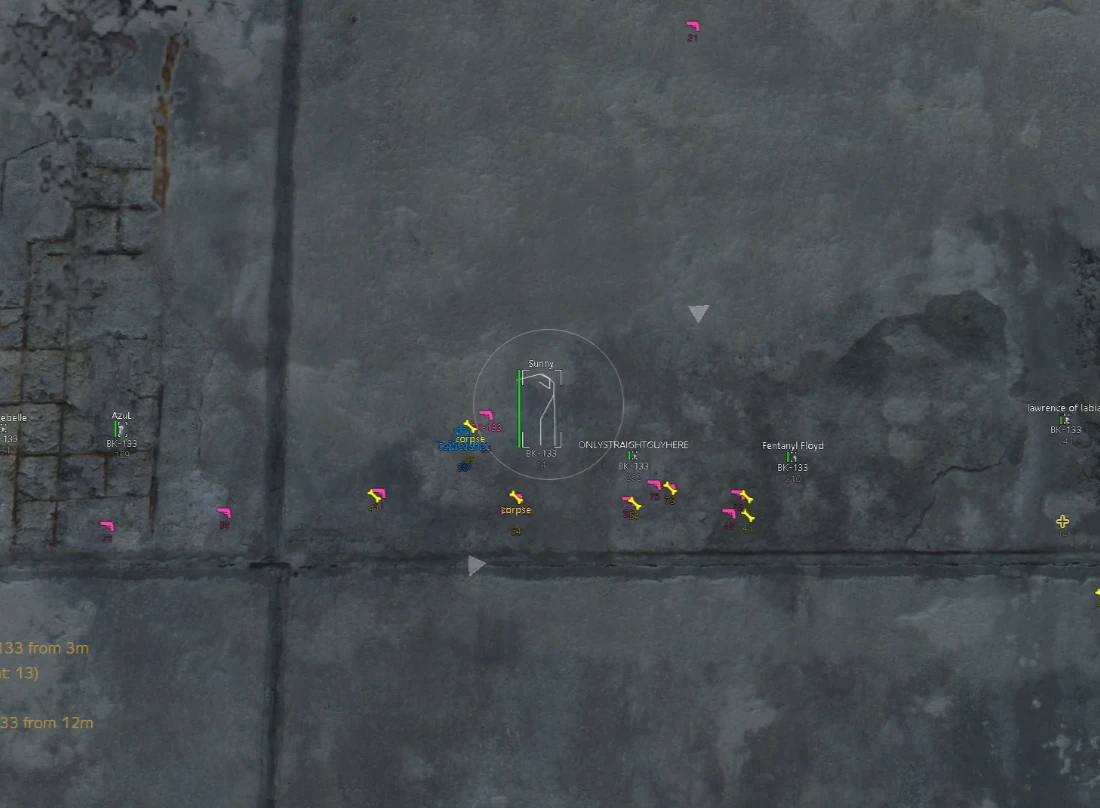
- Radar - enables a radar to display objects and entities
- Use Icons - use icons instead of text ESP
- Bright Night - enables bright night mode
- No Grass - removes grass for better visibility
- Debug Camera - free‑cam mode (adjustable speed)
- Menu Key - choose your own key to open the menu
- Panic Key - assign a key for emergency cheat shutdown
- Battle Mode - button to activate battle mode (disable all ESP except Player ESP)
- Save Config - save current settings to a profile
- Load Config - load the saved profile
Operating system: Windows 10, Windows 11 (21H2, 22H2, 23H2, 24H2, 25H2)
Processor: Intel & AMD
Video card: Nvidia & AMD
Client: Steam
Bundle Offers
Save when you add all items
✓ All bundle items in cart