Image
DayZ │ SMG AUTHORITY
UndetectedInstant DeliveryDescription
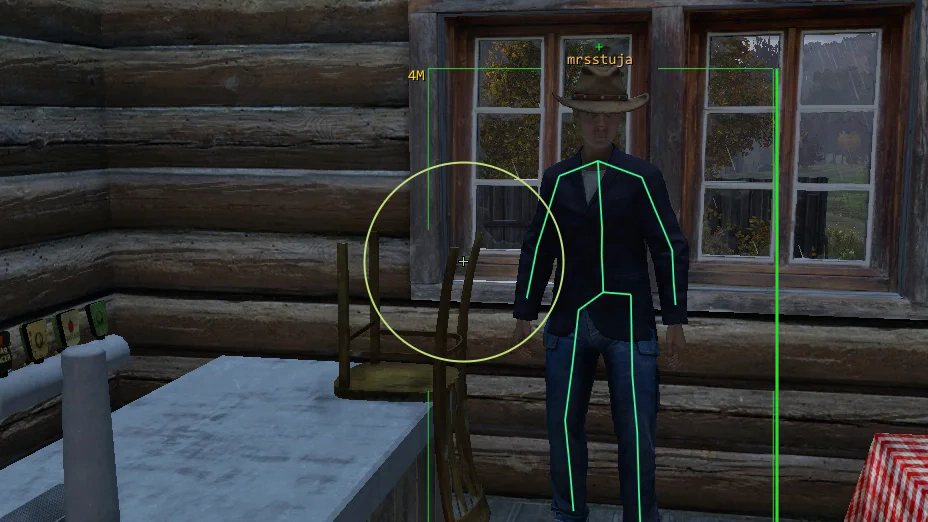
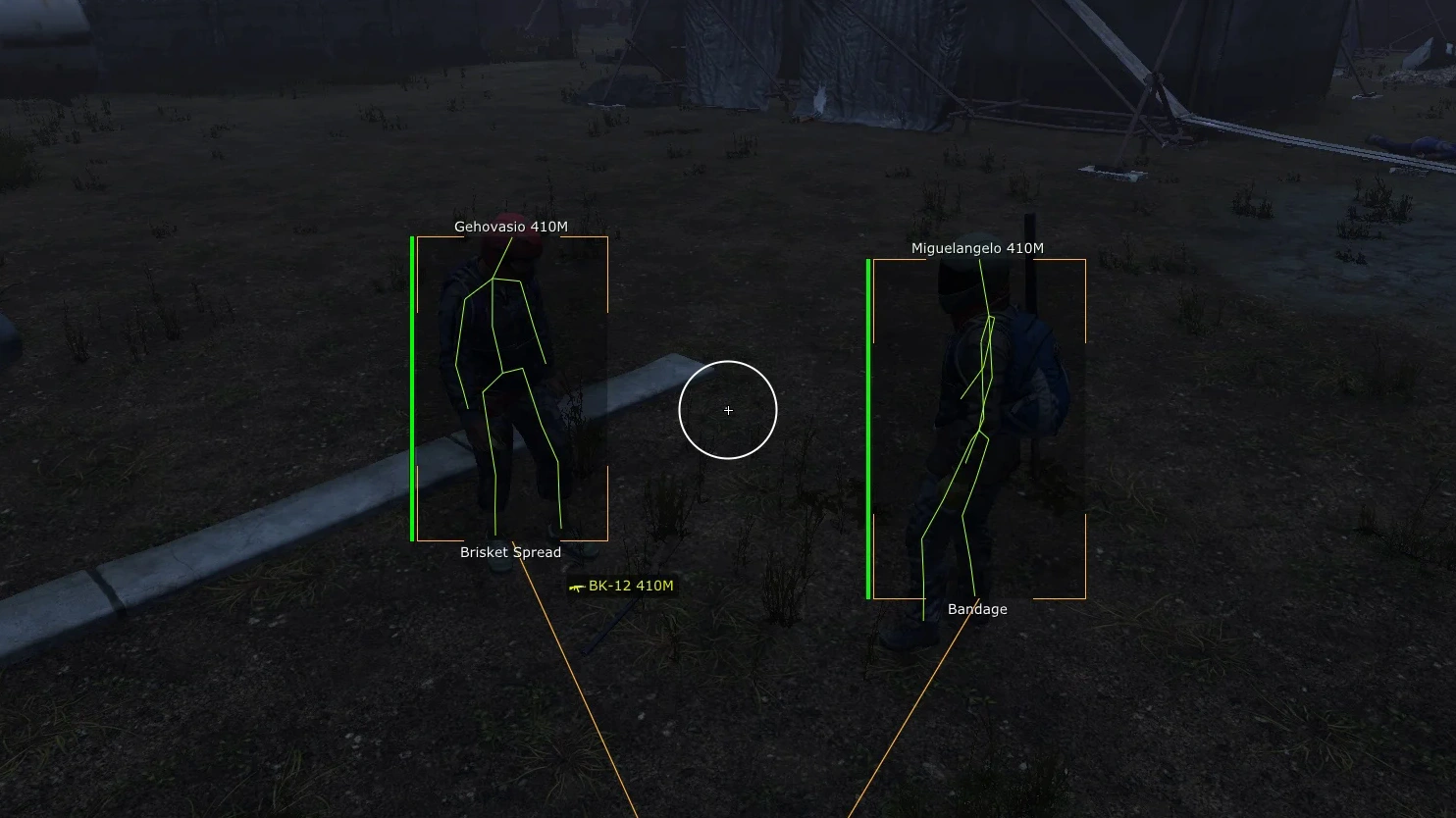
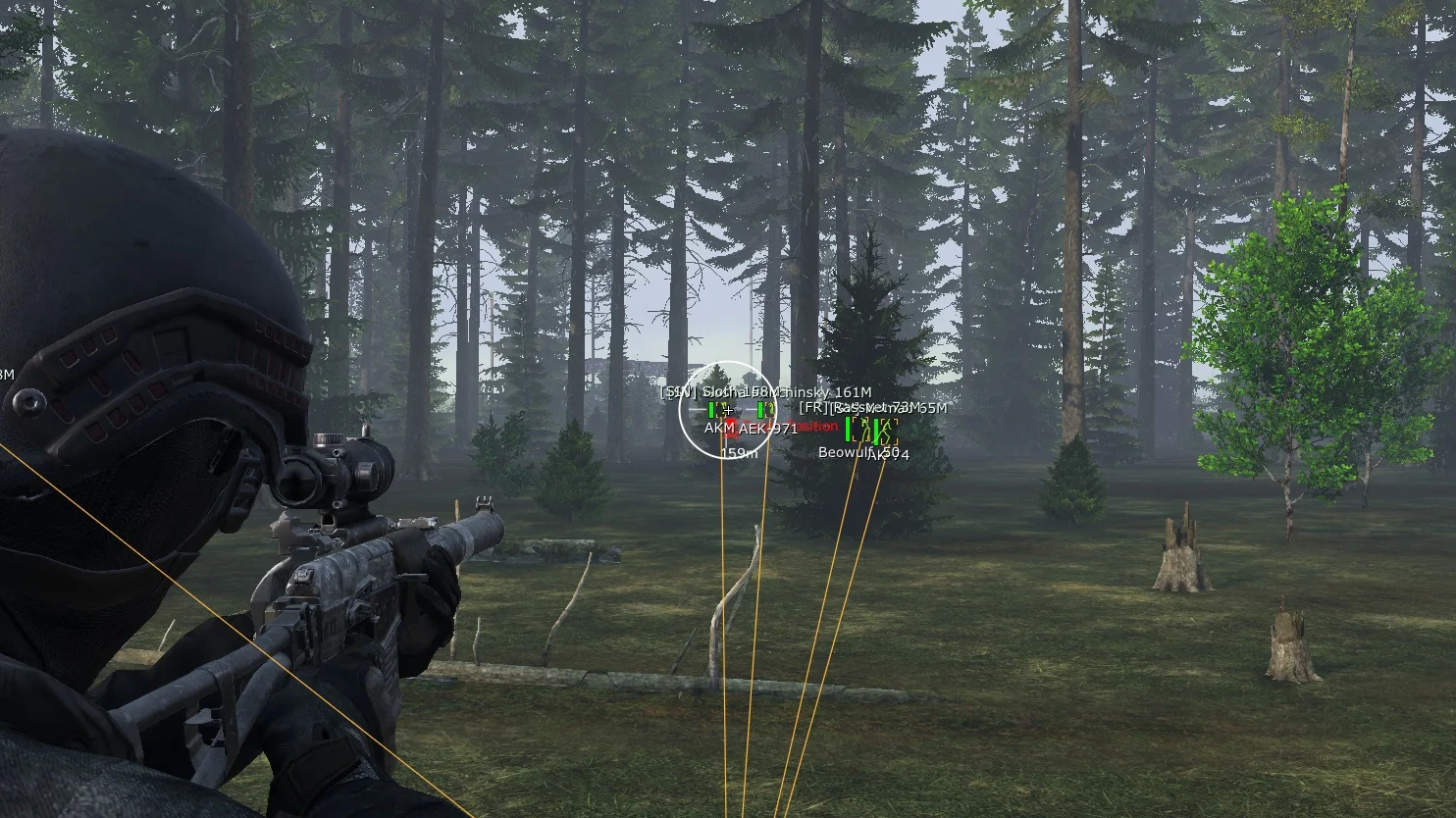
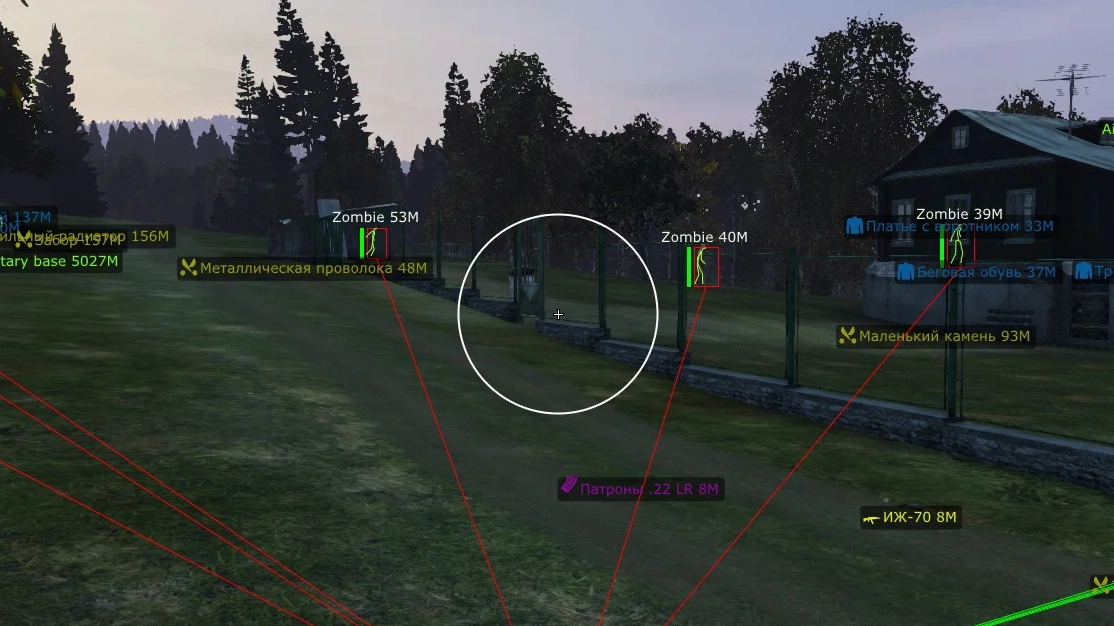
- Box ESP - displays rectangles around players (WH/ESP)
- Box Mode – customize the visual style of boxes
- Off – disables boxes
- Normal – classic full 2D box
- Corners – corner-only box
- Colored Box – colors boxes differently depending on target status
- Filled – semi-transparent filled background around the player
- Snapline – displays WH lines from the player to the target
- Name – shows player nicknames
- Weapon – displays the weapon held by the target
- Skeleton – skeleton ESP for players
- Distance – shows the distance to the target
- Inventory – displays the player's equipment and inventory contents
- Visible State – shows the target's visibility state (visible / hidden behind objects)
- Health – displays player health as a bar
- Ignore Friends – excludes friends and teammates from ESP (Friend System)
- Maximum Distance – set the maximum render distance for targets
- Aim Type – choose between two types of aimbot (smart vector and classic silent aimbot)
- Aim Key - ability to bind a custom key to activate aimbot
- Silent Aimbot – powerful aimbot type where shots hit the target without visible crosshair or camera movement (from the outside it looks like the player shoots normally)
- Mouse Emulator Aimbot – legit aim mode that simulates real mouse movement (smooth and natural aiming)
- Enable – enable/disable aimbot function
- Auto Switch – automatically switches aimbot to the nearest or highest priority target
- Bone – select body part to aim at (head, neck, body, knees)
- Ignore Zombie – ignore zombies for aimbot
- Ignore Animals – ignore animals for aimbot
- Ignore Players – aimbot will not work on players
- Ignore Bots – ignore AI / NPC bots for aimbot
- Visible Check on Players – visibility check before shooting (aim works only when target is visible)
- Silent – enables Silent Aimbot mode
- Magic Bullet – teleports bullets across the map to the target
- Custom Prediction – advanced adjustment of target movement and bullet prediction
- Smooth – aimbot smoothing value (higher = softer and more legit aiming)
- Sensitivity – adjust aimbot sensitivity
- Field of View (FOV) – aimbot target acquisition area size
- Maximum Distance – maximum aimbot working distance in meters
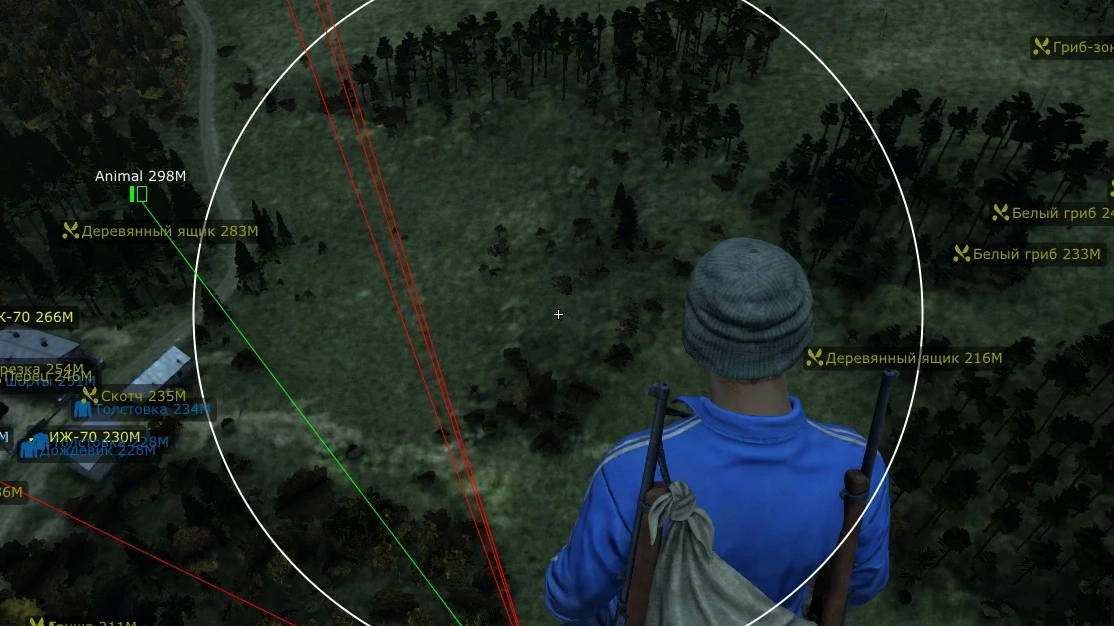
- Show Radius – displays aimbot FOV circle on screen
- Show Target Bone – shows selected target hitbox
- Show Line To Target – displays a line from player to current target inside FOV circle
- Bone Preview - menu includes visual preview of selected body parts
- Current Map – forcibly opens the map (even if not in inventory)
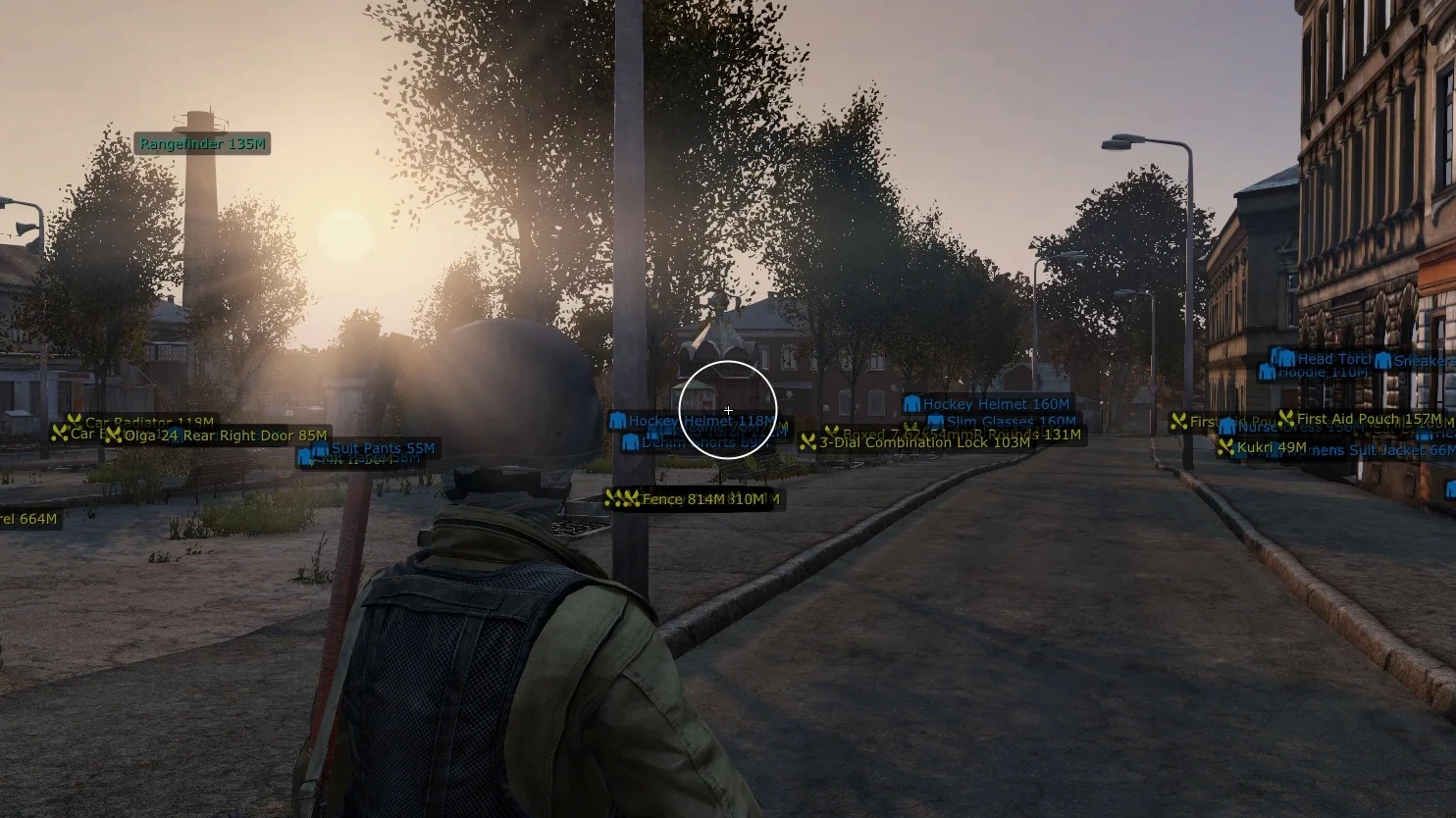
- Locations – shows location positions and distance to them in-game
- Maps – all major maps supported (Chernarus, Livonia, Sakhal, Namalsk, Deer Isle)
- Your Waypoint Name – create a custom named waypoint
- Add Waypoint – add new waypoint to the map
- Remove Last Waypoint – remove the last created waypoint
- Clear List – completely clear waypoint list
- Water Reservoirs – water bodies
- Villages – villages
- Camps – camps
- Castles – castles
- Cities – cities
- Hills & Mountains – hills and mountains
- Local Areas – local areas
- Military Bases – military bases
- Airfields – airfields
- Stream-Proof – the cheat and ESP menus are not visible when capturing the game window via Discord or OBS
- Built-In Spoofer – Authority DayZ includes a built-in spoofer to bypass hardware bans
- FullScreen Support – cheat supports "Fullscreen" mode
- Custom ESP Colors – highly flexible option to customize ESP element colors
- Friend System - ability to add friends to aim and ESP exclusions (no display/no aim)
- Wallhack Preview - show WH preview settings inside the cheat menu
- Drag & Drop – ability to drag ESP elements and change their position around boxes
- Crosshair – additional customizable crosshair in the center of the screen
- Radar – built-in radar displaying nearby players and objects
- Config – convenient profile system with cheat settings for different styles and scenarios
- Save – saves current menu configuration
- Load – loads saved configuration
- Reset – completely resets menu settings to default values
- Font Name – choose custom font (.ttf)
- Font Size – adjust interface text size
- Change Font – apply new font
- Reset Font – restore default menu font
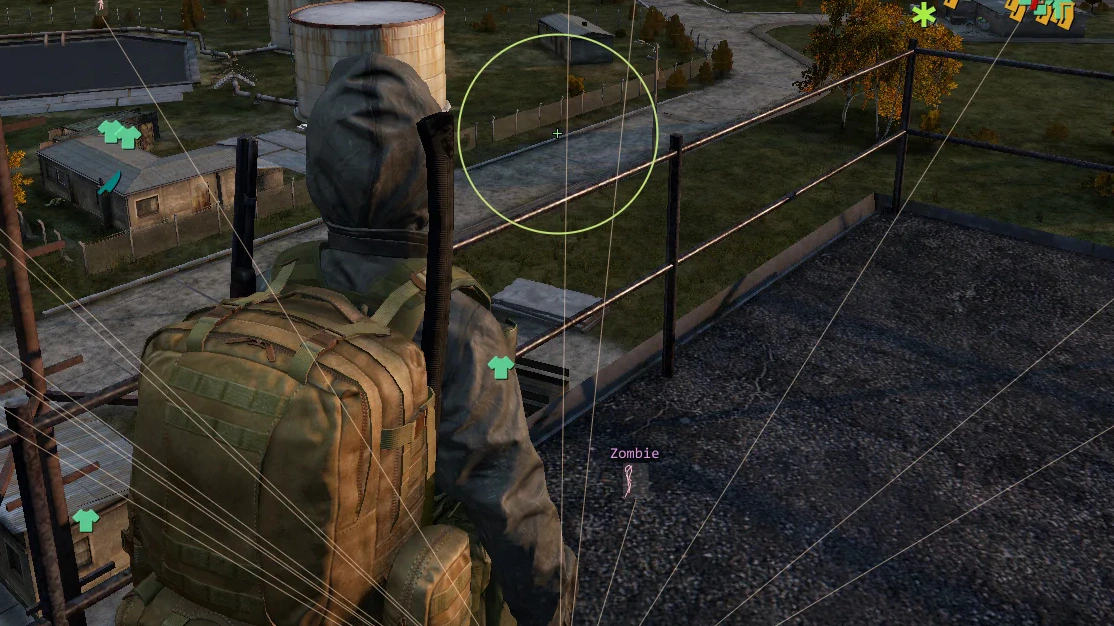
- Debug Objects – display ESP for other objects
- Debug Max Distance – set render distance for debug objects
- Language – change interface language (Russian, English, Chinese)
- Theme Color – customize menu color theme
- Menu Key – change the key to open the menu
- Panic Key – instantly disables all menu functions in emergency situations
- Battle Mode Key – disables all ESP display except players
- Unload Key – completely unloads the cheat from game memory (useful during admin checks)
- Add Waypoint Key – hotkey for quick waypoint creation
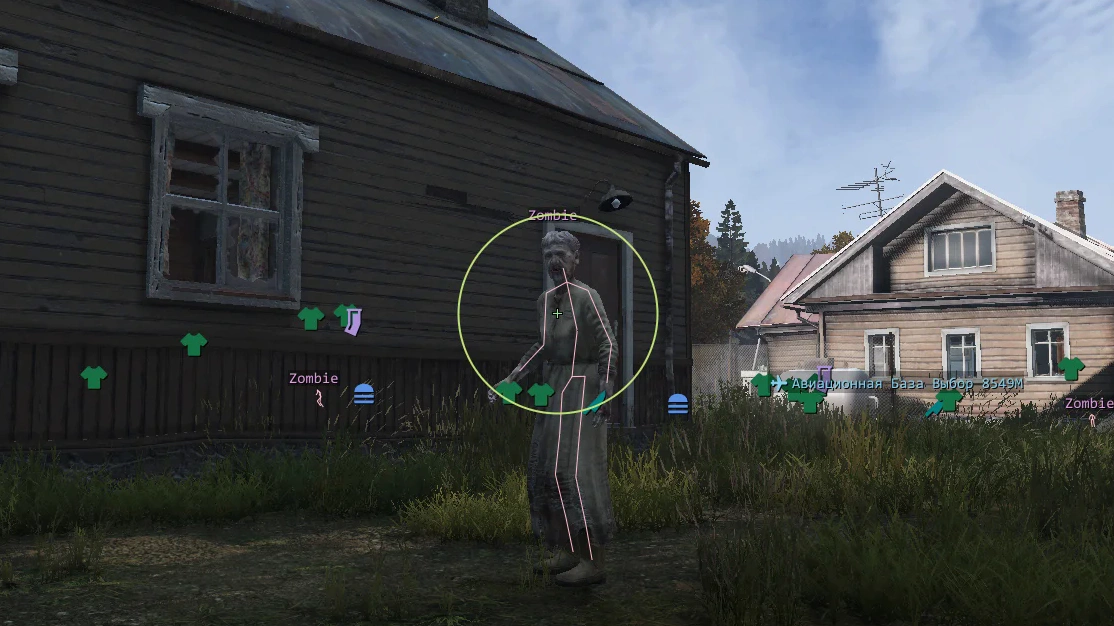
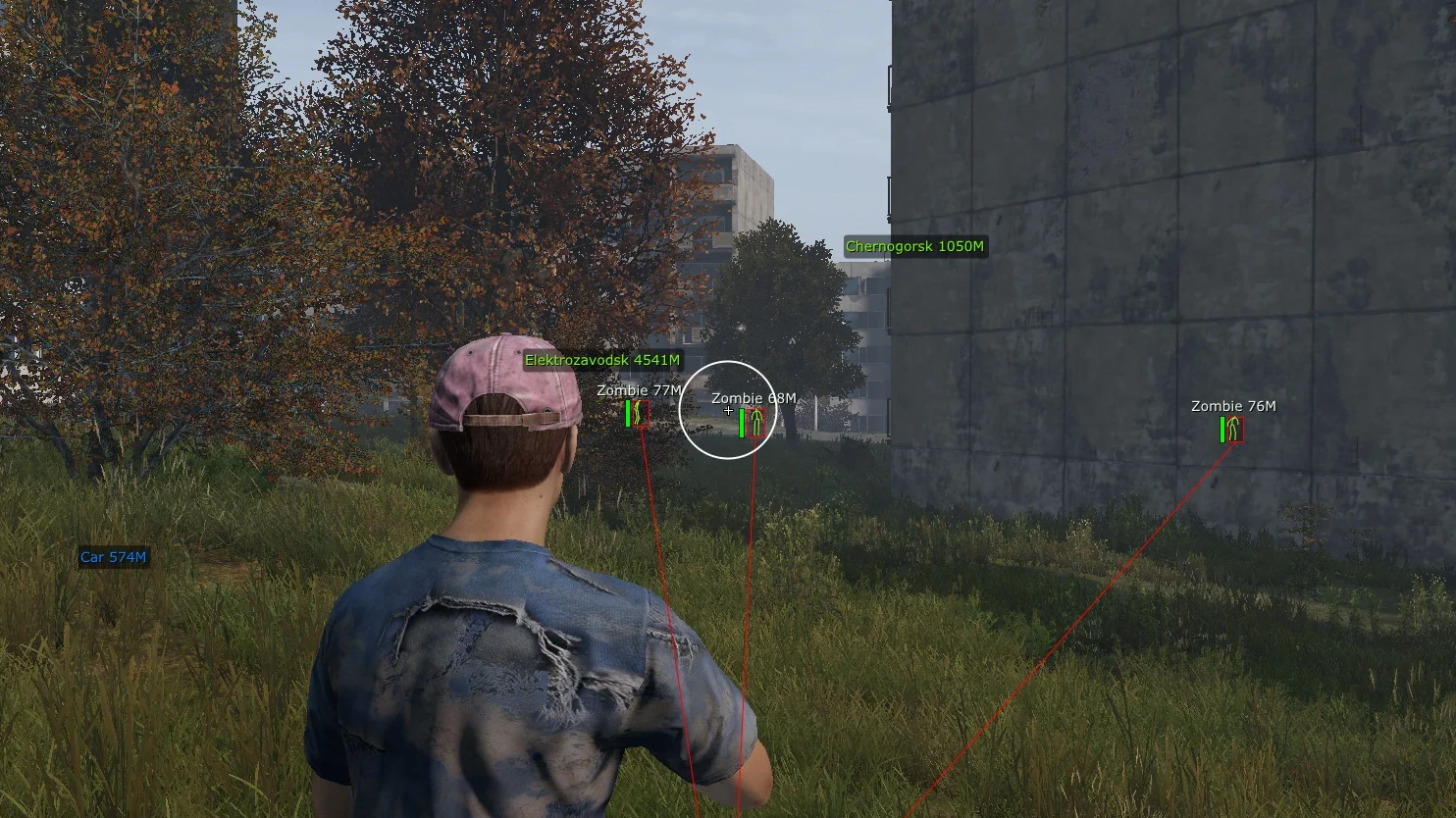
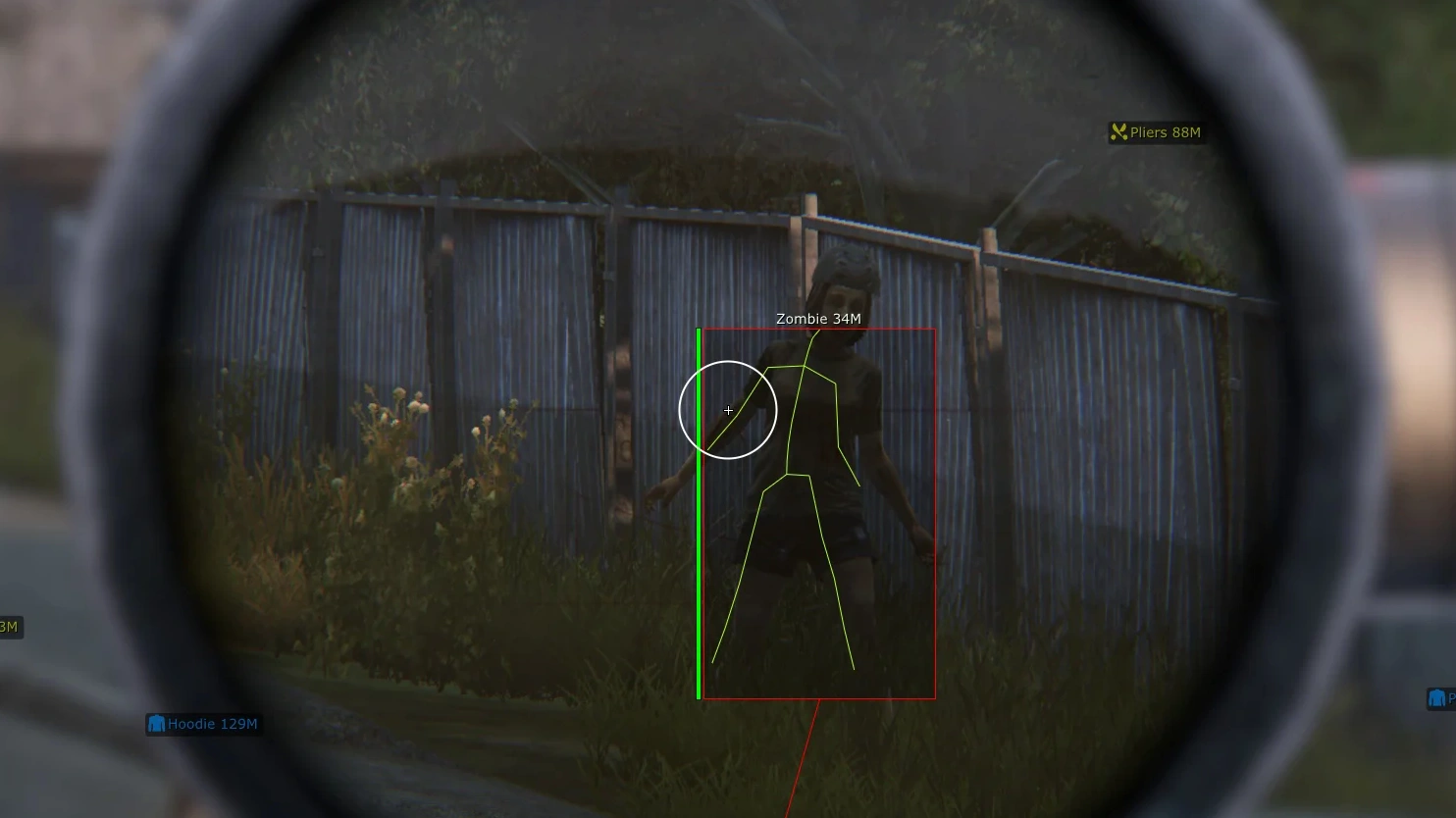
- Box Mode – choose box style for zombies (off, 2D, corners, filled)
- Snapline – WH lines from the player to the infected
- Name – displays the name/type of the infected
- Skeleton – skeleton ESP for easier target positioning
- Distance – shows distance to zombies in meters
- Health – displays infected health level as a bar
- Maximum Distance – set maximum render distance for zombies
- AI – displays AI / NPC characters
- Animals – enable ESP for animals
- Vehicles – shows vehicles on the map
- Helicrashes – displays helicopter crash sites with loot
- Categories Mode – display items by preset categories
- Custom Mode – custom item filter with manual loot selection
- Items – enable item display on the map
- Items Near – shows nearby loot around the player
- Corpses – displays dead players and infected bodies
- Items Mode – select Loot ESP working mode (categories, custom)
- Quality – item condition filter
- Pristine – perfect condition
- Worn – slightly worn item
- Damaged – damaged
- Badly Damaged – heavily damaged
- Ruined – completely broken loot
- Weapon – weapons
- Melee – melee weapons
- Optics – scopes and optics
- Suppressors – suppressors
- Magazines – magazines
- Clothing – clothing
- Backpack – backpacks
- Container – containers and storage
- For Transport – vehicle and repair items
- Food – food
- Drinks – drinks
- Medical – medical supplies
- Maps – maps and navigation items
- Tools – tools
- Consumables – consumables
- Other – other items
- Ignore Category Settings – ignores standard categories and uses only custom list
- Item By Search – search items by name
- Add Custom Item – add selected item to personal display list
- Save Items List – save custom filter
- Clean Items List – completely clear item list
- Show Only Active Items – show only active filter elements
- Enable Category – enable entire selected category
- Disable Category – disable selected category from display
- Reset Category – reset category display settings
- Zoom Hack – modifies camera zoom allowing stronger zoom without optics
- FOV Changer – adjust camera field of view
- Weather Changer – change weather effects on the client side
- Fog Percent – adjust fog density
- Rain Percent – change rain intensity
- Overcast Percent – adjust cloudiness level
- Loot Through Walls – loot items through walls
- No Grass – disables grass and some vegetation for better visibility of enemies and loot
- Bright Night – makes night significantly brighter
- Unlock Thirdperson – enables third-person view even on 1PP restricted servers
- Debug Camera – enables free-fly camera across the map
- Noclip – free movement through objects and obstacles
Operating system: Windows 10, Windows 11 (21H2, 22H2, 23H2)
Processor: Intel & AMD
Video card: Nvidia & AMD
Client: Steam
Bundle Offers
Save when you add all items
✓ All bundle items in cart