Image
DBD │ ANCIENT
UndetectedInstant DeliveryDescription
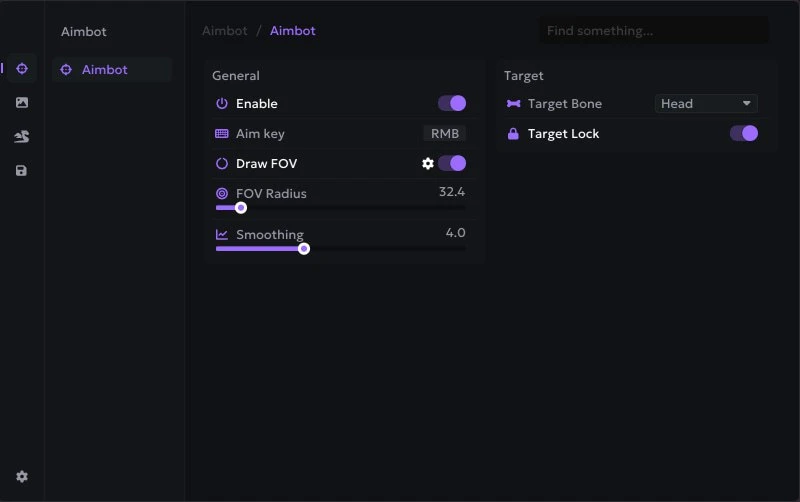
- Enable – enables or disables the aimbot
- Aim Key – the key that activates the aimbot
- Draw FOV – displays the aimbot FOV circle on the screen
- FOV Radius – adjusts the radius of the target acquisition zone
- Smoothing – adjusts the smoothness of aiming for more natural crosshair movement
- Target Bone – selects the body part the aimbot will aim at
- Target Lock – locks the aimbot onto the selected target and keeps the aim on it
- Generators – displays generators on the map, allowing quick identification for repairs or patrols
- Pallets – shows pallet locations on the map
- Windows – displays windows that can be vaulted
- Hooks – shows hook locations on the map
- Totems – displays all totems
- Traps – shows placed traps on the map
- Chests – displays item chests
- Lockers – shows lockers where players may hide
- Hatch – displays the hatch on the map
- Exit Gates – shows the locations of exit gates
Operating system: Windows 10 (21H2, 22H2), Windows 11 (21H2, 22H2, 23H2, 24H2, 25H2)
Processor: Intel & AMD
Video card: Nvidia & AMD
Client: Steam, Epic Games, Microsoft Store (XBox Gamepass PC)
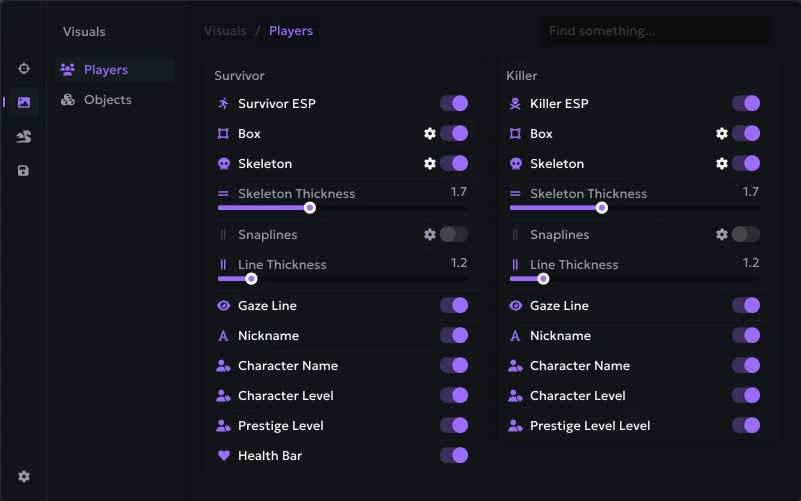
- Survivor / Killer – enables ESP display for survivors or the killer
- Box – displays a box around the character
- Skeleton – displays the character model skeleton
- Skeleton Thickness – adjusts skeleton line thickness
- Snaplines – displays lines from the player to the target
- Line Thickness – adjusts Snapline thickness
- Gaze Line – shows the character's view direction
- Nickname – displays the player's nickname
- Character Name – shows the selected character's name
- Character Level – displays the character’s level
- Prestige Level – shows the character’s prestige level
- Health Bar – displays the character’s health bar
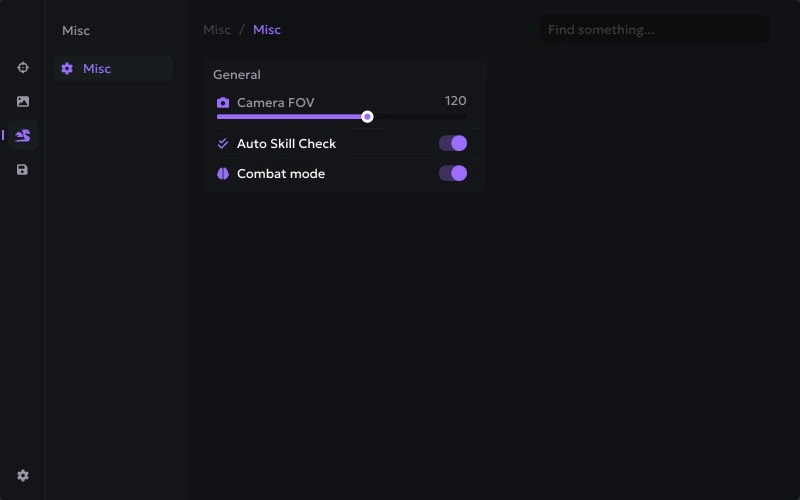
- Camera FOV – allows changing the camera field of view for a wider vision range
- Auto Skill Check – automatically performs Skill Checks while repairing generators
- Combat Mode – hides certain ESP elements for a cleaner interface during gameplay
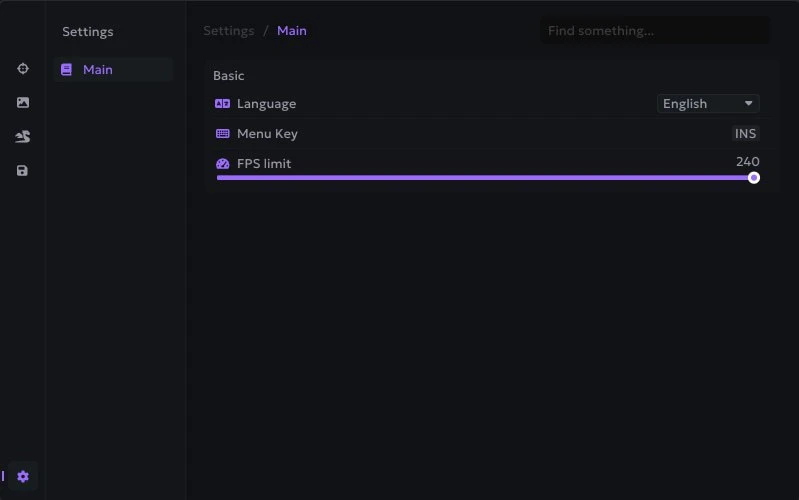
- Language – the menu supports multiple languages (English, Russian)
- Menu Key – the key to open or close the menu
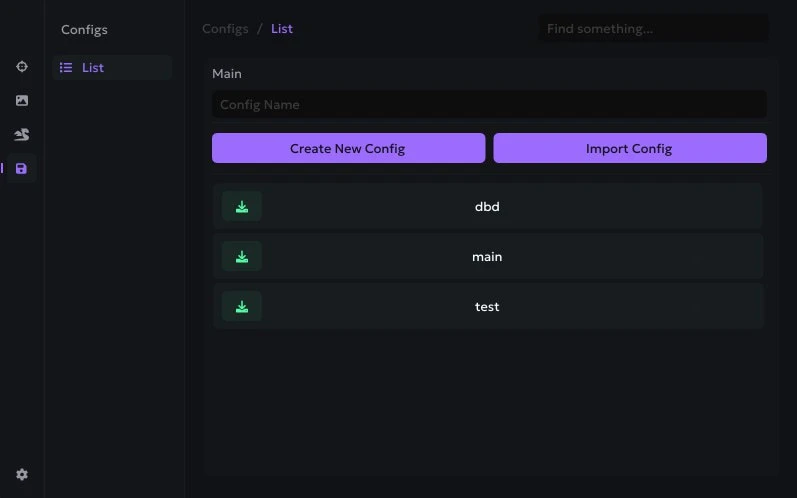
- Configs System – a configuration system that allows creating, importing, and using various menu setting presets
- Infinite Lunge – allows you to perform an attack with unlimited lunge range
- Long Reach – increases the range of the assassin’s normal attack
- No Cooldown Attack – removes the cooldown between attacks
Bundle Offers
Save when you add all items
✓ All bundle items in cart