Image
Dead By Daylight │ ARCANE
UndetectedInstant DeliveryDescription
- Enable – activate/disable Aimbot
- Vector - Vector aimbot simulates human mouse movements to aim at a target
- Aim Key – key to activate Aim
- Max Distance – working range of the aim
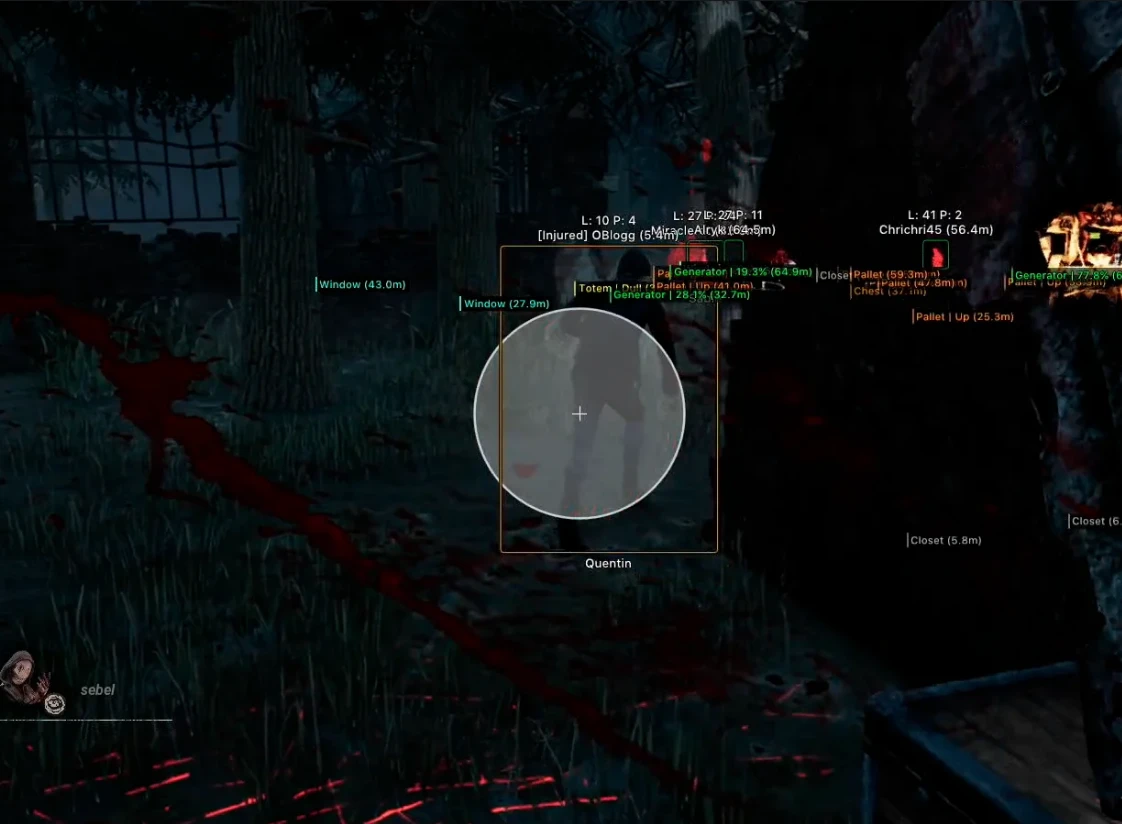
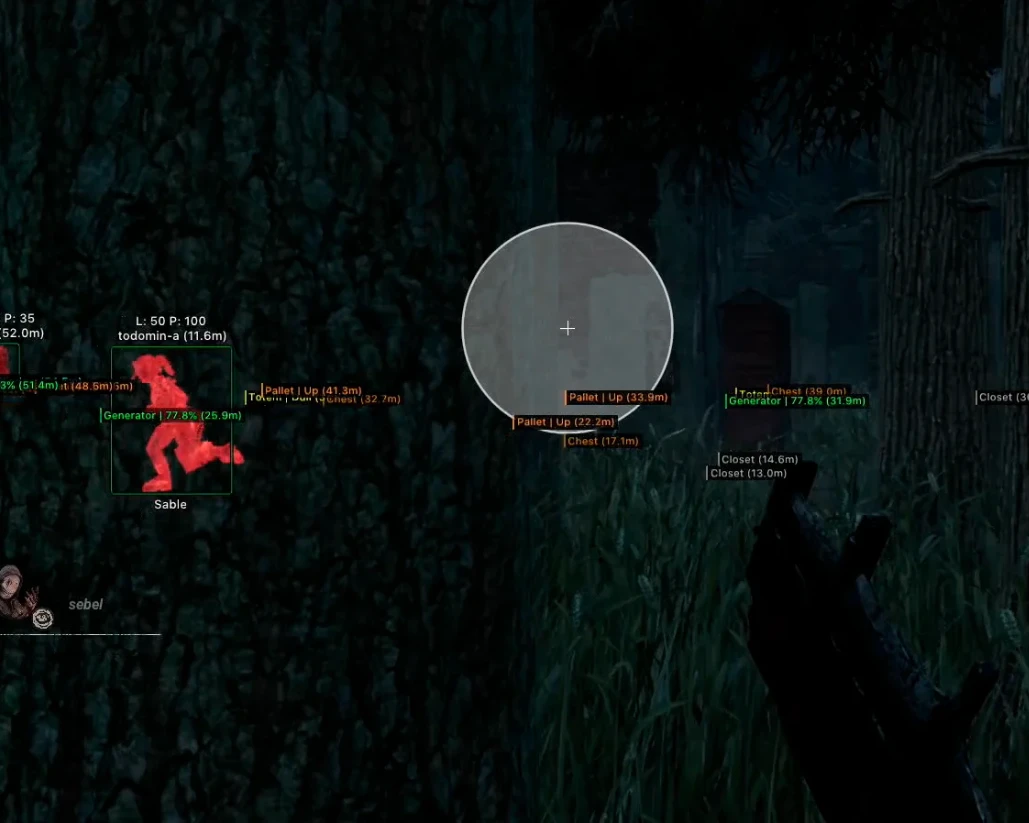
- FOV – field of view for the aimbot
- FOV Show – display the aim area as a circle
- FOV Color – allows you to customize the circle's color
- Smooth – smooth aiming when using the aimbot
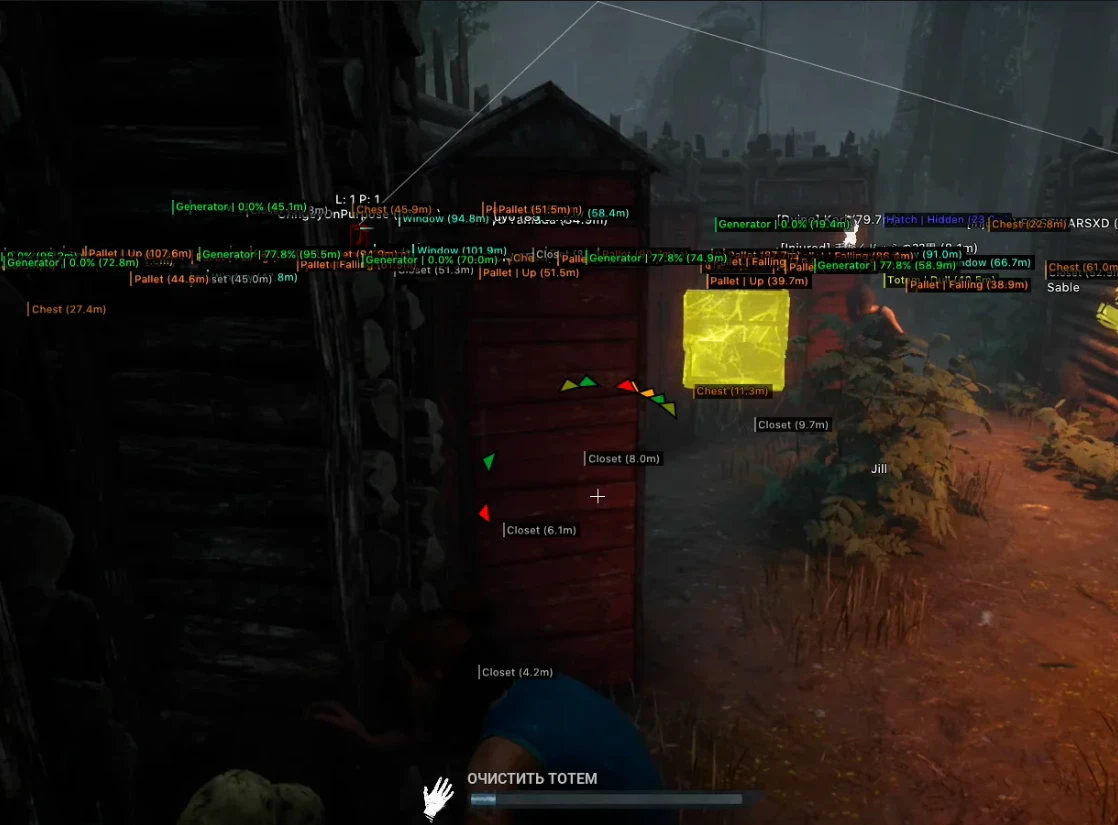
- State – shows the state of objects and items
- Distance – distance to objects in meters
- Generator – shows the location of all generators
- Meat Hook – location of hooks
- Pallet – shows dropable items
- Window – shows the location of windows
- Closet – location of closets (hiding spots)
- Chest – shows containers
- Totem – shows the location of totems
- Trap – displays maniac traps
- Hatch – location of hatches on the map
- Escape Door – shows the location of exits
- Interactive Icons – displays interactive icons in the ESP for some objects
- Menu Key – key to open the cheat menu
- Unload Key – key to completely disable the cheat from the game
- Language (EN, RU, CH) – DBD Arcane cheat supports three languages (English, Russian, Chinese)
- Menu Style – settings for menu color and scale
- Configs – configuration system for saving settings and quick loading
- Stream-Proof – cheat menu and ESP are not visible on screenshots, videos, or streams
- HWID-Spoofer – built-in spoofer to bypass hardware bans
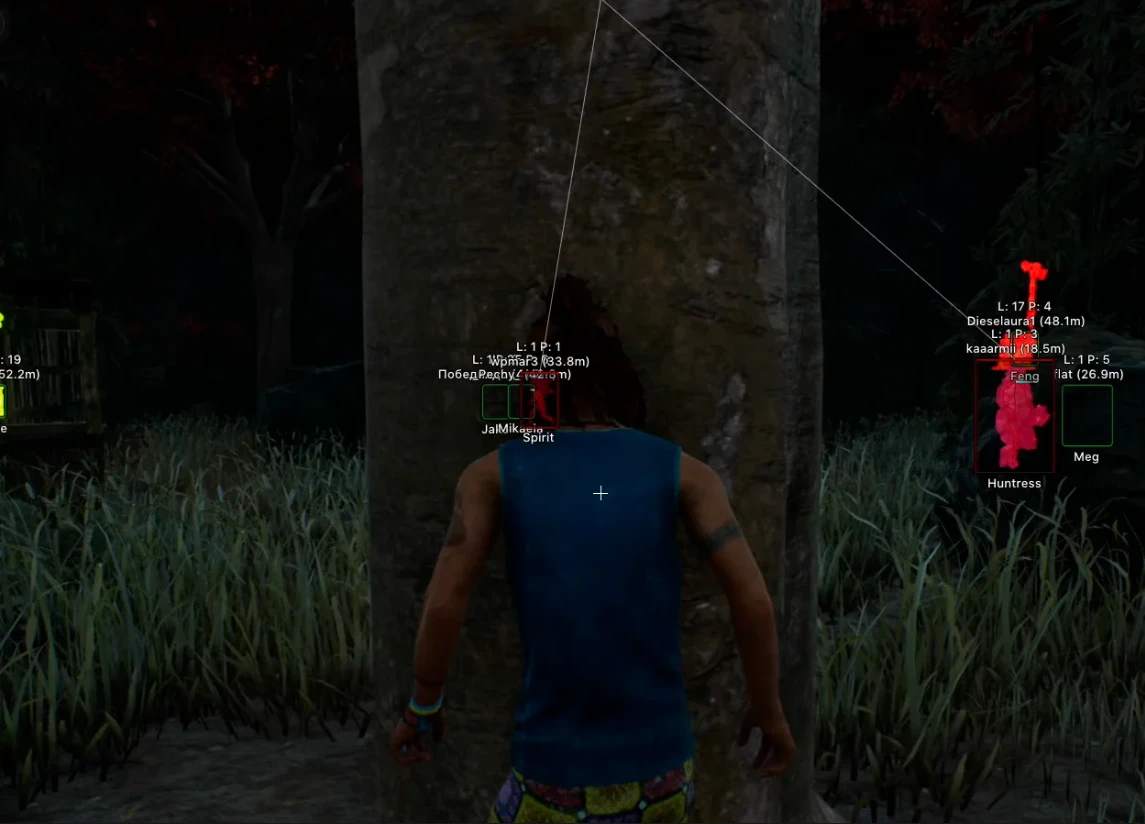
- Boxes – ESP in the form of boxes
- Box Style – customize box display (full, corners, 3D, fill, box color, etc.)
- Skeleton – ESP in the form of skeletons
- Skeleton Thickness – thickness of skeleton lines
- Name – displays player nicknames
- Health – shows Survivors' HP
- Character Level – displays character level
- Prestige Level – shows player's prestige level
- Character Name – displays character name
- Distance – distance to the target in meters
- View Line – shows the direction of players' view
- Snaplines – ESP in the form of lines
- Skill Check Helper – auto skill check for certain actions
- Perfect Chance – chance of success for an excellent result
- Good Chance – chance of success for a good result
- FOV Changer – change the field of view (FOV)
- Crosshair – displays a static crosshair in the center of the screen
- Off-Screen Arrows – arrows pointing to players outside the field of view
- Battle-Mode – toggle all ESP except for players and maniacs with a key press
- Auto-Pallete – automatically overturns pallets in the trigger area
- Glow – enable aura glow for players and objects
Operating system: Windows 10, Windows 11
Processor: AMD & Intel
Video card: AMD & NVIDIA
Client: Steam, Epic Games, Microsoft Store
Bundle Offers
Save when you add all items
✓ All bundle items in cart