Image
Delta Force │ ANCIENT
UndetectedInstant DeliveryDescription
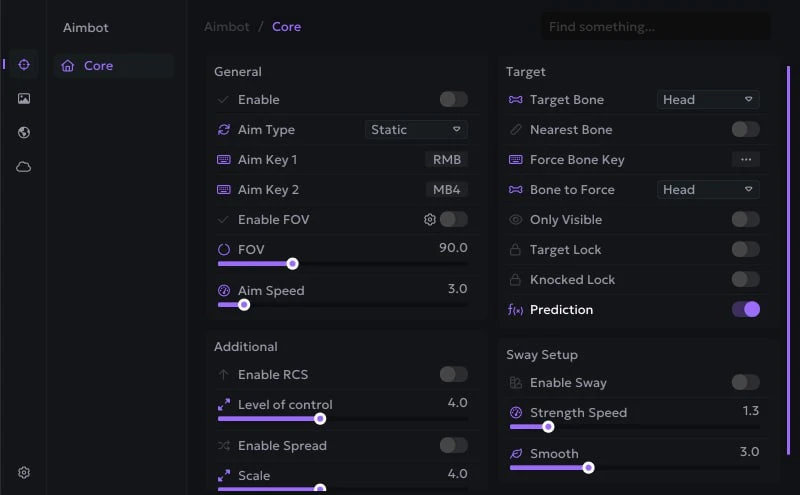
- Enable Aimbot - enable aimbot
- Static Aimbot - normal aim, moves in a straight line
- Curved Aimbot - advanced aimbot, moves more randomly
- Aim Key (First, Second) - bind 2 keys to activate aim (hold)
- FOV - the size of the area in which AIM operates
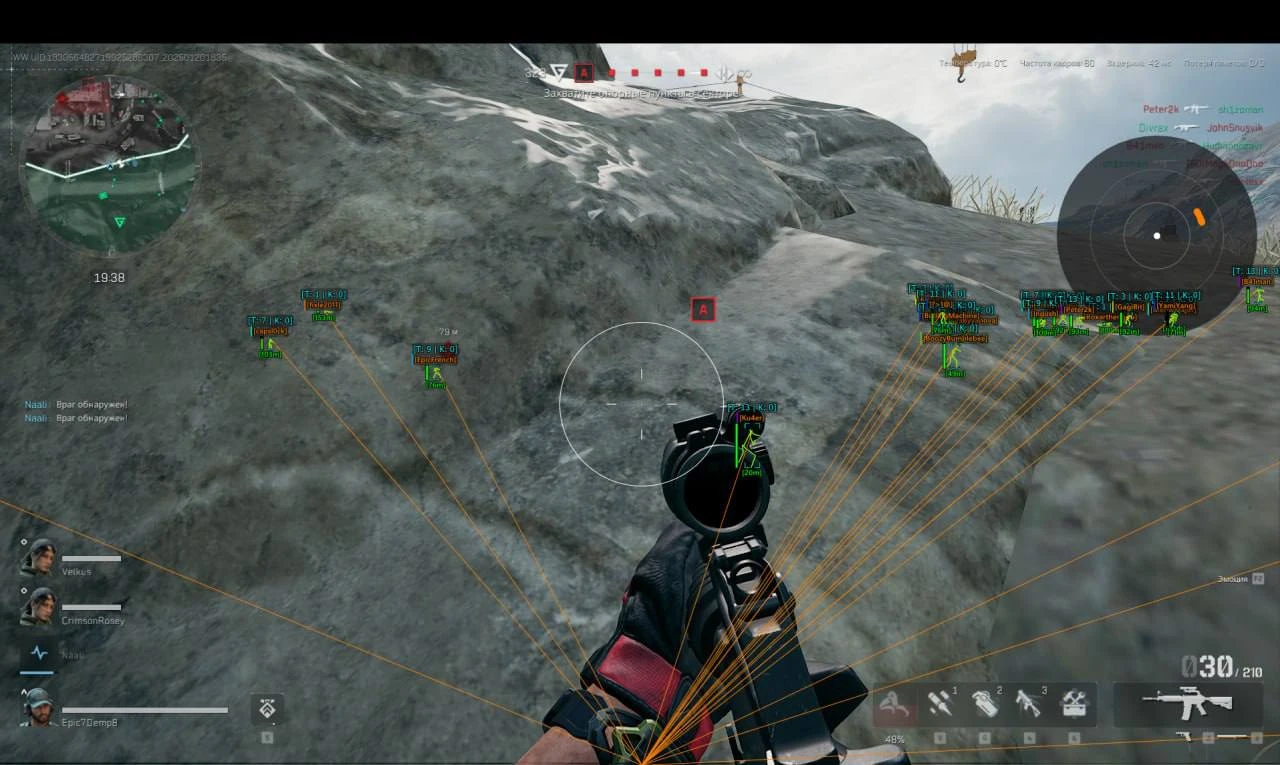
- Draw FOV - show the aiming area on the screen
- FOV Color - the color of the circle showing the aim area
- Smooth - smoothing of aim movements, the higher the value, the weaker the aim
- Bone (Head, Neck, Body) - select body parts for aiming (hitboxes)
- Nearest Bone - aim at the closest body part to the crosshair (hitbox)
- Force Bone - Switch AIM to a specific body part
- Force Key - body part switching key
- Only Visible - fire only at targets in direct line of sight
- Lock Target - fixing the aim on the target until it is destroyed or the fire stops
- Lock Knocked - aim at knocked enemies with aim
- Prediction - predicting the enemy's trajectory
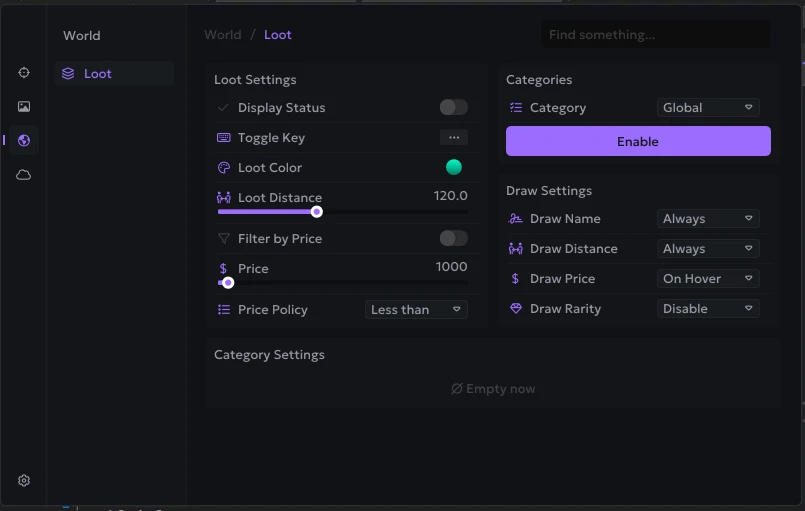
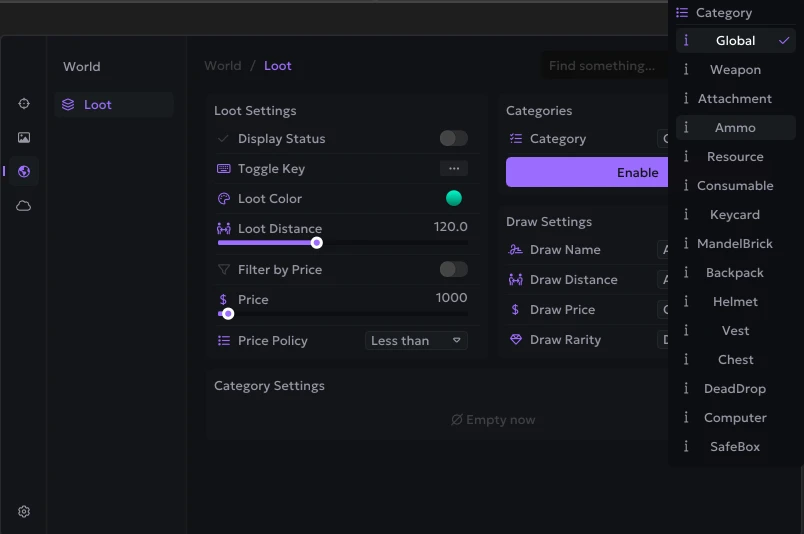
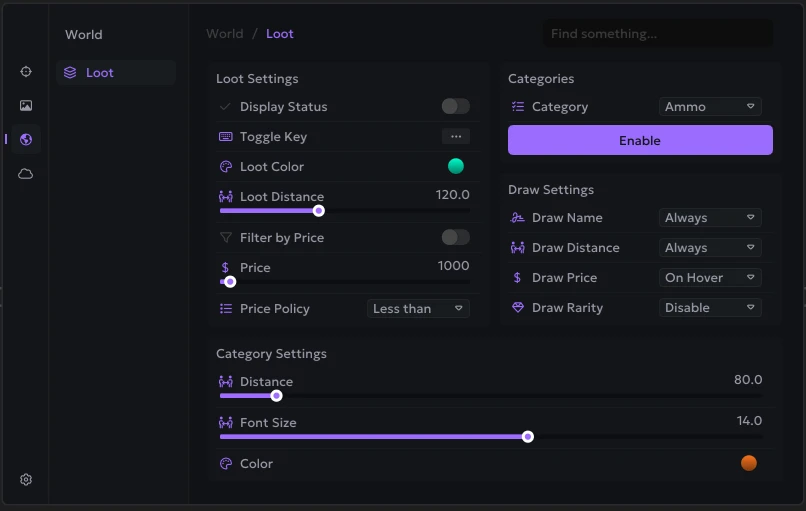
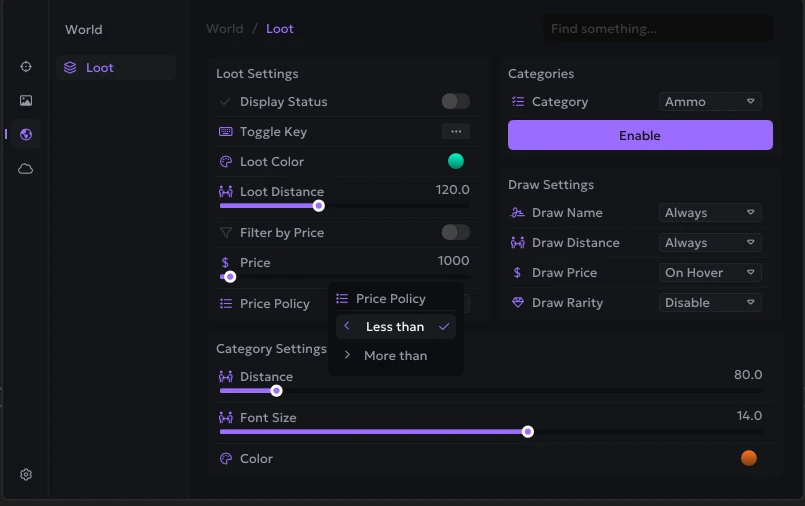
- Enabled – enables and disables the display of ESP for loot
- Toggle Key – allows you to assign a hotkey to quickly enable and disable the display of loot
- Loot Color – allows you to change the color of the item display
- Max Distance – allows you to set the maximum distance for the display of loot (customizable)
- Filter by Price – enables filtering of items based on their price
- Price – allows you to set the minimum or maximum price of items for display, depending on the selected mode (customizable)
- Price Policy – defines the principle of filtering items by price (less, more)
- Global – applies display settings to all item categories at once
- Weapon – displays weapons
- Attachment – displays weapon modules and attachments
- Ammo – displays ammunition
- Resource – displays resources and materials
- Consumable – displays consumable items
- Keycard – displays key cards
- MandelBrick – displays valuable items of the Mandel Brick category
- Backpack – displays backpacks
- Helmet – displays helmets
- Vest – displays body armor
- Chest – displays containers and chests
- DeadDrop – displays Dead Drop caches
- Computer – displays computers
- SafeBox – displays safes
- Category Filter – displays the selected item category
- Draw Name – displays the item name
- Draw Distance – displays the item's distance
- Draw Price – displays the item's price
- Draw Rarity – displays the item's rarity
Operating system: Windows 10, Windows 11 (21H2, 22H2, 23H2, 24H2, 25H2)
Processor: Intel & AMD
Video card: Nvidia & AMD
Client: Steam, Epic Games (EGS), Delta Force Launcher (Global), Garena
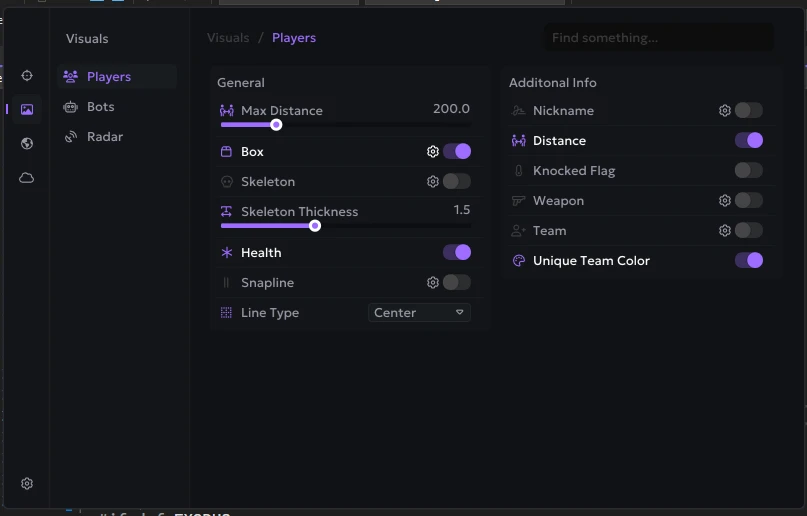
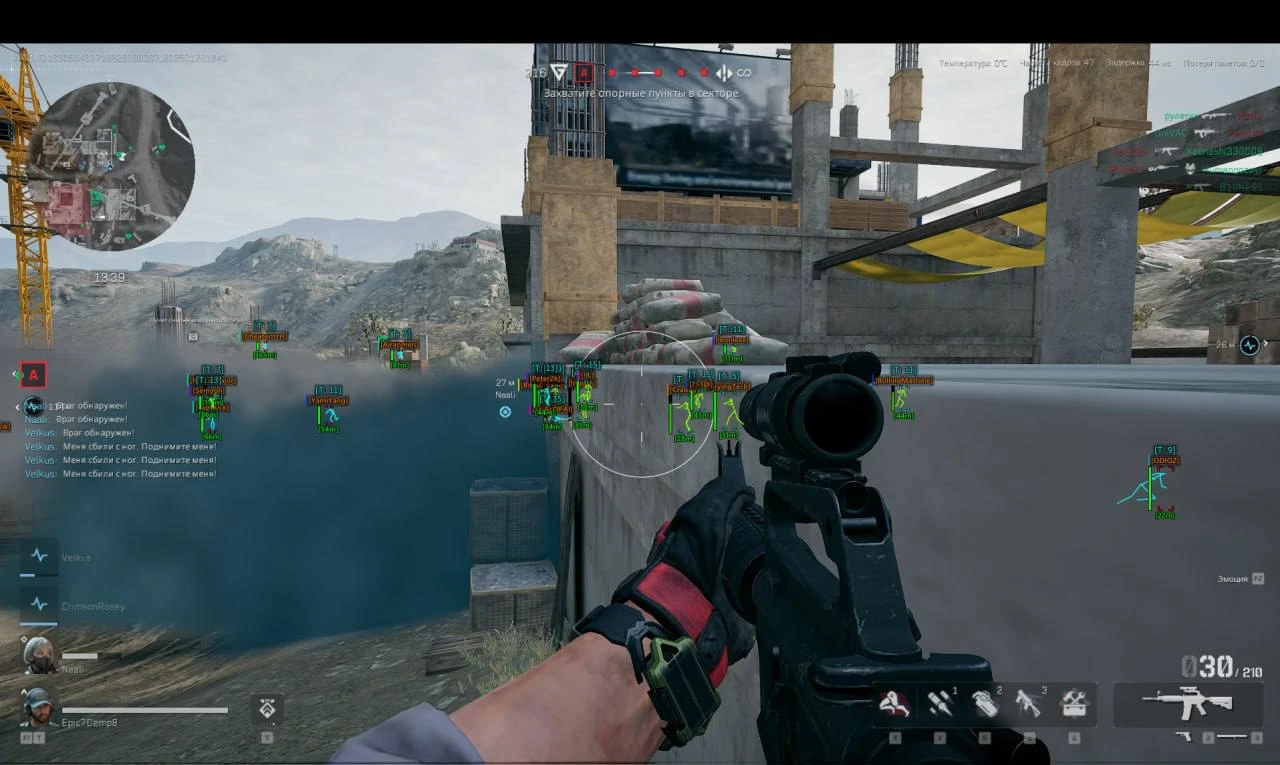
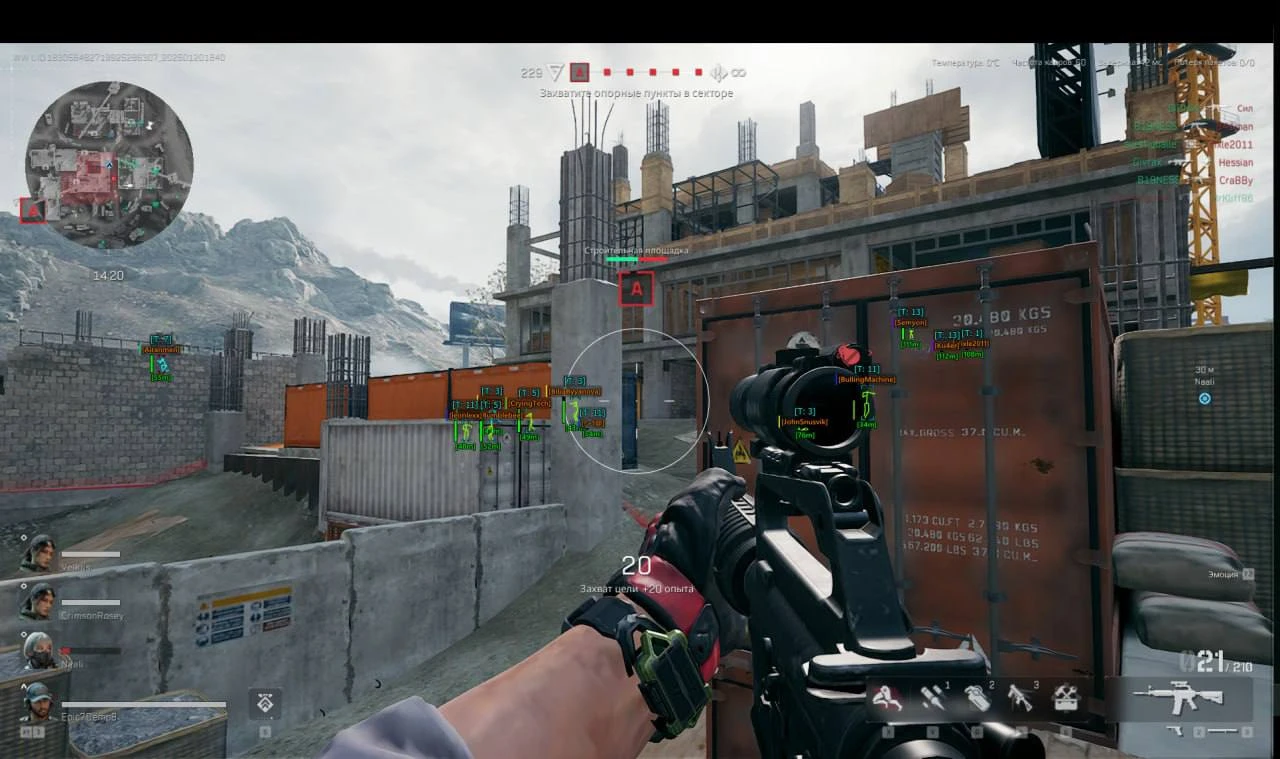
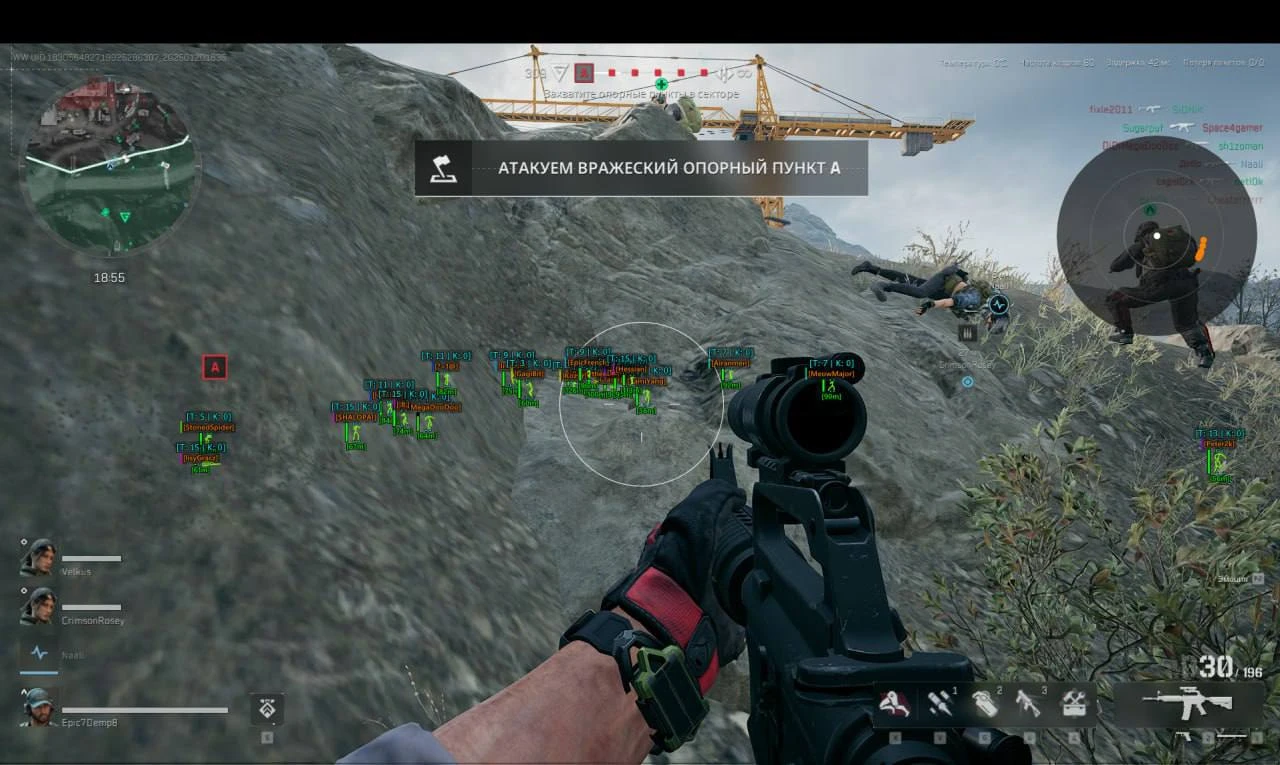
- Player ESP - wh for displaying players
- Distance - distance to enemies in meters
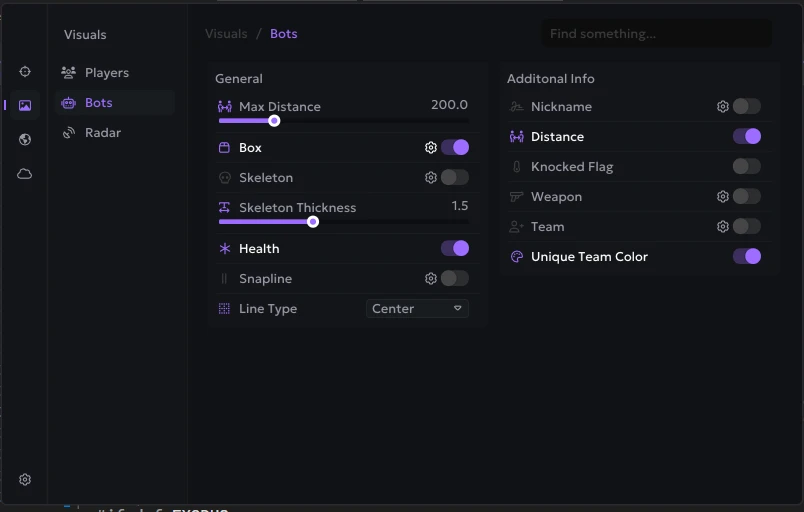
- Max Distance - Player ESP operating range
- Visible Check - enemies behind the wall and in direct line of sight are painted in different colors
- Box ESP - ESP in the form of boxes
- Skeleton - wh in the form of skeletons
- Skeleton Thickness - thickness of skeleton lines
- Health - show players HP using a bar (strip)
- Line - WH in the form of lines from you to enemy models
- Name - players' nicknames
- Team - the player's team
- Kills - the number of frags the player has
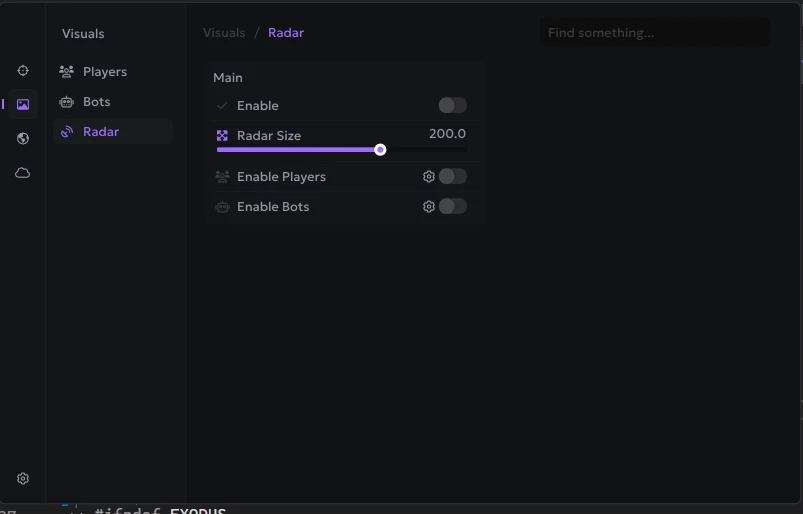
- Radar - radar window for displaying players
- Radar Size - radar window size
- Bots - esp for displaying bots with separate settings and filters
- Knocked - show knocked characters
- Weapons - weapons in the hands of enemies
- No Recoil - disable weapon recoil when shooting
- Spray Contorol - help in controlling recoil when shooting
- Crosshair - static sight in the middle of the screen
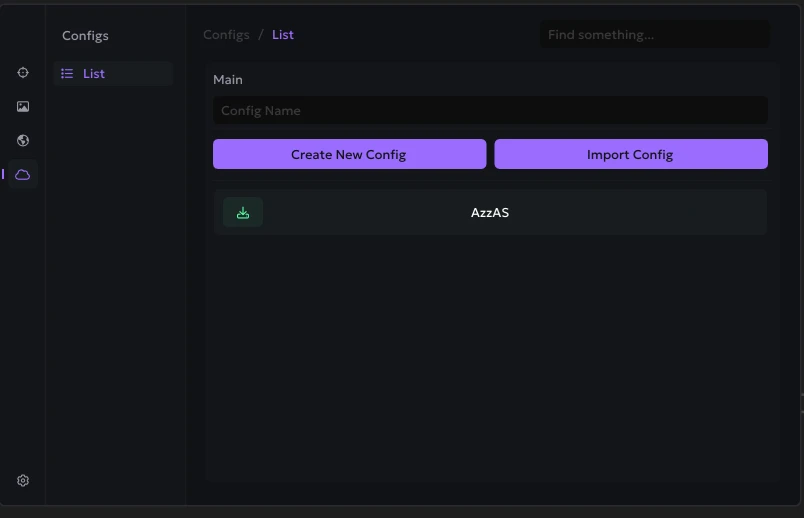
- Configs - the ability to save and load cheat settings
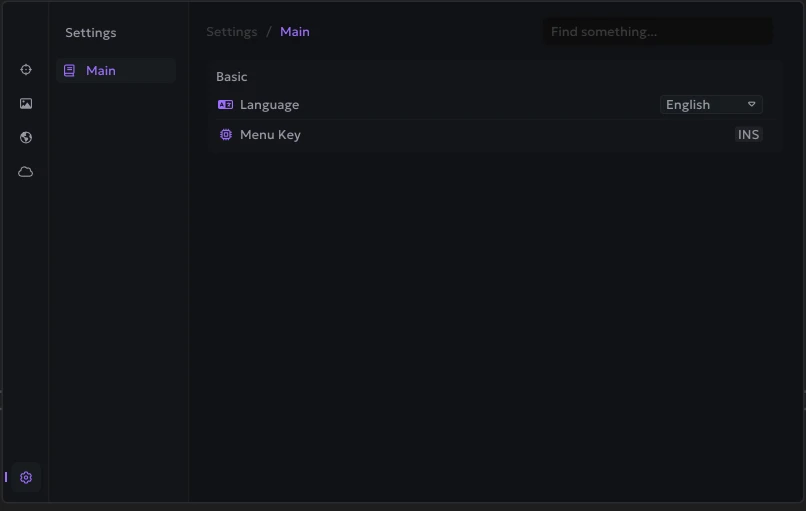
- Language (English, Chinese) - language of the Ancient cheat menu for Delta Force
- StreamProof - Completely hide cheats on video recordings, streams or screenshots
- Custom Colors - the ability to choose colors for many visual elements of the cheat to your taste
- Crosshair - static sight in the middle of the screen and its settings
- Font Size - setting the font size used in ESP
Bundle Offers
Save when you add all items
✓ All bundle items in cart