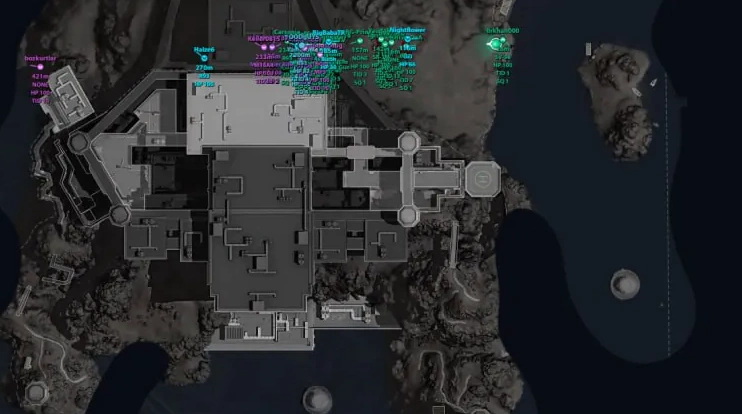
Description
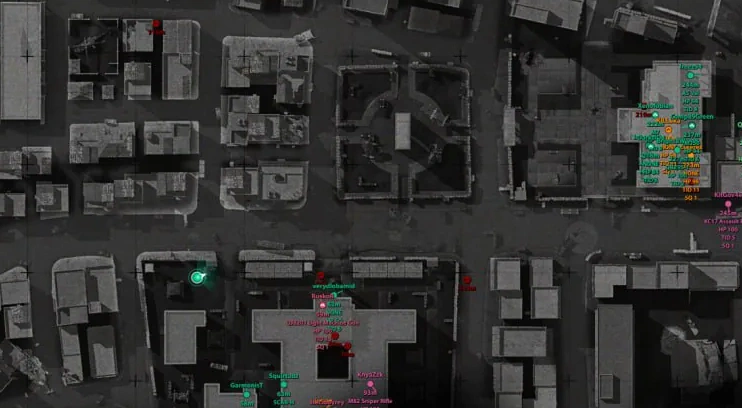
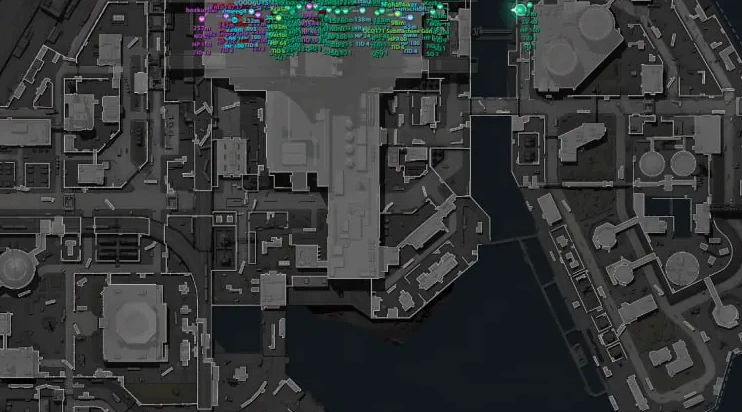
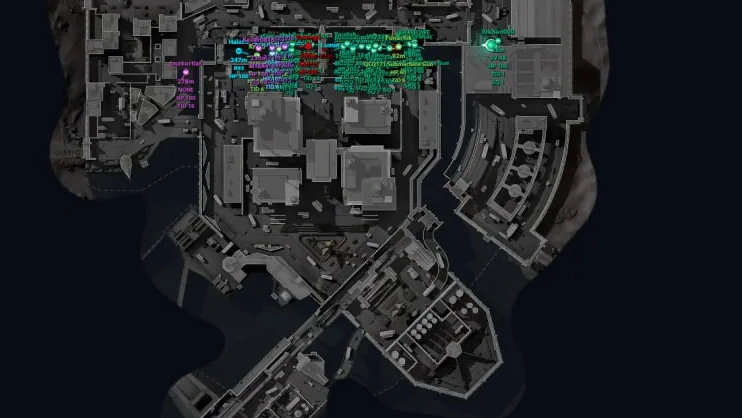
- Real-Time Tracking – displays enemies, teammates, regular bots, and bosses in real time
- Target Status – distinguishes between alive, knocked down, and dead players
- Player Nicknames – displays player nicknames
- Weapon – shows the player's equipped weapon
- Ammo – displays the current and maximum amount of ammunition
- Health – shows current health and remaining health while knocked down
- Helmet & Armor – displays helmet and body armor levels
- Kill Count – shows the player's number of kills
- Team & Squad IDs – displays team and squad identifiers
- Distance – shows the distance to each target
- Facing Direction – displays the direction the player is looking
- Floor Indicators – indicates whether the target is above or below the current floor
- Visible Target Colors – highlights visible targets with separate colors
- Team Color Grouping – automatically groups enemies from the same team by color
- Vehicle Positioning – correctly displays the position of players inside vehicles
- Operations – items are displayed only in Operations mode
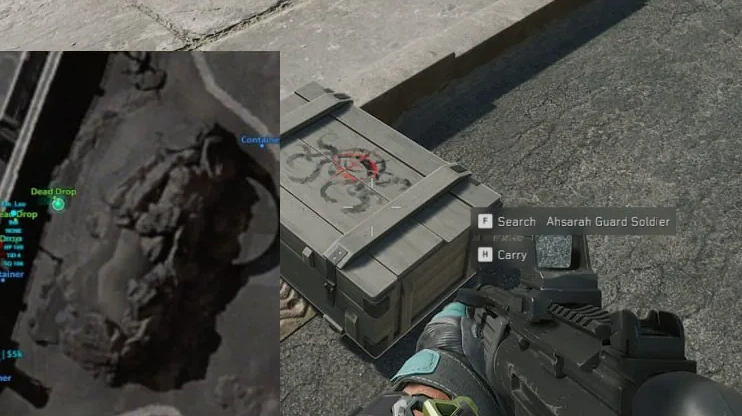
- Loot Categories – displays weapons, attachments, ammunition, resources, consumables, keycards, backpacks, helmets, armor, crates, bodies, computers, containers, safes, unknown items, and more
- Category Filters – allows enabling and disabling the display of each item category separately
- Item Names – displays item names
- Item Value – shows the value of items or containers
- Rarity Filter – filters items by rarity (from level 1 to 6)
- Minimum Price – minimum item value to be shown on the radar
- Global Maximum Distance – sets the overall loot display range
- Individual Category Distance – separate display distance for each category
- Category Colors – individual colors for item categories
- Category Text Size – adjusts text size for each category separately
- Item / Container Settings – provides separate settings for items and containers
- Floor Filtering – filters loot by floors
- 22 Supported Maps – supports 22 Delta Force maps
- Automatic Map Detection – automatically detects the current map when the match loads
- Manual Map Selection – allows selecting a map manually
- Multi-Floor Maps – supports multiple floors and map levels
- Player / Loot Floor Filters – allows filtering players and loot by floors separately
- Map Calibration – ensures accurate alignment of in-game coordinates with object positions on the map
- Calibration Tool – provides a built-in tool for calibrating new maps
- Automatic Calibration Controls – hides calibration elements on already configured maps
- Relative Coordinate Mode – uses relative coordinates for maps that have not yet been calibrated
- Automatic Loot Disabling – disables loot display on maps where it is not available
- Automatic Player Tracking – automatically tracks the player's position
- Free Map Movement – allows moving the map using a mouse or touch screen
- Quick Recenter – quickly returns the map to the player's current position
- Map Rotation – allows rotating the map according to the player's movement direction
- Zoom – adjusts the map scale using buttons, the mouse wheel, or touch gestures
- Fullscreen Mode – opens the radar in fullscreen mode
- Collapsible Control Panel – allows collapsing the bottom control panel
- Marker & Text Size – adjusts the size of markers and text
- Player Direction & FOV – displays the player's facing direction and field of view
- Player / AI / Loot Counters – shows the number of players, bots, and loot objects
- Connection Status – displays the client connection status
- Match Status Notification – warning if the client is not in a match
- Custom Target Colors – allows customizing colors for each target type
- Item & Container Rarity Colors – separate rarity colors for items and containers
- Browser Settings Storage – saves settings in the browser
- Multilingual Interface – supports Russian, English, and Chinese languages
- Desktop & Mobile Support – supports use on computers and mobile devices
- Shareable Radar Link – allows sharing a link to the web radar with other users
Operating system: Windows 10, Windows 11 (21H2, 22H2, 23H2, 24H2, 25H2, 26H1, 26H2)
Processor: Intel & AMD
Video card: Nvidia & AMD
Client: Steam, Epic Games (EGS), Delta Force Launcher (Global), Garena
RAM: 16 GB
A normal Windows install is required: not Enterprise, not optimized or repacked.
Ancient Radar for Delta Force is a browser-based radar with a detailed real-time view of players, AI enemies and loot. It shows nicknames, weapons, ammo, health, armor, kill count, team, distance and view direction, and takes target status, height difference and vehicles into account. Colors separate enemies, allies and other target types. The loot module filters by category, rarity, value and distance to highlight the most valuable items, containers and resources. It supports 22 maps, detects the current one automatically and handles multi-level locations with floor filters. It runs in a browser on PC or mobile, in English, Russian or Chinese, and the link can be shared.
Delta Force │ ANCIENT RADAR
Undetected- Instant delivery: your key arrives by email and on your order page.
- Setup guide and loader included.
- 24/7 support tickets.
Questions before you buy? Open a ticket
Bundle Offers
Save when you add all items