Image
Delta Force │ UNNAMED FULL
UndetectedInstant DeliveryDescription
- Enable - enable/disable aimbot
- Visible Only - aim only against enemies not behind walls
- Ignore Knocked - disable aim against knocked enemies
- FOV - size of the aimbot working area
- Draw FOV - display the aimbot working area on the screen
- Target Line - line to the current aimbot target
- Max Distance - aimbot working range
- Aim Key - select the key to activate the aim
- Controller Mode - you can use aim even with a gamepad
- Aim Filter (Distance / Crosshair / Lowest HP) - priority for selecting aimbot targets
- Bone - select the body part the aim will target
- Head Chance - chance to hit the head in %
- Smooth - smoothness of aim movements, higher value means smoother aim
- Speed - speed of aimbot movements
- Stickness - how strongly the aimbot will lock onto the target
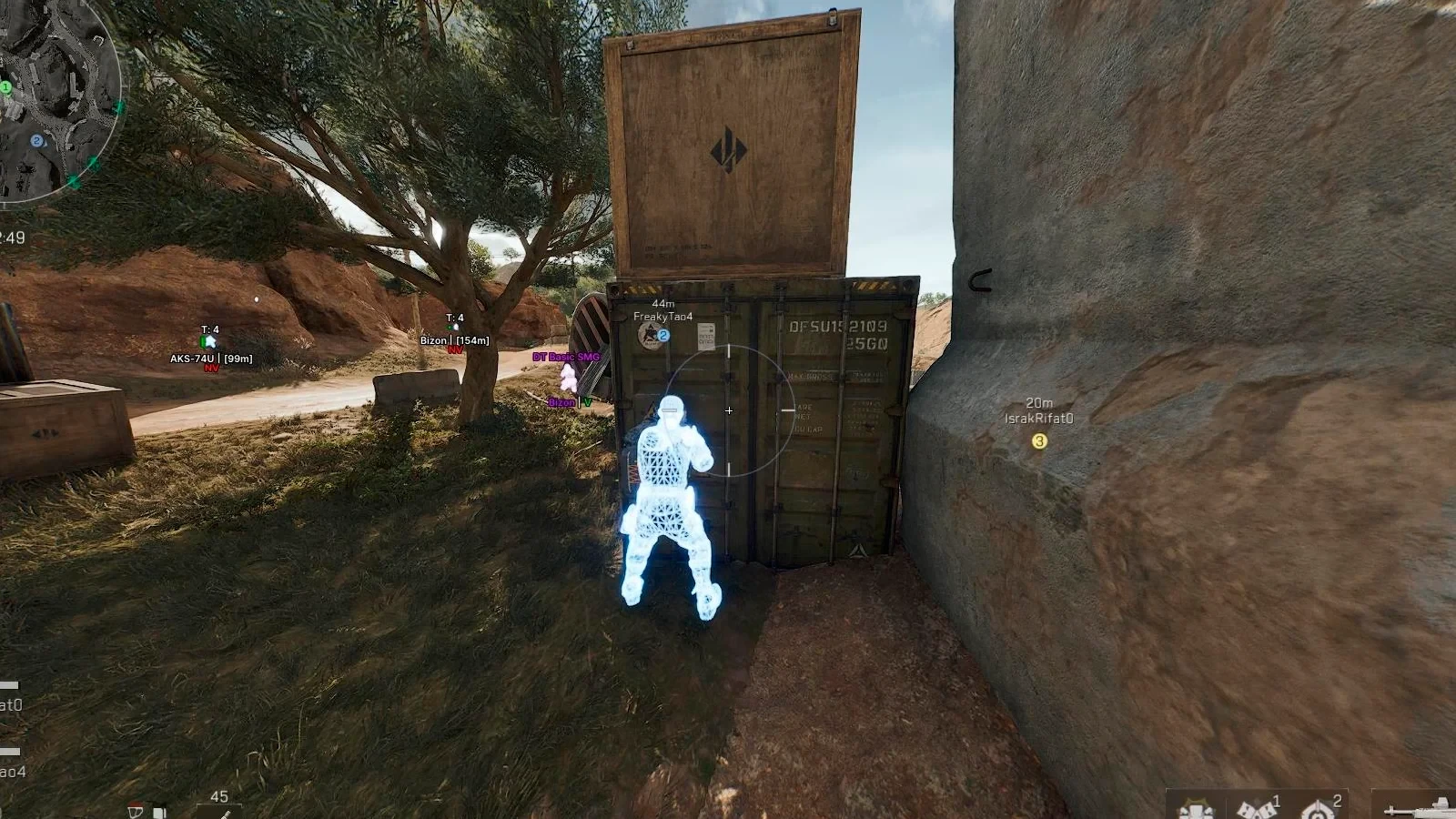
- Players ESP - WH showing players
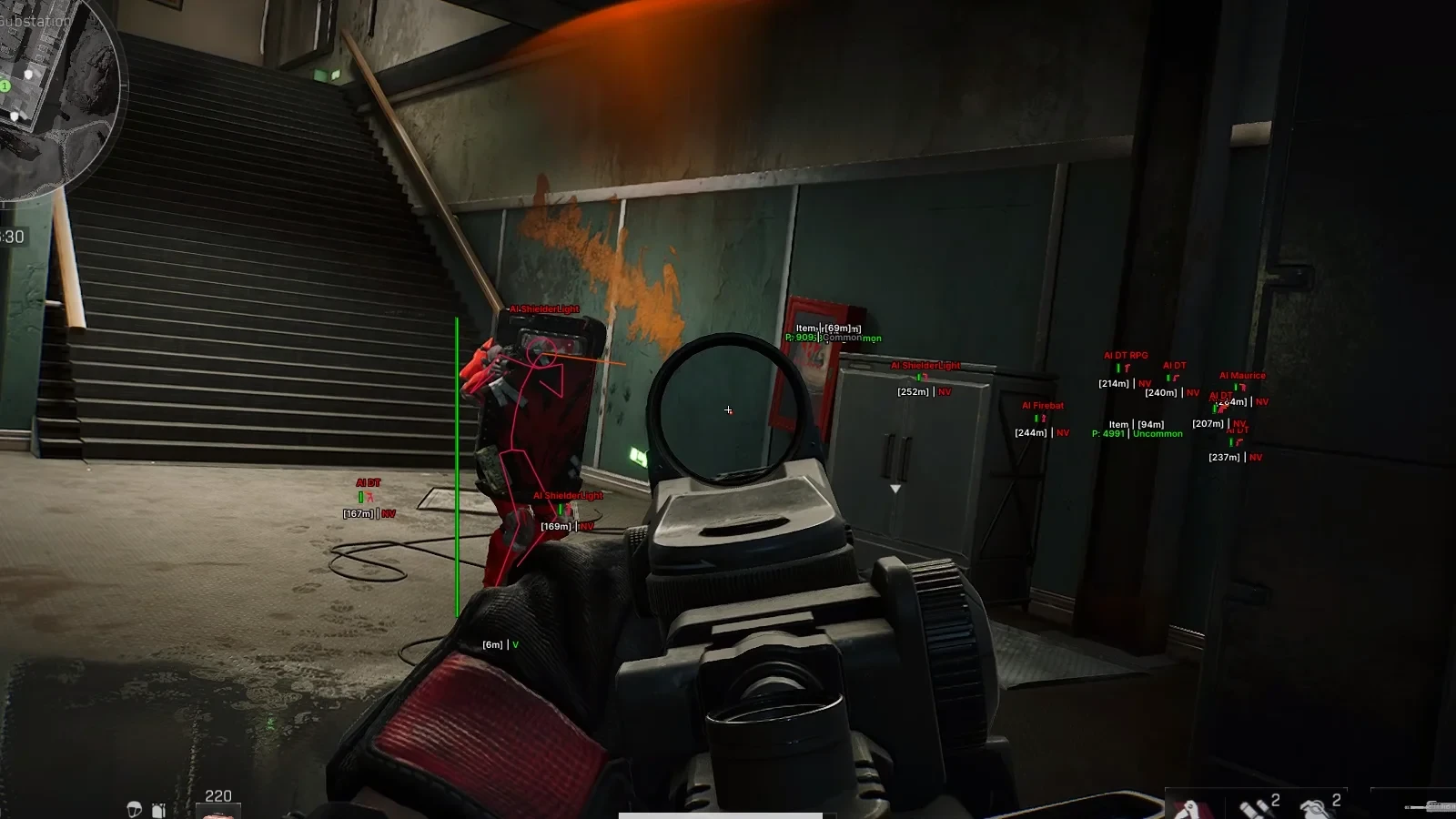
- Bots ESP - WH showing bots
- Boxes (2D, 3D) - ESP in the form of boxes, 2 types
- Snaplines - wallhack in the form of lines
- Visible Check - targets behind walls and in direct visibility are colored differently
- Distance - distance to targets in meters
- Max Distance - Wallhack working range
- Name - nicknames of players/bot names
- Team Number - team ID of players
- Weapon Type - type of weapon the character is holding
- View Info - direction of the target's view
- Health Bar - target's HP displayed as an indicator
- Head Circle - separately highlight the head hitbox of enemies
- Line Thickness - adjust the thickness of ESP element lines
- Chams - wallhack in the form of bright chams (glow)
- Player Gear Info – displays the name and level of the player's equipment (helmet, armor, backpack)
- Hero Name – shows the name of the selected hero
- Knocked Player Status – displays the status of knocked players
- Crosshair - static crosshair in the center of the screen
- Instant Hit – instant hits on enemies
- No Recoil – disabling recoil on weapons
- Custom Colors - ability to choose colors for most visual elements of the Unnamed Delta Force cheat
- CFG System - ability to save and manage your configuration
- StreamProof - cheat is completely invisible when recording video/screenshots/streams
- Weapon & Hands Offset Changer – allows you to change the position of hands and weapons on the screen (similar to the offset settings in HVH cheats for CS:GO)
- Third Person View – switches the camera to third-person view mode
- FOV Changer – allows you to change the camera angle
Operating system: Windows 10, Windows 11 (21H2, 22H2, 23H2, 24H2, 25H2)
Processor: Intel & AMD
Video card: Nvidia & AMD
Client: Steam (Global), Steam (China), WeGame Launcher, Official Delta Force Launcher, Garena
- Enable – enables or disables Silent Aim
- Draw FOV – displays the radius of Silent Aim
- Draw Target Line – draws a line to the currently selected target
- Visible Only – works only on visible targets
- Ignore Knocked – ignores knocked players
- Ignore AI – excludes AI opponents from targets
- FOV – target capture zone radius (field of view)
- Max Distance – maximum Silent Aim range
- Silent Aim Keybinds – two separate keys to activate the function (native controller binds are supported)
- Silent Aim Mode – mode of aimbot work (Hold / Toggle / Always)
- Aim Filter – target selection filter (Closest to Crosshair / Closest Player / Lowest HP)
- Bone Selection – selection of body part for targeting (Closest / Head / Neck / Chest)
- Loot ESP - ESP for displaying loot (items)
- Name - names of displayed objects
- Distance - distance to loot in meters
- Max Distance - Loot ESP working range
- Price - display the price of displayed items
- Quality - quality of displayed loot
- Dot - dots near ESP displaying loot
- Loot Status - show if the loot box has been opened
- Owner Type - shows the loot owner (player/bot)
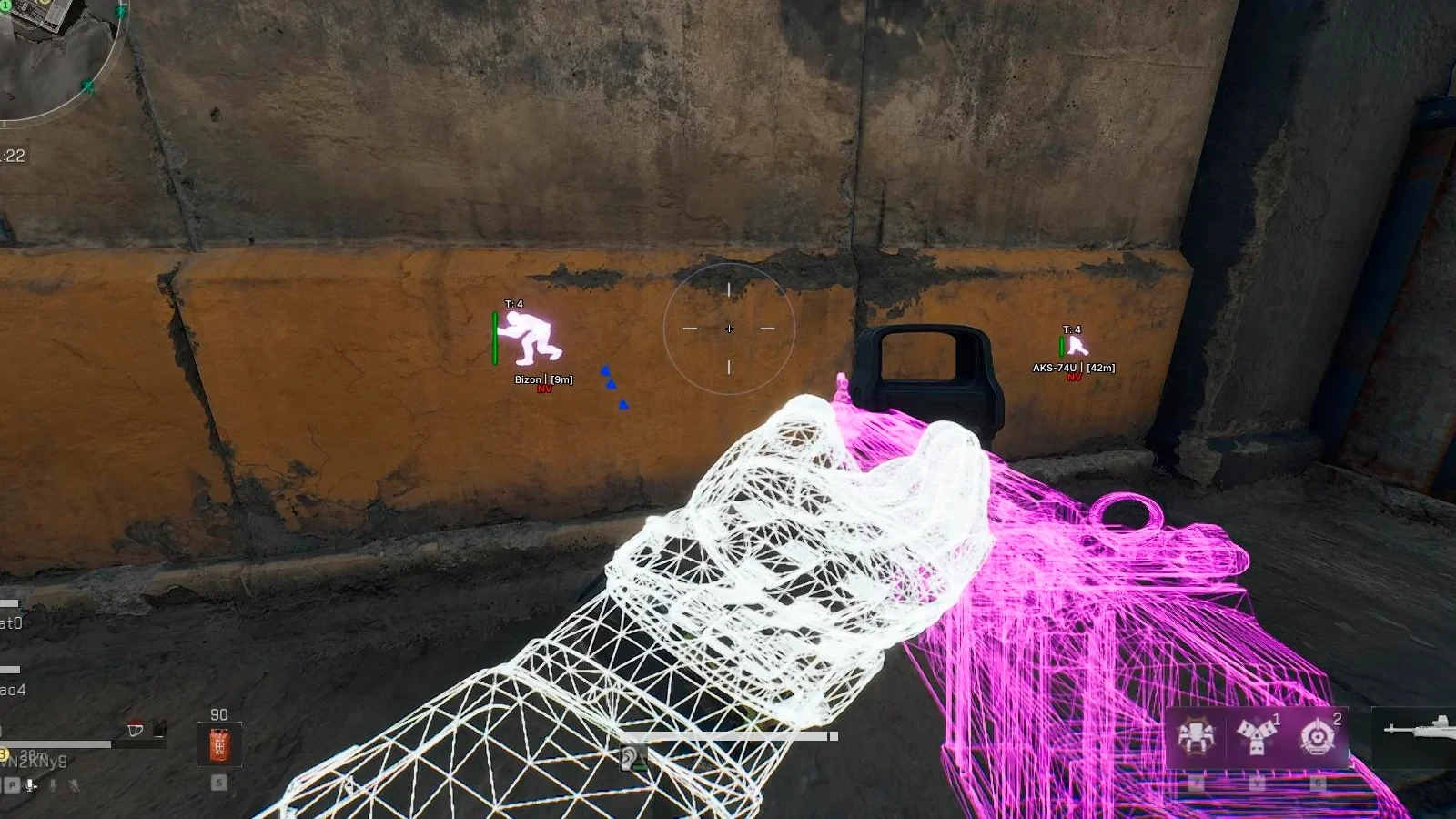
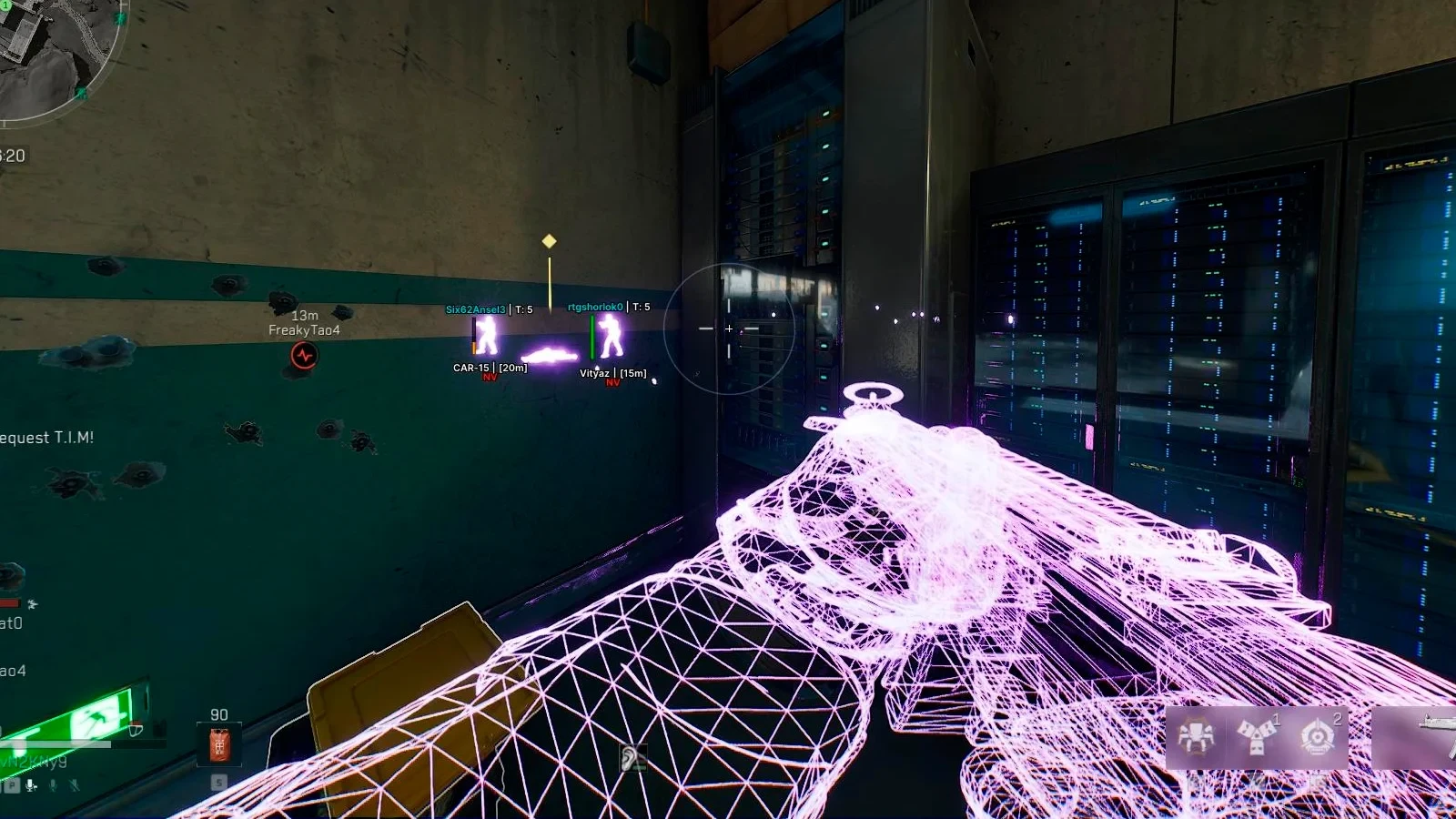
- Player Chams – highlights player models through objects and the environment
- Weapon Chams – highlights weapons, making them more visible
- Hands Chams – applies color highlighting to the player's hands
- Self Chams – changes the appearance of your own character model
Bundle Offers
Save when you add all items
✓ All bundle items in cart