Description
- Enabled – enables the aimbot for automatic aiming at selected targets
- Mode – aimbot operating mode (hold key, always active)
- Aim Key – selects the aimbot activation key
- Prediction – accounts for the target’s movement speed and direction for more accurate aiming
- Player Lock – locks onto a selected target until it is lost or eliminated
- Target NPCs – allows the aimbot to work on NPCs
- Target Friends – allows aiming at players added to the friends list
- Aim With Melee – enables aimbot when using melee weapons
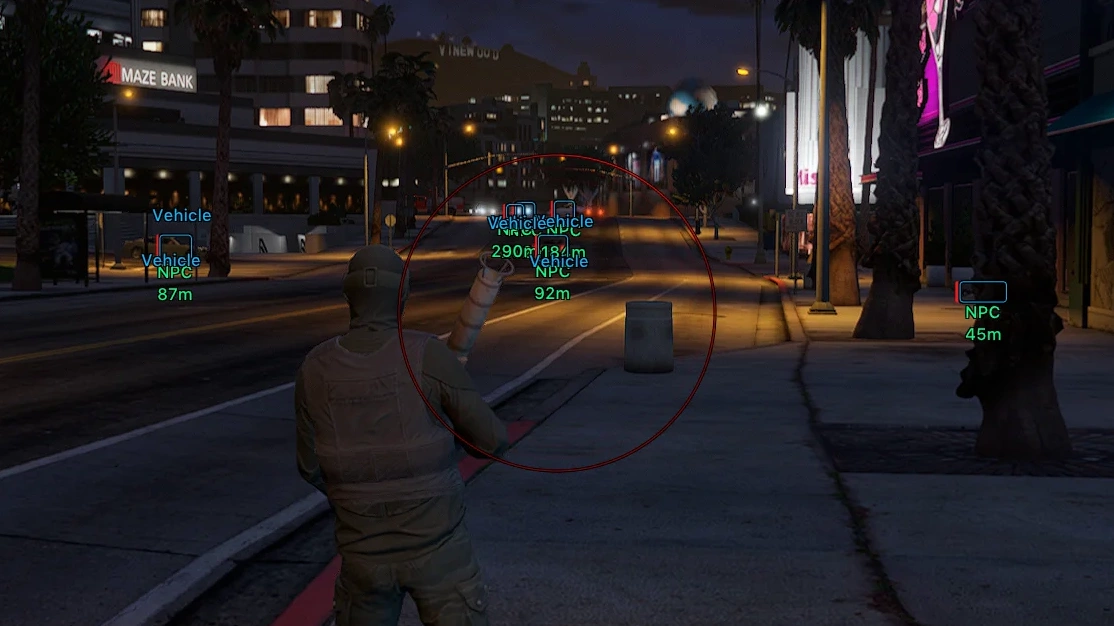
- Aim With Throwable – enables aimbot when using throwable weapons
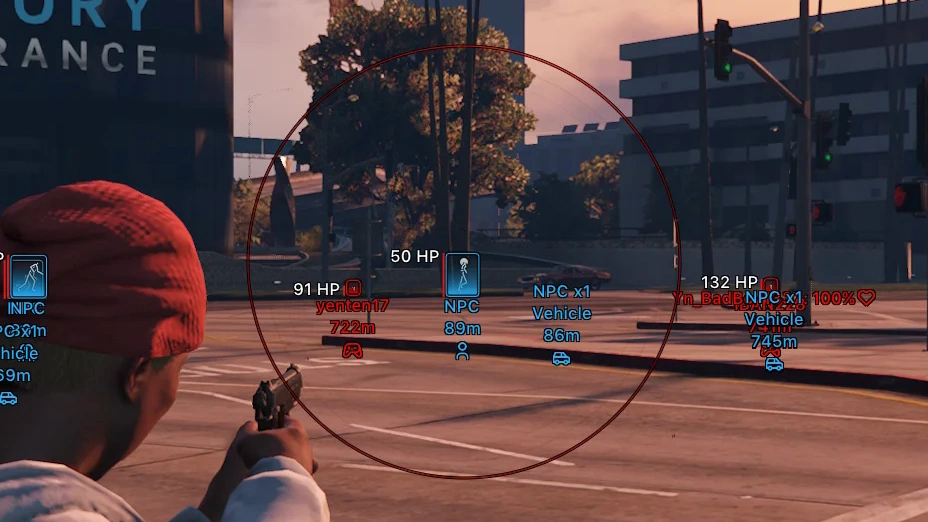
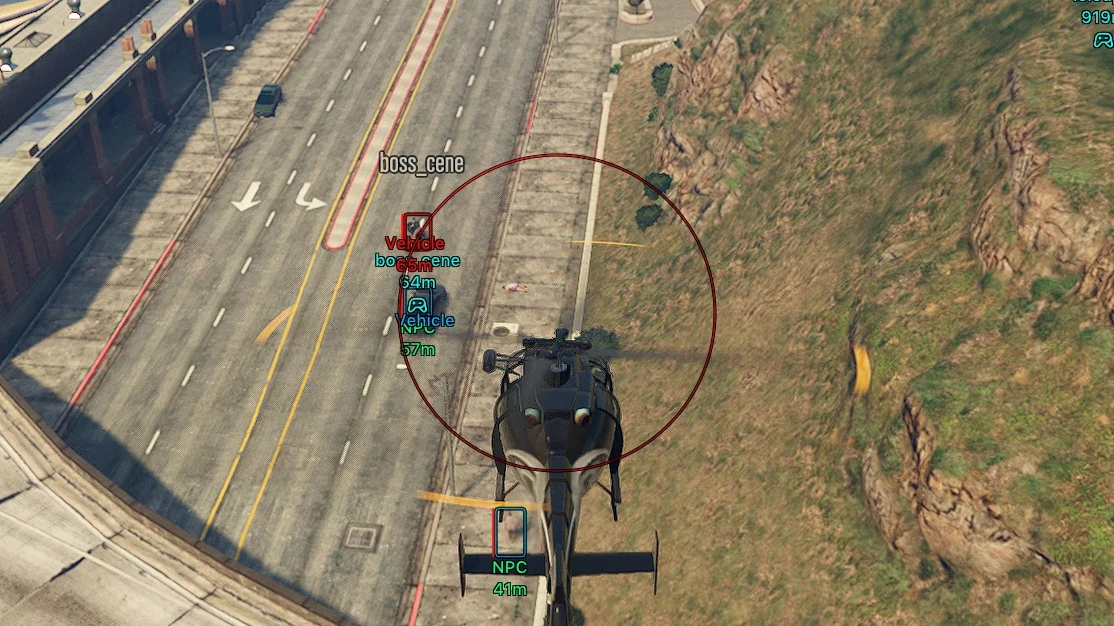
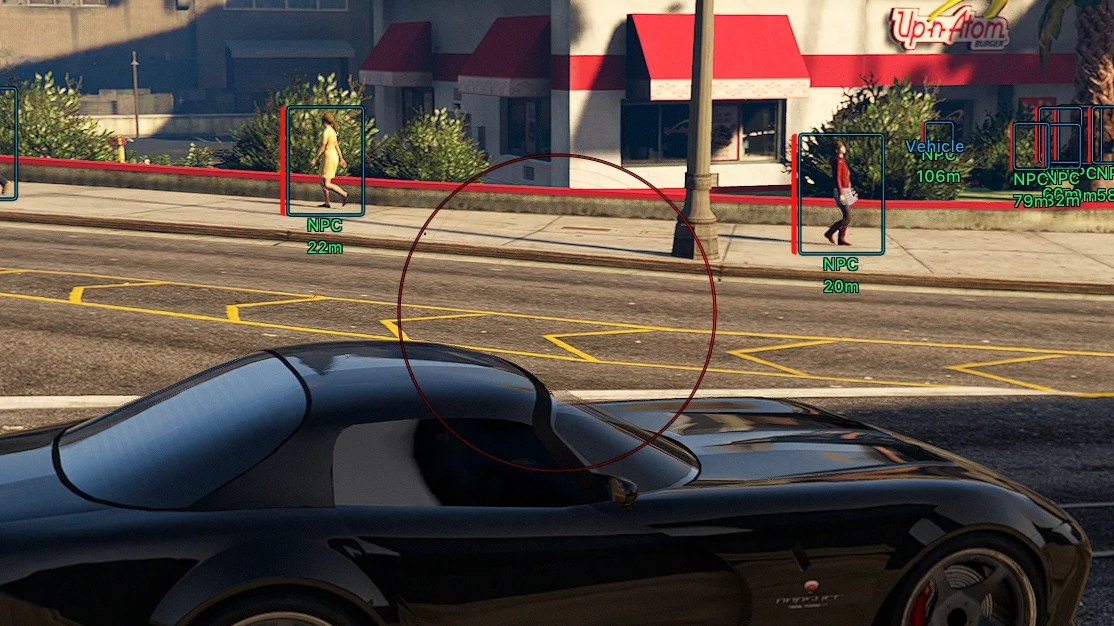
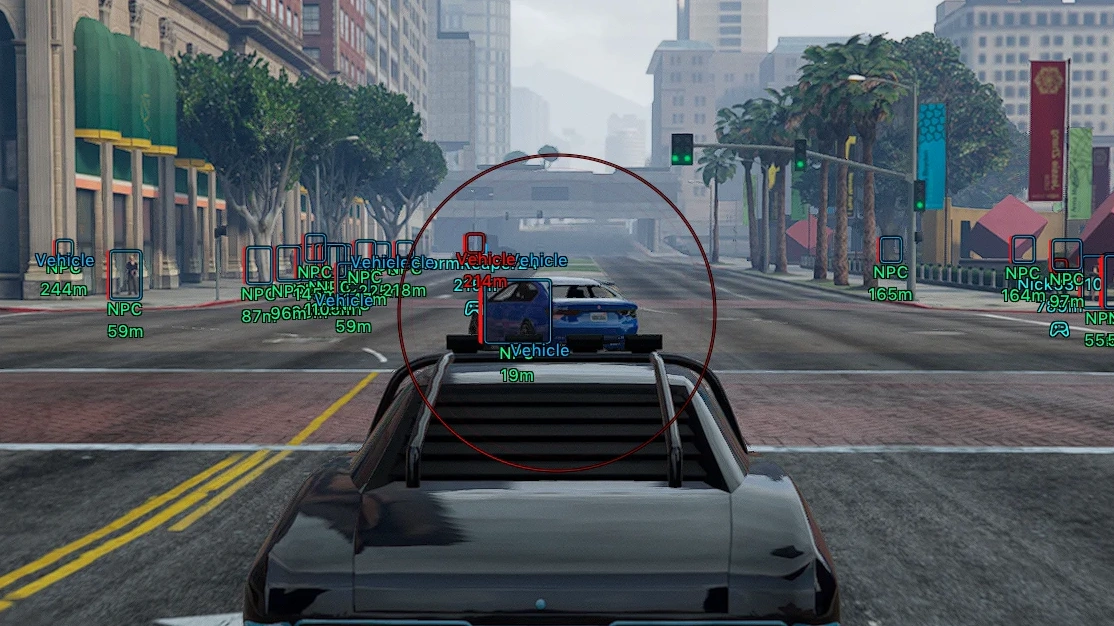
- FOV Circle – displays the aimbot working area circle
- FOV Thickness – adjusts the outline thickness of the FOV circle
- FOV Radius – changes the radius in which the aimbot searches for targets
- Hide Aim FOV On Disabled Weapon Slots – hides the FOV circle for weapon categories (melee, throwable)
- Target Selection – selects the aiming point mode (closest to crosshair, random, head, neck, chest, stomach)
- Smooth Factor – adjusts the smoothness of the aim movement toward the target
- Max Distance – maximum distance at which the aimbot will lock onto targets
- Visible Check – the aim will only work on targets within the field of view (not behind walls)
- Network Players – displays real players
- NPC – displays bots and peds
- Animals – displays animals
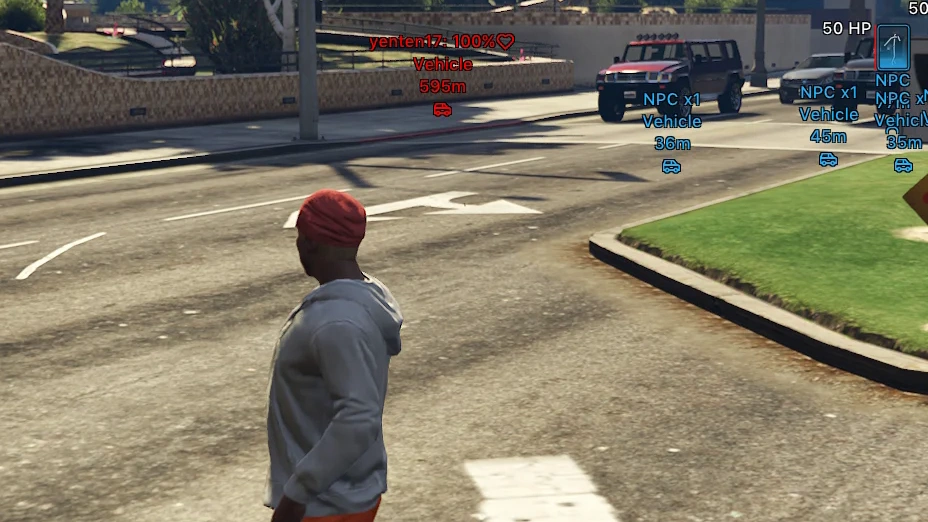
- Enabled – enables ESP display of players/peds
- Draw Friends – displays players from the friends list
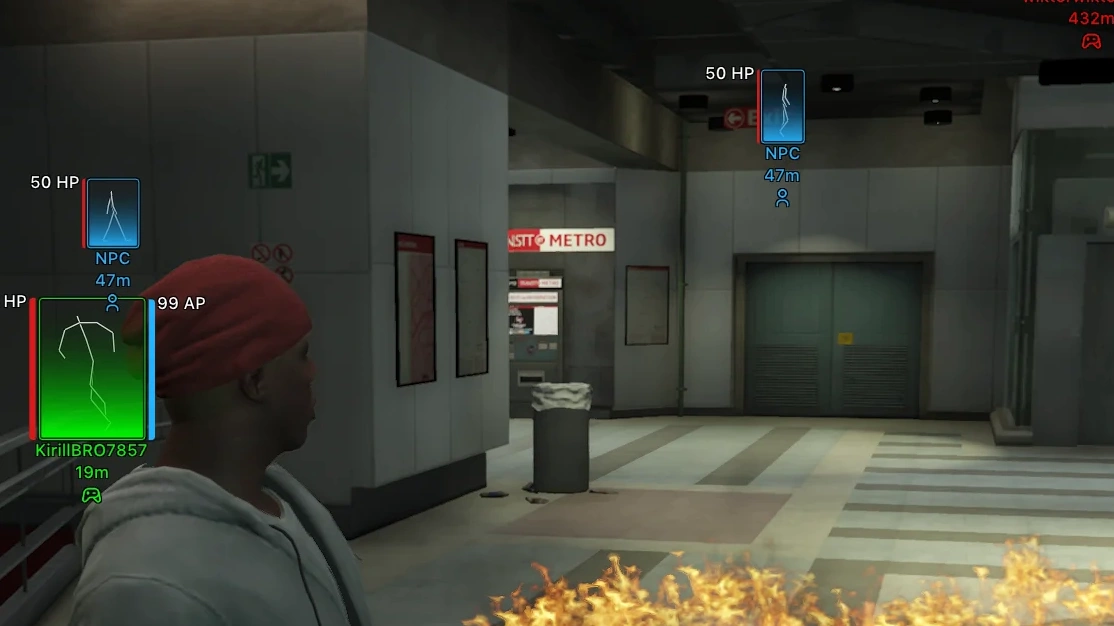
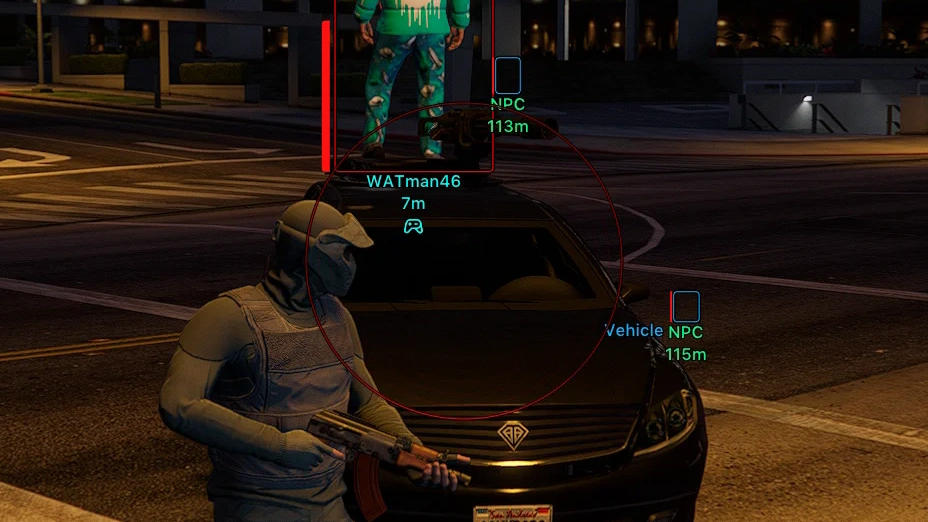
- Name – shows player information (nickname, distance, icon)
- Render Distance – maximum distance at which player ESP works
- Bounding Box – displays the outline of the player model (boxes, corners only)
- Filled Box – fills the inside of the box with color (gradient or solid fill)
- Health Bar – displays a health bar next to the player model (solid color, value‑based, gradient)
- Armor Bar – displays an armor bar next to the player model (solid color, value‑based, gradient)
- Bars Render Condition – condition for showing health and armor bars (always, only if above zero)
- Skeleton – displays the skeleton of the player model for more precise tracking of body parts even at distance
- Draw Self – display ESP on your character
- Visible Check – players within the field of view are displayed in a different color
- Weapons – displays weapons lying on the ground
- Ammo – shows ammo boxes
- Money – displays money drops (bags, packets, stacks, etc.)
- Health – displays medkits and other health‑restoring items
- Misc – displays various useful items and game objects
- Players Vehicles – enables ESP for vehicles owned by other players
- NPC – displays vehicles driven by NPCs
- Self Car – enables display of the player's own vehicle
- Empty – displays empty vehicles without a driver
- Render Distance – maximum distance for displaying vehicles
- Render Mode – determines how to show passengers in player/NPC vehicles (hide, info only, show model, info and model)
- Info Mode – selects how much information to show about passengers (brief, detailed)
- Info Condition – sets the condition for displaying information (always, only if above zero)
- Vehicle Info – displays additional information about the vehicle (name, distance, icon)
- Never Wanted – completely disables gaining wanted level
- Infinity Health – makes health infinite
- Infinity Armor – keeps armor at maximum
- Infinity Stamina – disables stamina consumption when running, swimming, and other actions
- Infinity Vehicle Health – makes the player's vehicle nearly invulnerable to damage
- Teleport Waypoint Key – hotkey for instant teleportation to the selected map waypoint
- Raycast Teleport – a character teleportation to the point where the player’s gaze is directed, achieved using ray tracing
- Instant Death Key – hotkey for instantly killing the character
- No Spread – completely removes bullet spread, significantly improving shooting accuracy
- No Recoil – disables weapon recoil, keeping the crosshair on target after each shot
- Extended Damage – increases weapon damage dealt
- Speedhack – allows you to increase your character's speed
- Swim Speed – separate setting for swimming speed
- invisibility – hide your character's model (invisibility)
- Explosive Bullets – enable Mk2 explosive bullets
- Always Write – automatically applies modified vehicle handling parameters (without the need to manually save settings)
- Mass – allows changing the vehicle's mass (affecting its acceleration, stability, and collisions)
- Gravity – changes the vehicle's gravity force
- Drive Force – adjusts engine power and vehicle acceleration force
- Max Flat Velocity – changes the maximum speed of the vehicle
- Initial Max Flat Velocity – allows changing the base speed limit of the vehicle
- Drive Inertia – adjusts acceleration inertia and throttle response
- Upshift – changes the gear upshift speed
- Downshift – changes the gear downshift speed
- Brake Force – adjusts the effectiveness of the main braking system
- Handbrake Force – changes the handbrake force
- Steering Lock – allows changing the maximum wheel turn angle
- Traction Curve Max – changes the maximum tire grip level
- Traction Curve Lateral – adjusts lateral grip when cornering
- Traction Curve Min – changes the minimum tire grip level
- Traction Curve Ratio – allows adjusting the grip characteristic ratio
- Traction Spring Delta Max – adjusts the maximum grip variation depending on suspension travel
- Traction Spring Delta Max Ratio – changes the coefficient of suspension influence on grip
- Low Speed Traction Loss Mult – adjusts traction loss at low speeds
- Traction Bias Front – changes the grip distribution to the front axle
- Traction Bias Rear – changes the grip distribution to the rear axle
- Traction Loss Mult – adjusts the rate of traction loss during aggressive driving
- Downforce Multiplier – changes the downforce level at high speeds
- Centre Of Mass X – shifts the center of mass along the X axis (left/right)
- Centre Of Mass Y – shifts the center of mass along the Y axis (forward/backward)
- Centre Of Mass Z – changes the center of mass height along the Z axis
- Suspension Force – adjusts suspension stiffness
- Suspension Compression Damp – changes the suspension damping during compression
- Suspension Rebound Damp – adjusts the suspension damping during rebound
- Suspension Upper Limit – allows changing the maximum suspension travel height
- Suspension Lower Limit – allows changing the minimum suspension travel height
- Suspension Raise – changes the overall ride height
- Suspension Bias Front – adjusts suspension characteristics distribution to the front axle
- Suspension Bias Rear – adjusts suspension characteristics distribution to the rear axle
- Anti Rollbar Force – changes the anti-roll bar stiffness
- Anti Rollbar Bias Front – adjusts the anti-roll bar influence on the front axle
- Read From Vehicle – reads the current handling parameters of the selected vehicle
- Write To Vehicle – applies the changed handling parameters directly to the selected vehicle
- Non-destroyable tires – protects the car's tires from being destroyed by various game exploits and other players
- Max Engine – sets the maximum level of engine improvement, increasing the car's power and performance
- Max Brakes – sets the maximum level of the braking system for more effective braking
- Max Transmission – sets the maximum level of the transmission, improving acceleration and gear shifting
- Max Suspension – sets the maximum level of the suspension
- Max Armor – sets the maximum level of the car's armor, increasing its durability
- Turbo – installs a turbocharger to increase engine power and improve acceleration
- Xenon Headlights – installs xenon headlights
- Neon – installs a neon light on the car
- Horn – installs an improved car horn
- Force Max Tuning – applies all maximum car upgrades, even if individual tuning levels are not yet unlocked and are not available in Los Santos Customs
- Car Color – allows you to manually customize the car's color
- Random Common – randomly selects a single common color for the car
- Random Separate – randomly assigns separate colors to different car elements
- Rainbow – automatically changes the car color, creating a smooth rainbow effect
- Languages – the menu supports multiple languages (English, Russian, Chinese)
- Crosshair – enables a custom crosshair display (customizable)
- DPI Scale – changes mod menu UI scale (100%, 125%, 150%)
- Theme – two menu themes (light, dark)
- Show FPS – displays real FPS on screen
- Reduce Opacity When Hovered – makes ESP semi‑transparent when hovered (adjustable)
- Menu Key – assigns the key to open and close the mod menu
- Unload Key – assigns the key to completely unload the cheat from the game
- Battle Mode Key – assigns a hotkey for quick combat mode toggle (customizable)
- Hide Animals – hides animals in battle mode
- Hide Vehicles – hides vehicles in battle mode
- Hide NPCs – hides NPCs in battle mode
- Hide Pickups – hides all pickup items (weapons, ammo, money, and other items)
- Configs System – a full profile system with your saved settings for different playstyles and tasks (create, load, save, rename, share, delete)
- Remove Damage – disables taking damage from fire, bullet impacts, and melee attacks
Operating system: Windows 10, Windows 11 (21H2, 22H2, 23H2, 24H2, 25H2, 26H1, 26H2)
Processor: Intel & AMD
Video card: Nvidia & AMD
Client: Steam, Epic Games Store, Xbox (Microsoft Store), Social Club (Rockstar), GTA Online (Enhanced, Legacy)
RAM: 16 GB
A normal Windows install is required: not Enterprise, not optimized or repacked.
Arcane for GTA Online (Enhanced Edition) is a full menu built for comfortable, varied play, and its features keep growing with each update without the price going up. It includes an aimbot for players, NPCs and animals, and a detailed ESP that shows players, vehicles, animals and peds, including every passenger of a vehicle. A battle mode hides extra information with one key. Gameplay features include wanted level removal, god mode, infinite armor and stamina, vehicle damage protection, no recoil or spread, increased weapon damage and many more.
GTA │ ARCANE
Undetected- Instant delivery: your key arrives by email and on your order page.
- Setup guide and loader included.
- 24/7 support tickets.
Questions before you buy? Open a ticket
Bundle Offers
Save when you add all items