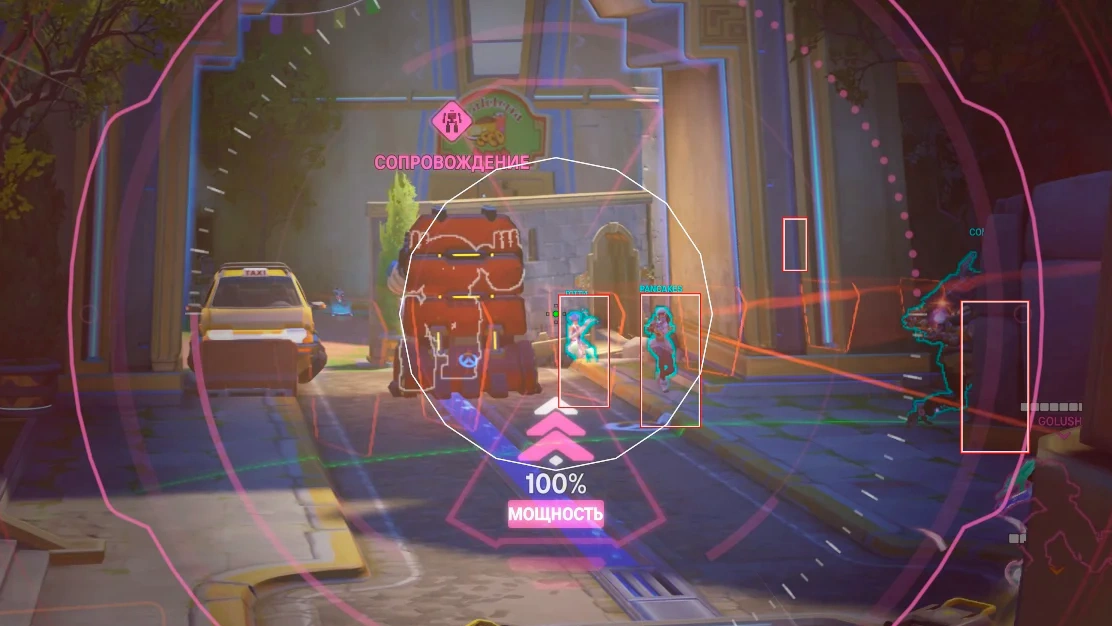
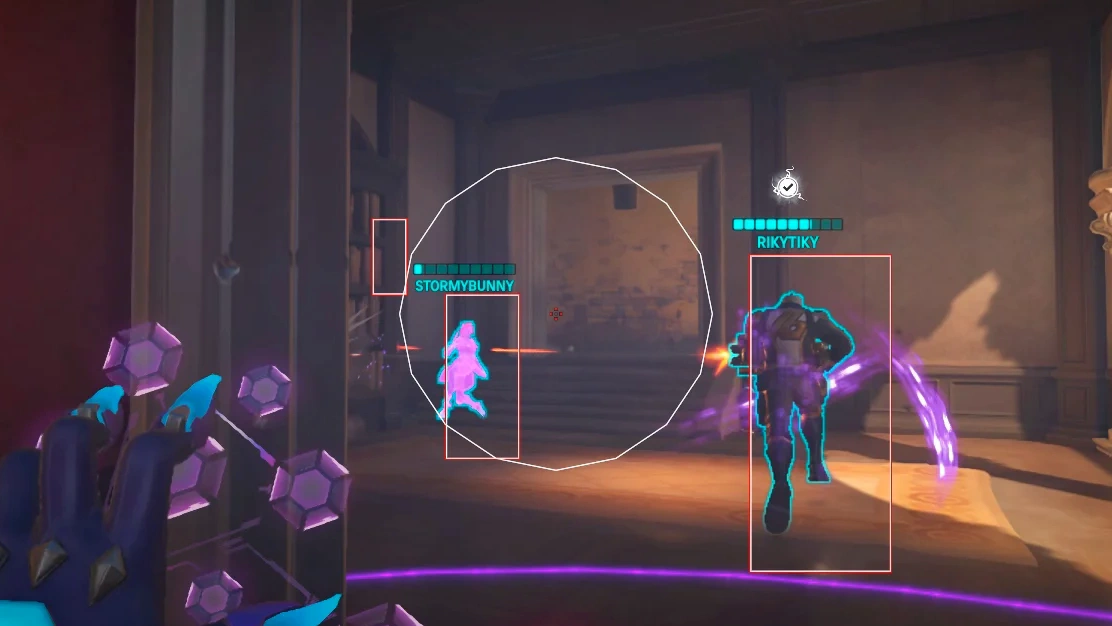
Description
- 2D Box ESP – a classic two-dimensional box around the player model
- 3D Box ESP – a volumetric box matching the model's size
- Skeleton ESP – the player's skeleton for a clear view of their pose
- Head Circle – a circle at the player's head position
- Foot Circle – a circle around the player's feet
- Center Dot – a dot in the center of the player box for simpler aiming
- Team Check – show only enemies; the aimbot also targets only enemies
- Visibility Dot – shows whether a player is visible
- Corner Indicators – four markers at the box corners
- Direction Arrow – shows the player's view direction
- Snap Lines – lines from the bottom of the screen to the player
- Filled Box Background – a semi-transparent fill inside the player box
- Box Outline Thickness – adjust the box line thickness
- Box Border Style – Solid or Rounded
- Distance-based Size Scaling – ESP elements scale with distance
- Distance-based Alpha – ESP transparency changes with distance
- Team Color Indicator – different colors for allies and enemies
- Distance Filter Slider – maximum rendering distance
- Off-Screen Arrows – arrows pointing to enemies off-screen
- Name – show opponents' names
- Aimbot Vector – vector-based aimbot that simulates human-like mouse movement
- Aimbot FOV – size of the aimbot working area
- Draw FOV – show the aimbot area on screen as a circle
- Speed – aimbot movement speed
- Sensitivity – set to the same value as your in-game sensitivity
- Aimbot Key – hold key to activate the aimbot
- Aim Target – highlight the active aimbot target
- Prediction – accounts for target movement and distance
- Hitbox – display opponents' hitboxes
- Recoil Compensation – how much recoil is controlled while aiming
- Response Time – delay between target changes, in milliseconds
- Min/Max Distance – distance range in which the aimbot activates
- Bones – target bone (head, body and more)
- Triggerbot – shoots automatically when the crosshair is on an enemy
- Trigger Key – triggerbot activation key
- Trigger FOV – trigger radius around the crosshair
- Shot Delay – delay between automatic shots
- Reaction Time – delay before the first shot
- Max Distance – maximum triggerbot distance
- Target Selection – head or body
Operating system: Windows 10, Windows 11 (21H2, 22H2, 23H2)
Processor: Intel & AMD
RAM: 16 GB
Video card: NVIDIA & AMD
Client: Steam
A normal Windows install is required: not Enterprise, not optimized or repacked.
Mason for Overwatch 2 is a simple external cheat for players who want real help in their matches without a complicated menu. It focuses on two things and does them well: a detailed ESP and a vector aimbot. The ESP shows enemies through walls with 2D or 3D boxes, skeletons, names, visibility dots, off-screen arrows and distance-based scaling, with a team check so only enemies are drawn. The vector aimbot moves the mouse like a human, with FOV, speed, prediction, bone selection and recoil compensation, which suits hitscan heroes such as Soldier: 76, Widowmaker or Cassidy. A triggerbot with its own key, FOV and reaction delay completes it. Settings are easy to understand, which makes it a good first cheat for Overwatch 2.
Overwatch 2 │ MASON
Undetected- Instant delivery: your key arrives by email and on your order page.
- Setup guide and loader included.
- 24/7 support tickets.
Questions before you buy? Open a ticket
Bundle Offers
Save when you add all items