Image
Rust │ ANCIENT
UndetectedInstant DeliveryDescription
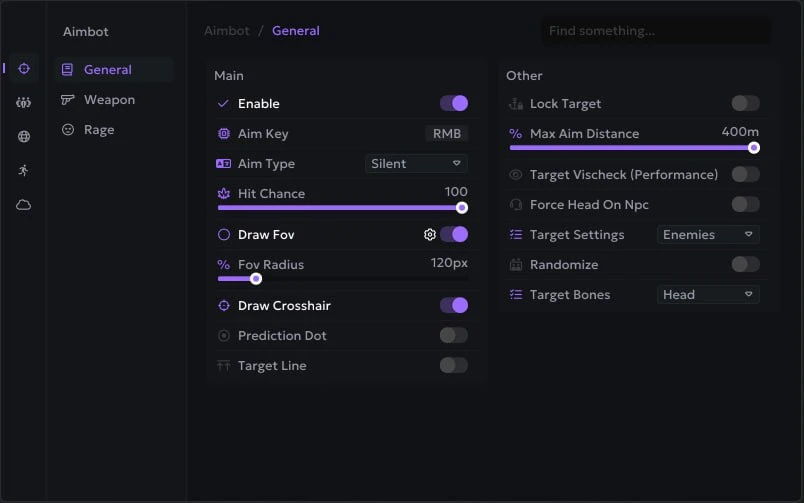
- Silent Aim - a powerful type of aim, bullets hit the target in the FOV radius, but the sight and camera are stationary
- Memory Aim - this type of aimbot is aimed using data from the game's memory
- Aim Key - select a key to activate aim (hold)
- Smooth - smoothness of Memory Aim movements, higher value - less sharp aim
- Max Distance - range of aiming
- FOV (Draw FOV, Color) - the size of the aim's working area, the ability to draw it on the screen and change the color
- Bone - hitboxes that the aim will shoot at
- Targets (Enemies, NPCs, Teammates, Sleepers, Friends) - selecting targets for aim
- Lock Target (Key) - when you press this key, the aim will be fixed on the current target until the fire stops or the target is destroyed
- Target Line - mark the current aim target with a line
- Prediction Dot - a dot showing where the aimbot will aim if you open fire from the current position
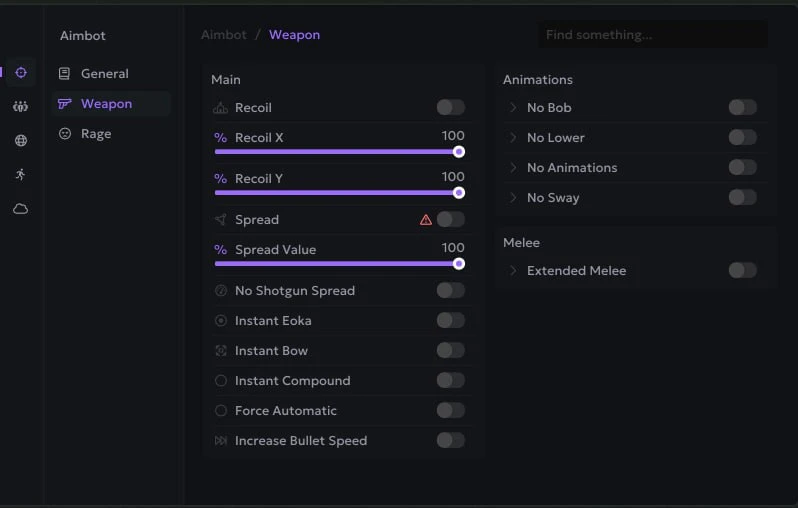
- Recoil Modify (X / Y Value) - settings to reduce weapon recoil (RCS)
- Spread Modify - settings to reduce spread when shooting
- Fast Eoka - insta shot with eoka
- No Shotgun Spread - disable spread on shotguns, all bullets hit one point
- No Animation - remove shooting animation
- Hitsound (Skeet/NL/Bubble) - sound when hit by a shot
- Desync
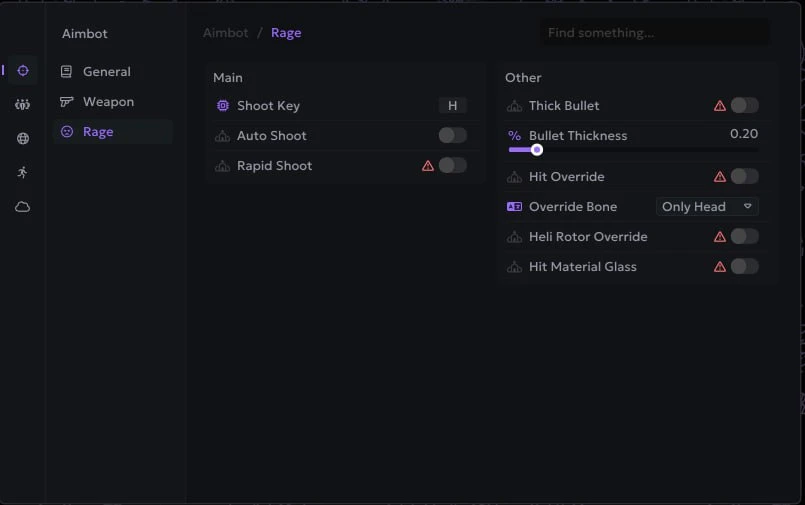
- Fat Bullet - big bullets
- Instant Hit - bullets instantly reach the target
- Increase Bullet Speed - Increase the rate of fire
- Force Automatic - shoot any weapon in automatic mode
- Rapid Fire
- Hit Material - hit animation texture
- Visible Check - aim only works on visible targets (outside of obstacles)
- Melee Aim – aim for melee weapons (customizable)
- Visible Check – the aimbot will only work on visible targets (outside obstacles)
- Targets (Enemies, Teammates, NPCs, Sleepers, Friends) - separate settings of chams for different roles of characters
- Local Chams (Hand, Weapon, Style) - local player chams
- Fire - chams with a fiery texture
- Red Glow - red glowing chams
- Electric - shimmering electric chams
- Bubble - chams with bubble texture
- Pink - pink chams
- Blue Glow - glowing blue chams
- Gray Glass - chams with gray glass texture
- Bubble Second - Alternative Bubble Chams
- Sun - brightly shining sun chams
- Purple Glow - purple glowing chams
- White Electro - white shimmering electric chams
- Yellow Glow - yellow glowing chams
- Yellow Glow Second - alternative yellow glowing chams
- Ghost - ghostly transparent chams
- Last Death Position - Marks the last place of your death
- Bright Night - bright night mode, bright as day
- Change Time - ability to set any time of day
- Bright Caves - bright caves, light as in the open air
- Remove Layers - remove display of layers (water, buildings, sky, etc.)
- No Bob - disable weapon sway when moving
- No Lower - weapons are not hidden under you when moving/near walls
- Fast Loot - allows you to quickly drag and drop items
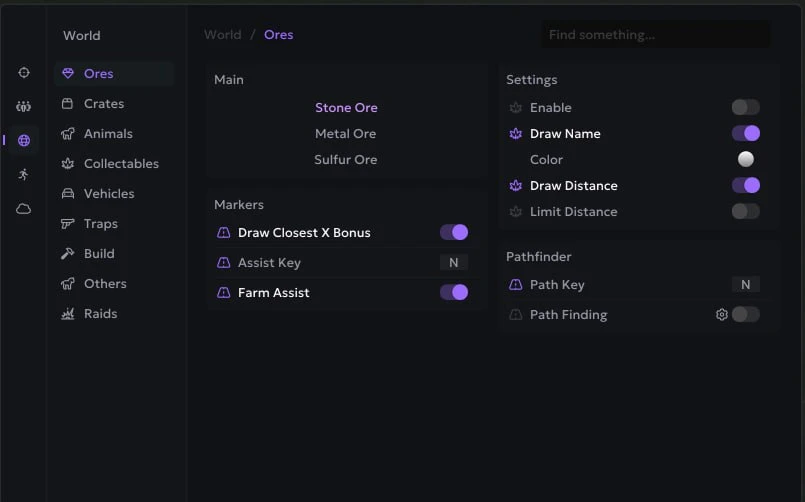
- Farm Assist - help in farming, aim at the nearest X when you farm resources
- Draw Closest Bonus - Show closest X for farming with ESP
- Instant Compound - fast composite bow
- Instant Bow - a quick bow
- No Shotgun Spread - removes the spread of shotguns
- Thick Bullet - the thickness of the bullets
- Extended Melee - a long melee strike
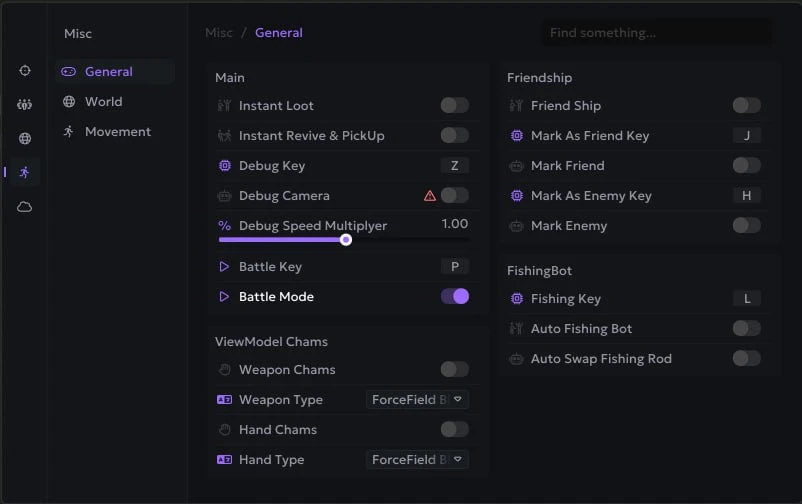
- Debug Camera - a free-flight camera for safe viewing and reconnaissanc
- Battle Mode - enable battle mode (by pressing a key), disables all ESP except for players
- Font Style - font settings for ESP
- Chinese Translation - Switch Ancient Rust cheat menu to Chinese
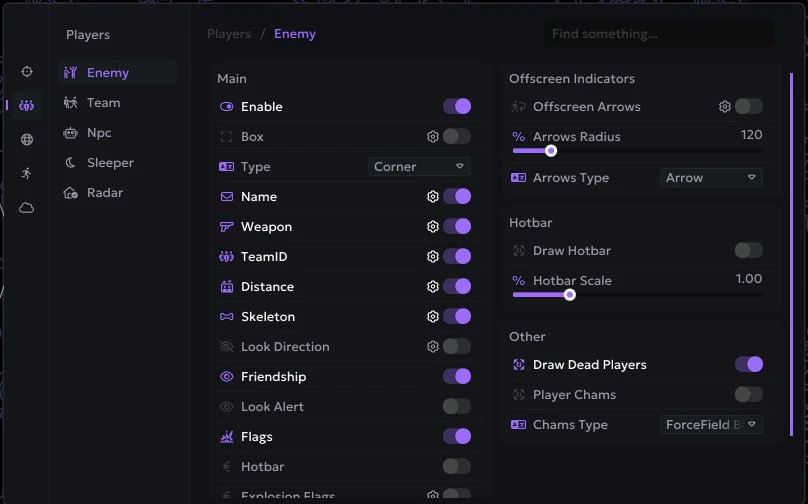
- Friendship (Add Friend) - allows you to add players to your friends list (show them separately, exceptions for aim)
- Panic Key - a key that will disable the cheat completely (when you are called for verification)
- Crosshair (Gap/Lenth/Thickness/Dot Scale) - static crosshair in the middle of the screen and its settings
- Aspect Ratio - Change the aspect ratio of an image in Rust
- Disable Memory Writing - disables writing values to the game's memory (for full legit players)
- No Grass - remove grass on the map
- No Shadows - disables shadows in the game
- Sky Color - the ability to change the color of the sky
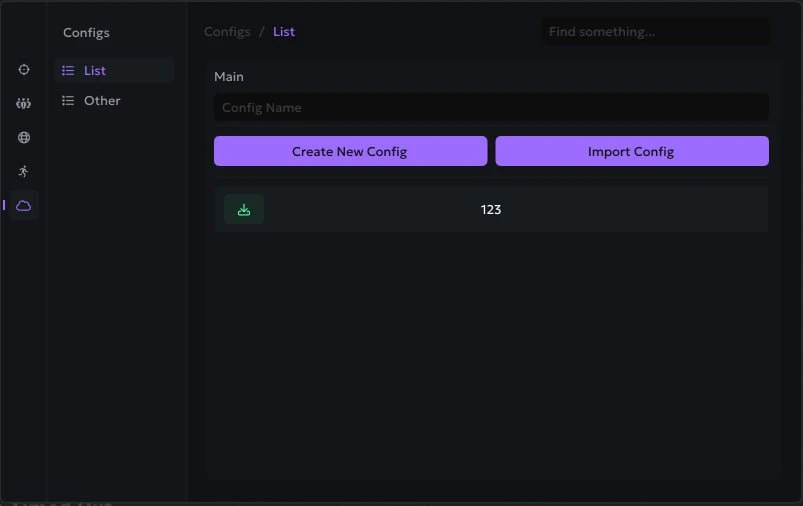
- Configs - a system of configs for quick loading of settings
- Players List - a separate window with a list of players, status and information (friend/foe, team, grid, online/sleeper, etc.)
- No Screen Shake - disables screen shake effects caused by explosions, gunfire and other dynamic events
- Bright Night Bind - hotkey to quickly enable or disable bright night mode
- Last Base Position - display the last position of players in the Player List (coordinates)
- Fishing Bot – automated fishing script
- Auto Swap Rod – automatically replaces the fishing rod when it is worn out
- Farm Assist – an auxiliary system for automating resource extraction
- Assist Mode (Memory / Silent) – select the mode of operation for the farm assistant (reading game memory, silent mode without camera movement)
- Draw Closest Bonus – display the nearest bonus point for hitting a resource (X icon on a stone/tree)
- Auto Farm – automatically extract resources without the need to manually hit with a pickaxe or axe
- No Farm Animation – disable resource extraction animations to speed up farming
- Languages – the Ancient menu supports three languages (English, Chinese, and Russian
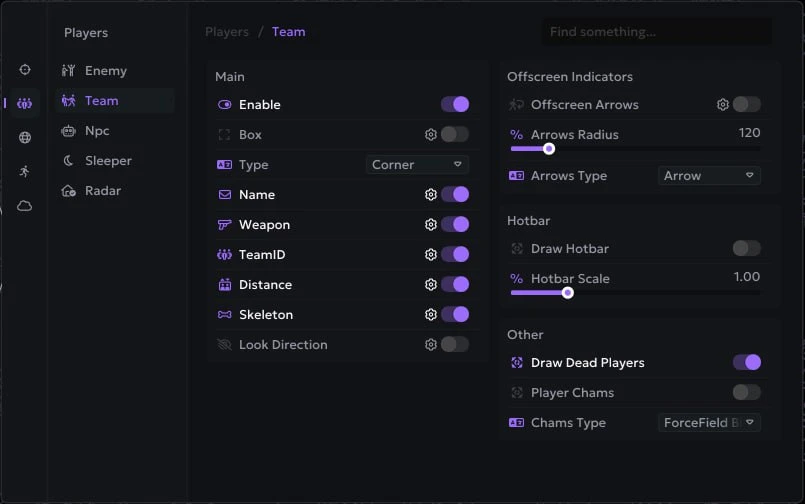
- Players ESP - WH showing players with different visuals
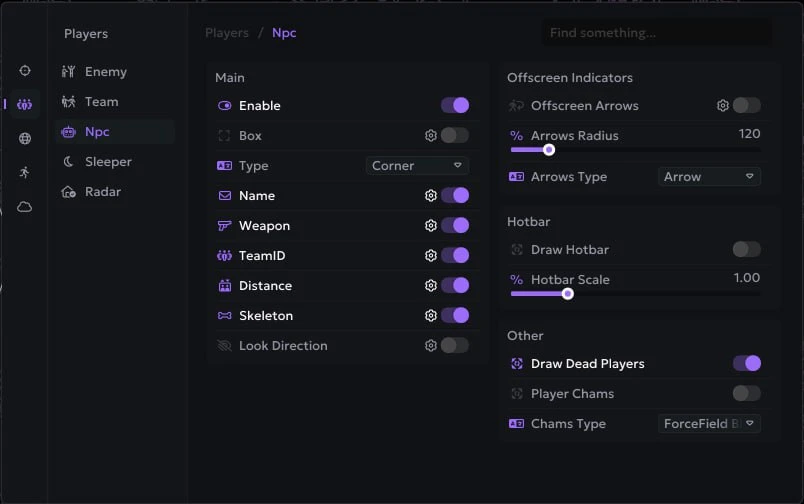
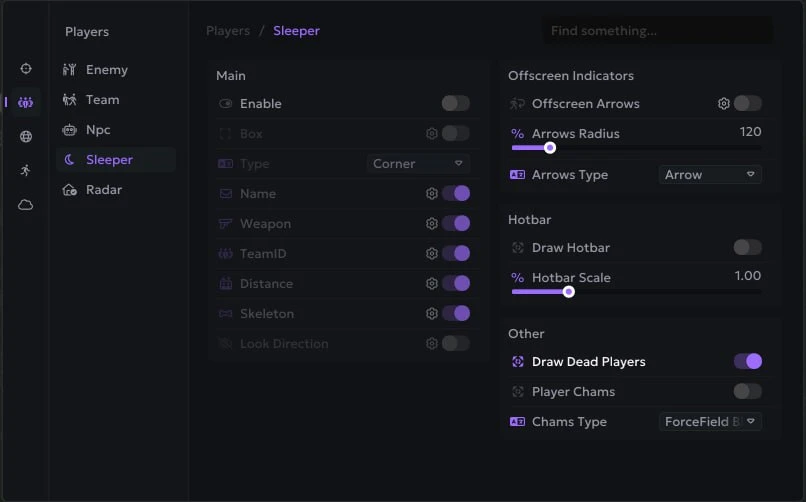
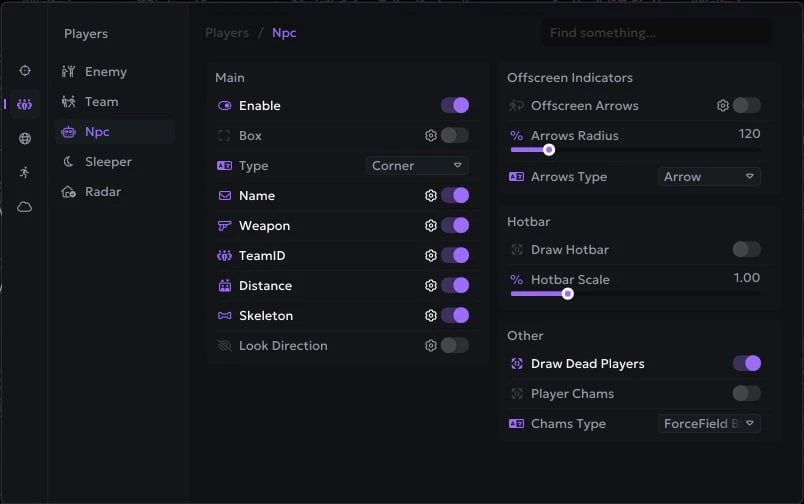
- Targets (Enemies, Teammates, NPCs, Sleepers, Friends) - separate WH settings for enemies, allies, NPCs and sleepers
- Box ESP (Corner, Default) - WH in the form of boxes
- Name - player nicknames and NPC names
- Weapon (Name, Icon, Simply) - weapon in the target's hands, name, icon or weapon type
- Team ID - from the player's team, players from the same team have the same ID
- Distance - distance in meters to ESP targets
- Skeleton - ESP in the form of skeletons
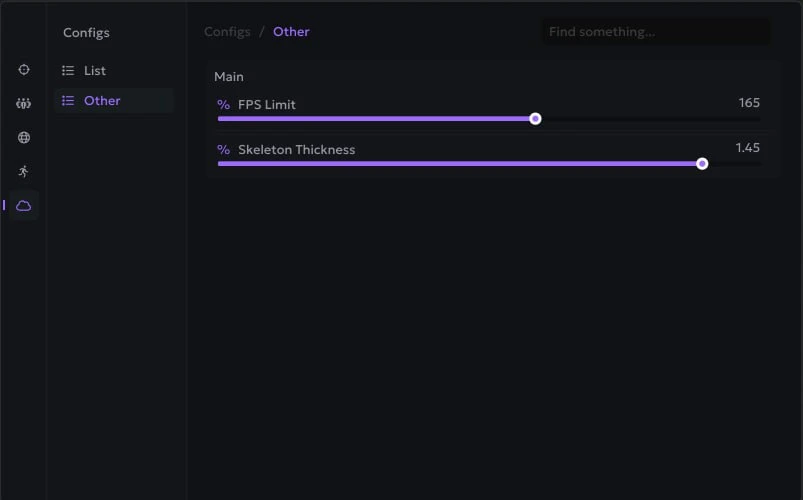
- Skeleton Thickness - the thickness of the lines in skeletons esp
- Look Direction - the direction of the characters' gaze
- Look Alert - warning if someone is looking at you
- Explosive Flags - if the player has explosives, it will be shown on the screen
- OOF Arrows - show players out of camera view using arrows
- Max Distance - ESP operating range
- Custom Colors - customize colors for all Player ESP elements
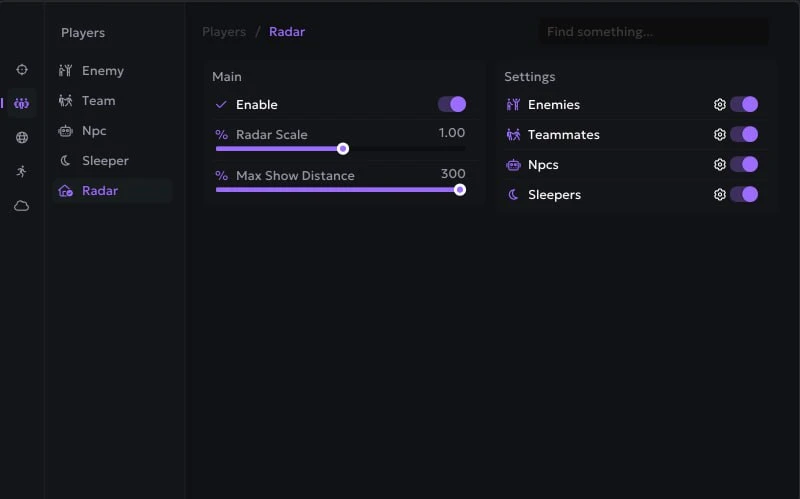
- Radar Hack (Players, Count, Colors, Size) - radar window with various settings
- Player List - display the list of players in a separate window and on the radar
- Show Belt Items - show players' items in hot slots (hotbar, customizable)
- Relationship Display - displays the relationship status (friend, enemy, neutral)
- In Base Indicator - players inside the base are marked with a special flag “B" (In Base)
- Visible Check - visible/invisible targets are colored differently
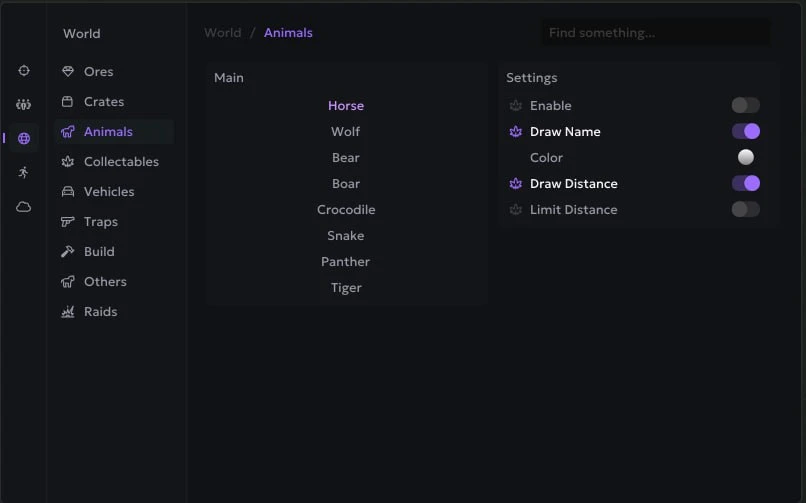
- Enable - enable ESP for various objects
- Object Name - names of displayed objects
- Distance - distance to resources
- Max Distance - range setting
- Colors - choose colors to your taste
- Ore (Stone, Metal, Sulfur) - display of ores
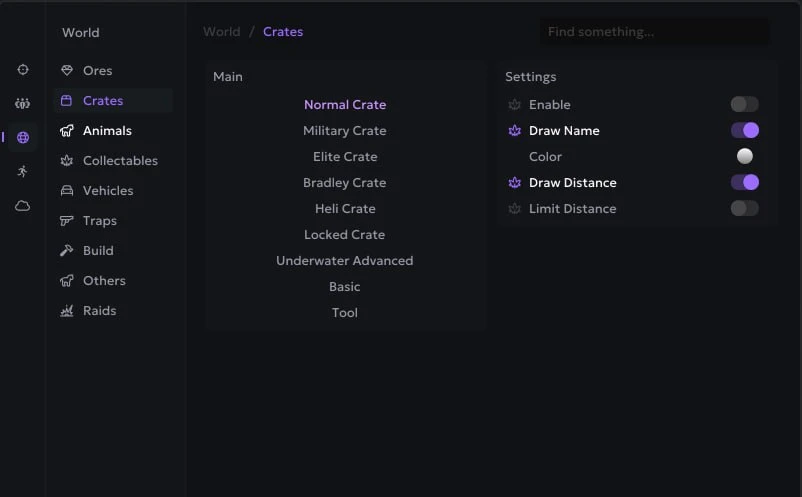
- Crates (Normal, Military, Elite, Bradley, Heli, Locked, Basic, Advanced) - containers (chests)
- Animals (Horse, Wolf, Bear, Boar) - wild animals
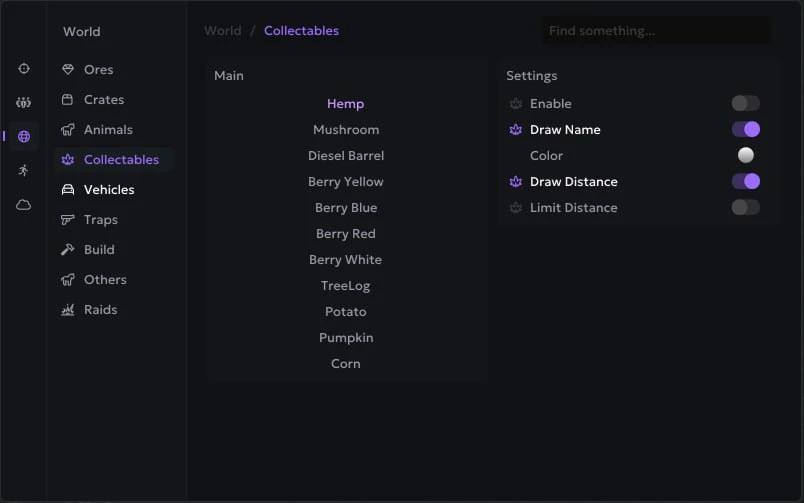
- Collectables (Hemp, Mushroom, Diesel Barrel, Berry Yellow/Blue/Red/White, Potato, Pumpkin, Corn) - collectibles in the world
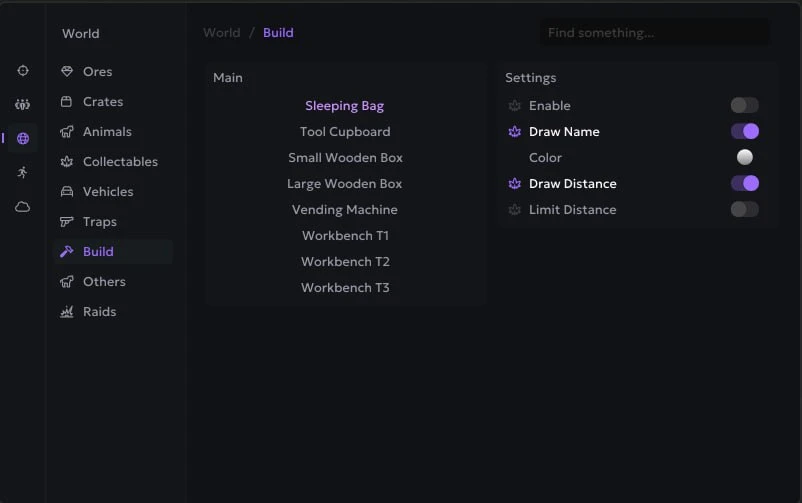
- Deployables (Sleeping Bag, Tool Cupboard, Small/Large Wooden Box) - deployable objects
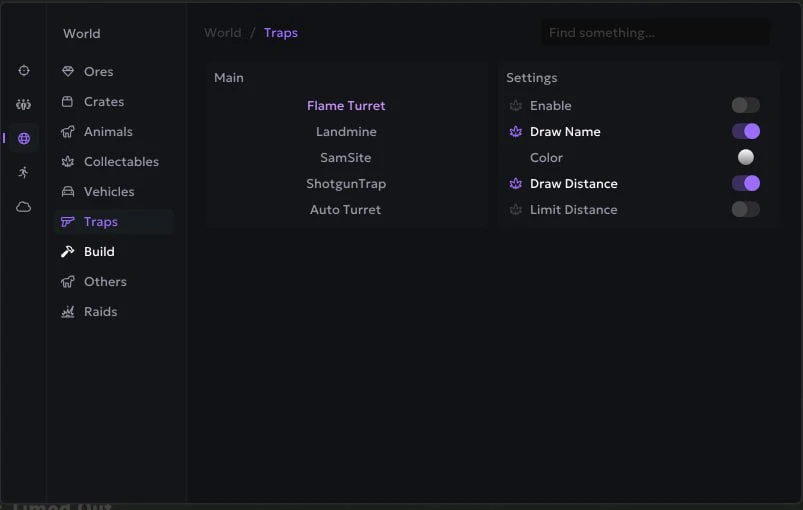
- Traps (Turret, Gun Trap, Samsite, Landmine, FlameTurret) - various traps and turrets
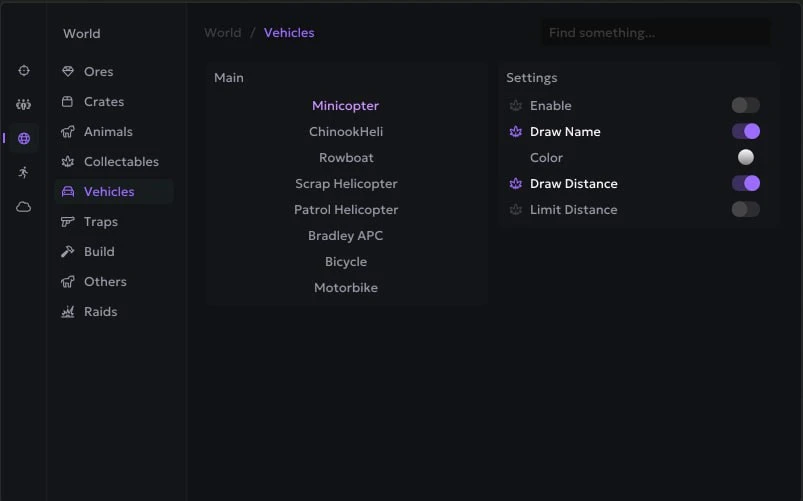
- Transport (Minicopter, Chinook Heli, Rawboat, Rhib, Scrap Helicopter, Patrol Helicopter, Bradley APC, Bicycle, Motorbike)
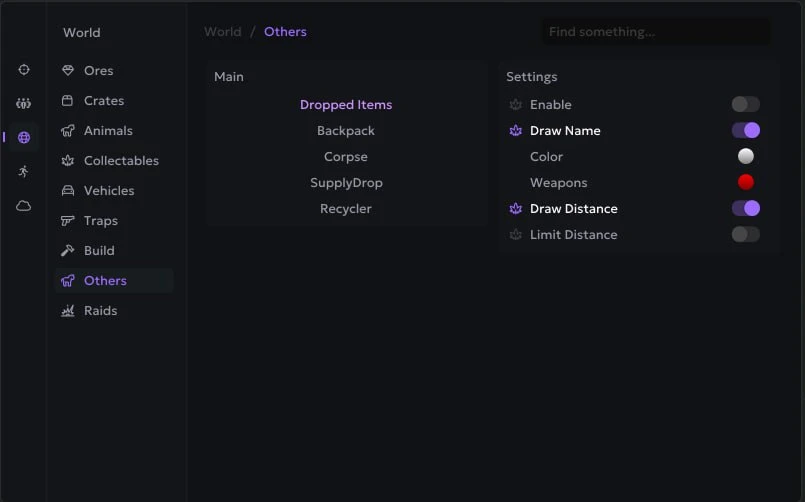
- Other (Dropped Items, Corpses, Supply Drop, Recycler, Tree Log, Loot Filter) - other things
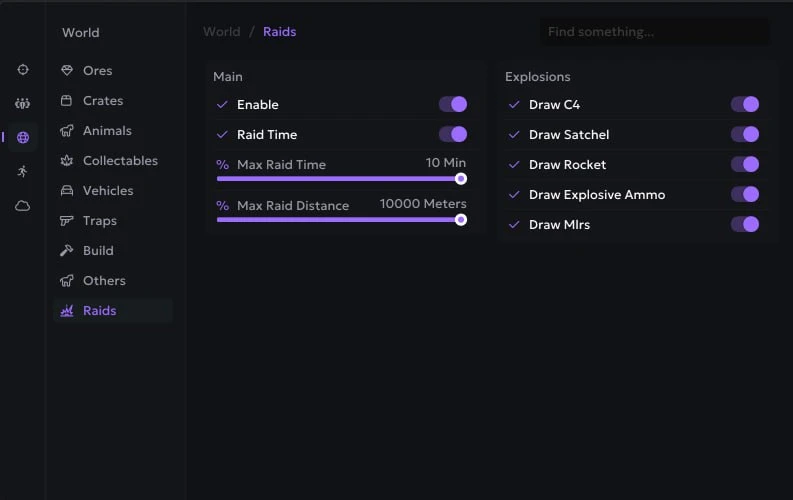
- Raids (Timer, Object Setup) - display raids in real time
- Waypoints - the ability to create your own marks on the map using cheat
- Raid ESP - displaying C4, Socheli, Missiles, etc.
- Path Finding - search for the path to resources (Stone/Metal/Sulfur)
- Grid Display - displays the grid in raid mode for more accurate navigation and orientation on the map
- Rocket Prediction - predicts the flight path of rockets for more accurate and efficient use of rockets
- Hide Disabled (Auto Turret / SAM Site) – hides disabled auto turrets and SAM sites, showing only active ones
- Backpacks Info (Open / Closed) - displays backpack status indicating whether it is open or closed
- Bradley & Heli Crates Info (On Fire) - shows the status of Bradley and helicopter crates, including fire indication
- Locked Crate Timer - displays the countdown timer for locked crates
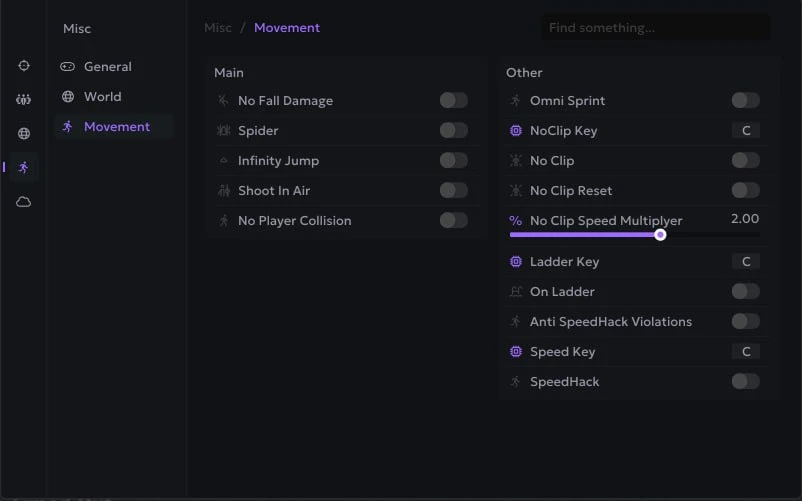
- No Fall Damage - remove damage from falling from height
- Infinity Jump - endless jumps
- Shoot In Air - the ability to shoot while jumping
- Omni Sprint - full speed running in any direction
- Force Ladder - special movement animation
- No Player Collision - disables collision with players
- No Head Collision - your head goes through textures
- NoClip (Key, Speed) - free flight mode, like a debug camera, but you actually move
- Striptease Animation - moving with striptease animation, everyone sees it
- Fly Hack - allows you to fly
- FlyHack Bar - a bar for tracking flight altitude
- No Sprint Block - ignore obstacles when running
Operating system: Windows 10, Windows 11 (21H2, 22H2, 23H2, 24H2, 25H2)
Processor: Intel & AMD
Video card: Nvidia & AMD
Client: Steam
Bundle Offers
Save when you add all items
✓ All bundle items in cart