Image
Rust │ DULLWAVE
UndetectedInstant DeliveryDescription
- Enable Aim – enables/disables automatic target aiming
- Aim Key – sets the key to activate the aimbot (hold)
- Bone – select the body part to aim at (head, neck, body, pelvis)
- Priority – target selection priority settings for the aimbot
- Aim Lock – locks the aimbot on the selected target until it's out of sight or dead
- On Bots – enables aimbot on NPCs and bots
- On Team – enables aimbot on teammates
- On Sleepers – aimbot on sleeping players
- Prediction – predicts target movement for more accurate shots
- Visible Check – aim only at visible targets (not behind obstacles)
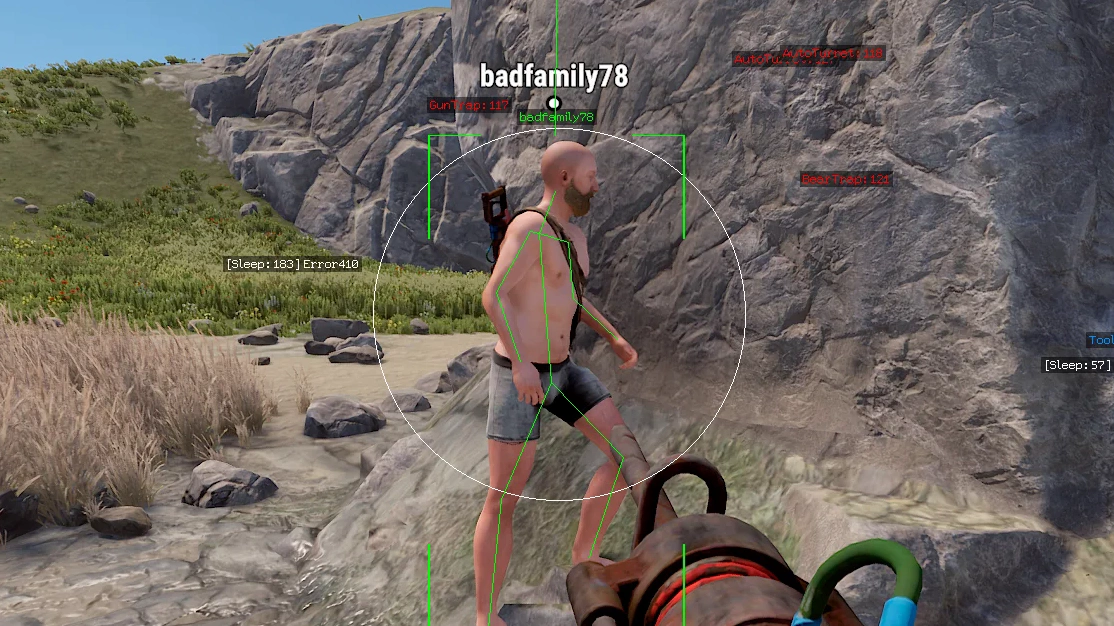
- FOV – sets the aimbot field of view (target capture area)
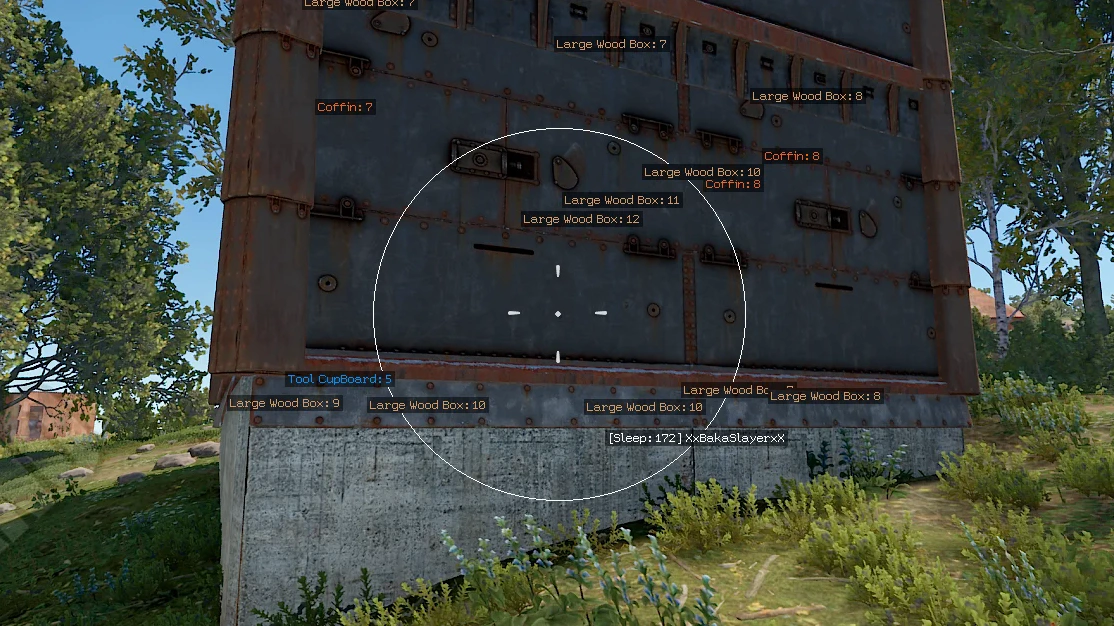
- Draw FOV – displays the aimbot radius as a circle
- Smooth – smoothness of aiming (aimbot smoothing)
- Max Distance – maximum distance for aimbot functionality
- Silent Aimbot – bullets reach the target in the FOV area without moving the sight
- Vector Aimbot – a classic aimbot with natural movements
- Line Target – displays lines for the active target within the FOV
- Thick Bullet – the ability to make bullets thicker for better accuracy
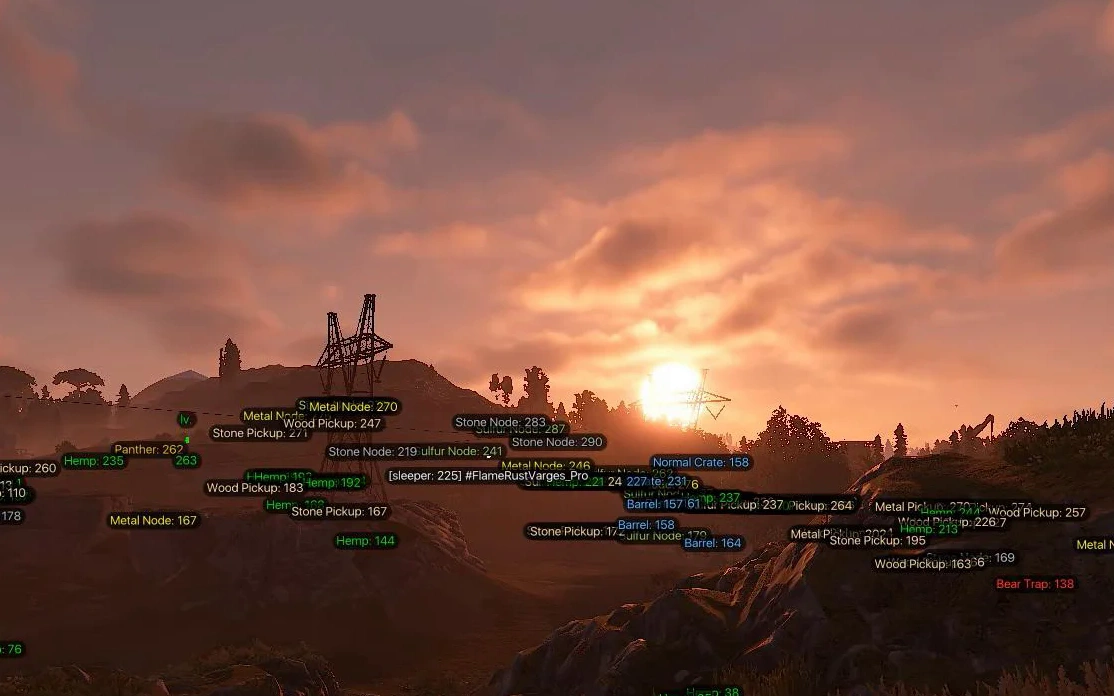
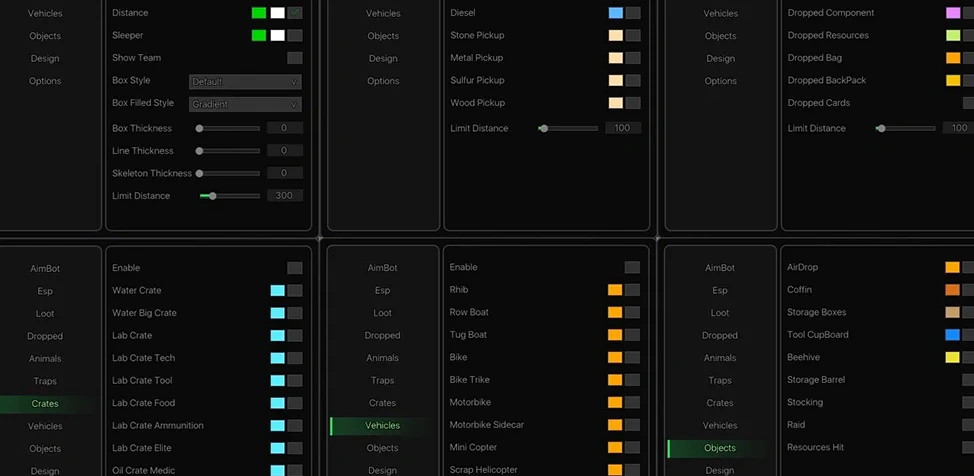
- Enable – enables resource ESP
- Stone – display stone nodes
- Metal – display metal ore
- Sulfur – display sulfur ore
- Hemp – shows hemp bushes
- Crates – display loot crates
- Barrel – shows barrels
- Diesel – display diesel fuel
- Stone Pickup – shows loose stone
- Metal Pickup – displays loose metal
- Sulfur Pickup – shows loose sulfur
- Wood Pickup – displays wood on the ground
- Max Distance – limits resource ESP distance
- Corpse ESP – displays player and animal corpses through walls
- Berries ESP – displays berries and plants for gathering resources
- Bear – bears
- Boar – boars
- Chicken – chickens
- Horse – horses
- Deer – deer
- Wolf – wolves
- Shark – sharks
- Crocodile – crocodiles
- Tiger – tigers
- Snake – snakes
- Panther – panthers
- Max Distance – maximum distance for displaying animals
- Animal HP Bar – displays health bars for animals
- Enable – enables ESP for containers and crates
- Water Crate – water crates
- Water Big Crate – large water crates
- Lab Crate – lab crates
- Lab Crate Tech – laboratory tech crates
- Lab Crate Tool – tool crates
- Lab Crate Food – food crates
- Lab Crate Ammunition – ammo crates
- Lab Crate Elite – elite crates
- Oil Crate Medic – medical crates on oil rigs
- Oil Crate Food – food crates on oil rigs
- Max Distance – maximum display distance for crates
- AirDrop – display airdrops
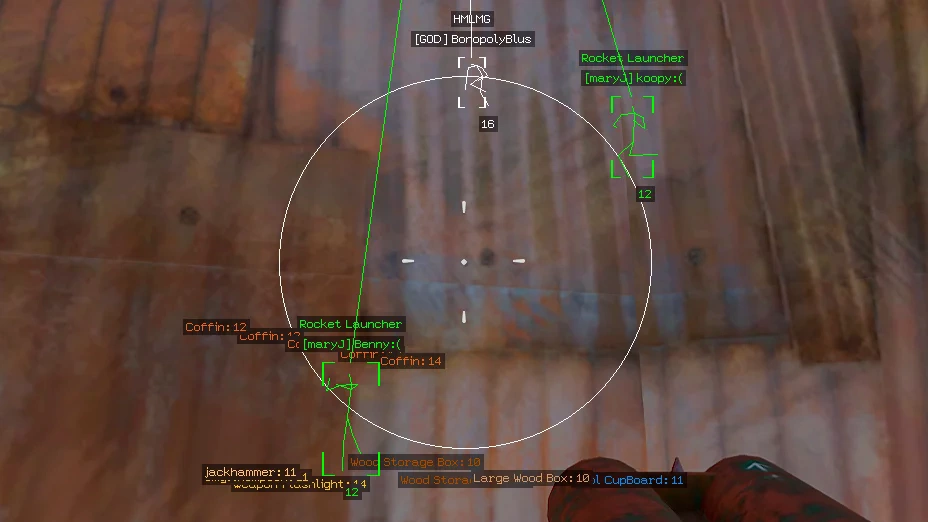
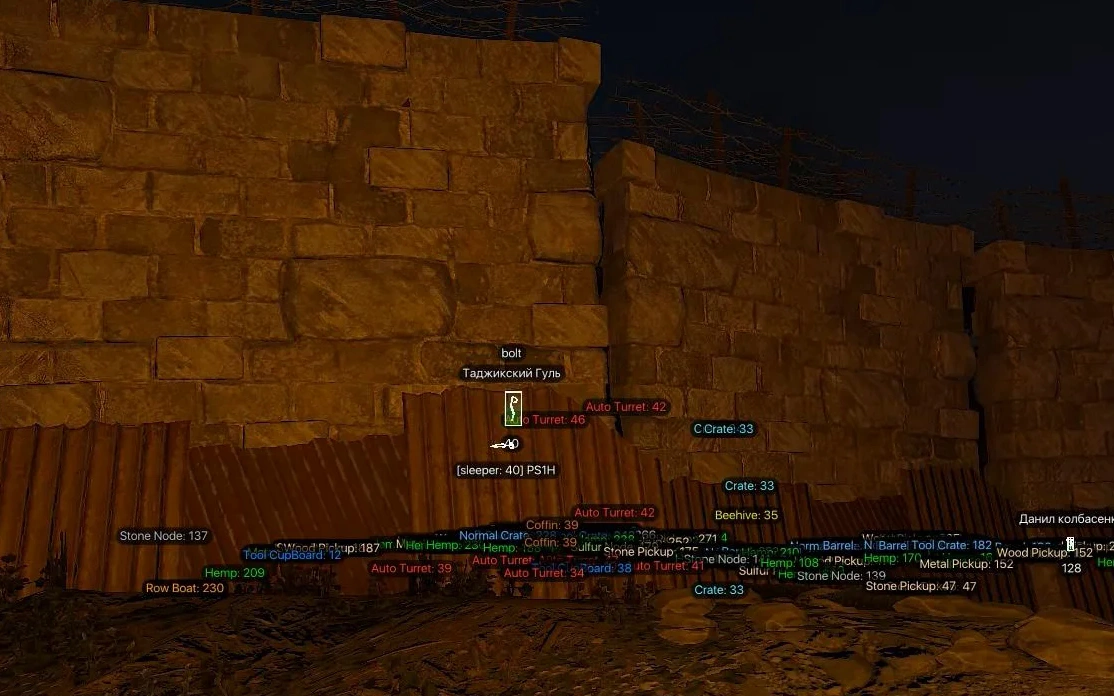
- Coffin – shows coffins and storage containers
- Storage Boxes – display storage boxes
- Tool Cupboard – shows tool cupboards (TC)
- Beehive – display beehives
- Storage Barrel – shows storage barrels
- Stocking – display special event containers
- Raid – shows raid activity and explosions
- Resources Hit – display hit points when gathering resources
- Text Background – text background settings for ESP
- Background Alpha – background transparency control
- Background Round – UI corner rounding
- Font Size – ESP font size settings
- Keybinds – a system of hotkeys for quick access to in-game functions
- Battle Mode – a mode for quickly toggling unnecessary ESP on and off
- Instant EOKA – instant fire from the EOKA without misfires
- Insta Bow – allows you to make an instant bow shot without delays
- No Grass – disable the display of grass
- No Constructions – disable the display of player structures
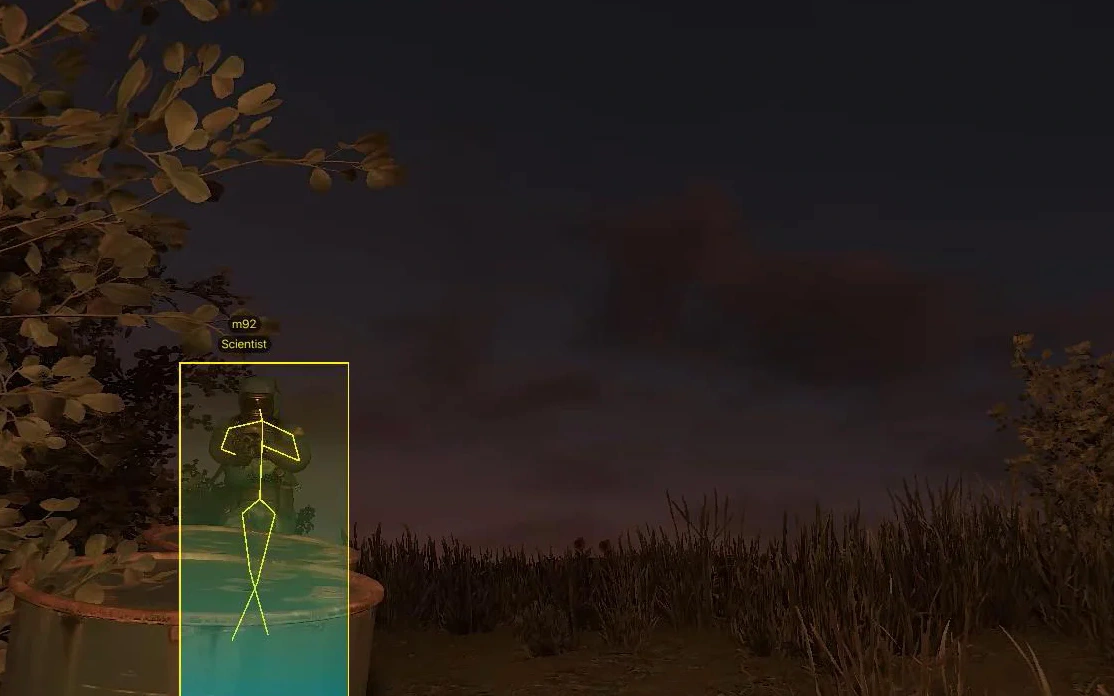
- Box – displays boxes around players and NPCs
- Box Filled – filled semi-transparent box
- Name – shows player/bot nicknames
- Snapline – ESP lines from you to the target
- Skeleton – enable skeleton ESP for player models
- Weapon – shows weapon in the target’s hands
- Distance – displays distance to the target
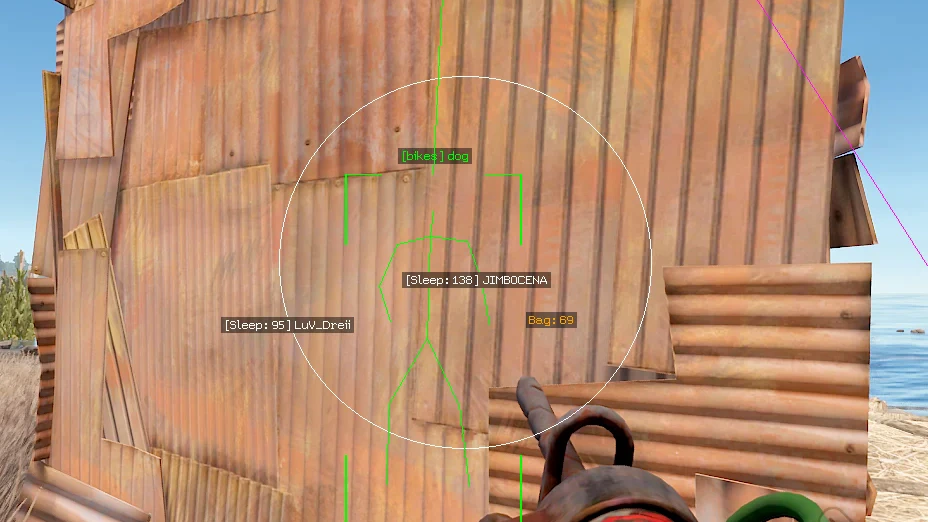
- Sleeper – displays sleeping players
- Show Team – shows ESP on teammates
- Box Style – box style settings (2D, corner-only, filled background)
- Box Filled Style – visual settings for the filled box
- Box Thickness – line thickness for ESP boxes
- Line Thickness – thickness of ESP lines (snaplines)
- Skeleton Thickness – line thickness for skeleton ESP
- Max Distance – maximum ESP display distance
- Gaze – shows the direction of the player's gaze
- Arrows – show the direction to enemies outside the screen (in the form of arrows
- Enable – enables display of items on the ground
- Weapon – shows dropped weapons
- Attachment – displays attachments and mods
- Ammunition – shows ammo
- Food – displays food
- Medical – shows medical items
- Tools – displays tools
- Component – shows components
- Resources – displays resources
- Bag – shows loot bags
- Backpack – displays player backpacks
- Cards – shows keycards
- Max Distance – limit distance for item ESP
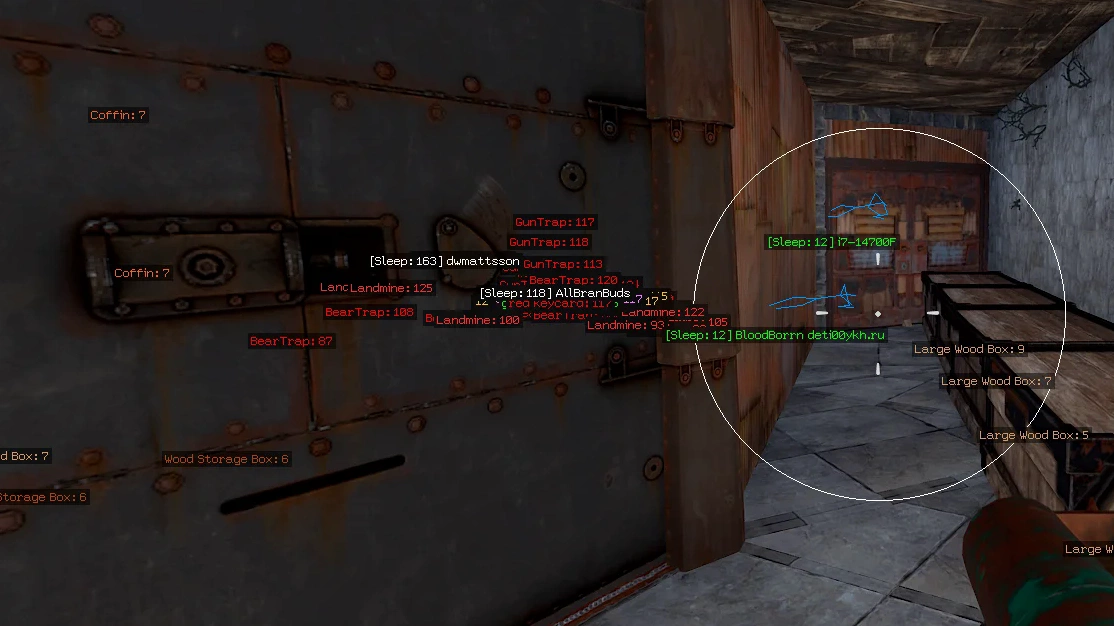
- Enable – enables display of traps and turrets
- Landmine - landmines
- Auto Turret - auto turrets
- Bear Trap - bear traps
- Gun Trap - shotgun traps
- Sam Site - SAM sites
- Flame Turret - flame turrets
- Distance - distance to targets
- Limit Distance - limit ESP distance for this category
- Rhib – show RHIB boats
- Row Boat – show rowboats
- Tug Boat – show tugboats
- Bike – show bicycles
- Bike Trike – show trikes
- Motorbike – show motorbikes
- Motorbike Sidecar – show motorbikes with sidecar
- Mini Copter – show minicopters
- Scrap Helicopter – show scrap helicopters
- Patrol Helicopter – show patrol helicopter
- Bradley APC – display Bradley APC tank
- Max Distance – vehicle ESP display range in meters
Operating system: Windows 10 (2004, 20H1, 20H2, 21H1, 21H2, 22H2), Windows 11 (21H2, 22H2, 23H2, 24H2, 25H2)
Processor: Intel & AMD
Video card: Nvidia & AMD
Client: Steam
Bundle Offers
Save when you add all items
✓ All bundle items in cart