Rust │ MEMEZ EXTERNAL
UndetectedInstant DeliveryDescription
Operating system: Windows 10 (22H2), Windows 11 (24H2, 25H2)
Processor: Intel & AMD
Video card: Nvidia & AMD
Client: Steam
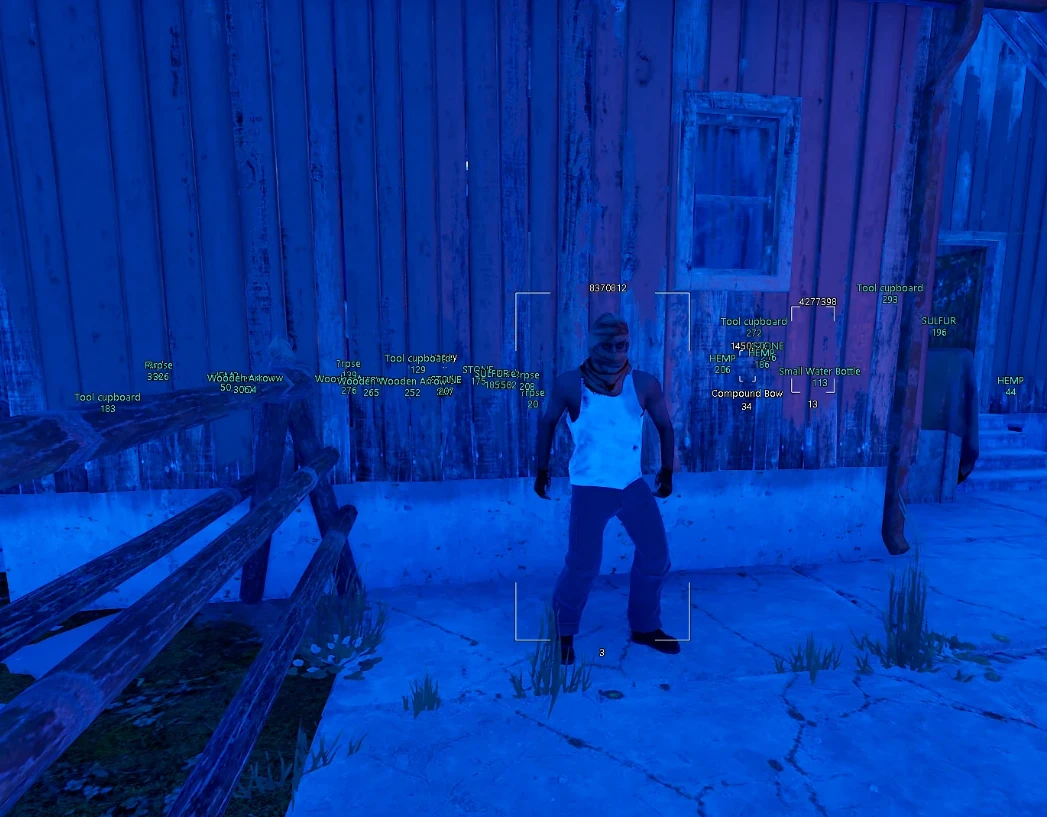
Box – displays boxes around players
Box ESP Color – set box color
Box ESP Type – box type (corners, full, rounded, filled)
Distance – shows distance to players in meters
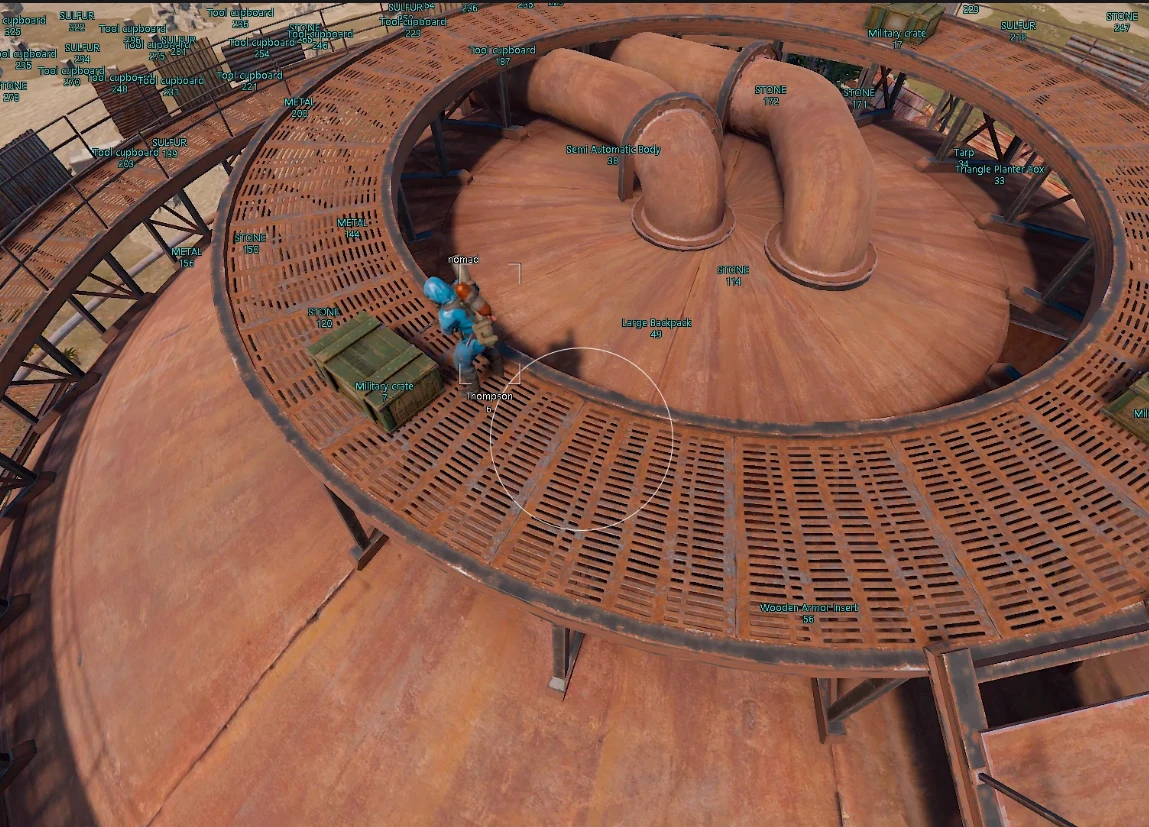
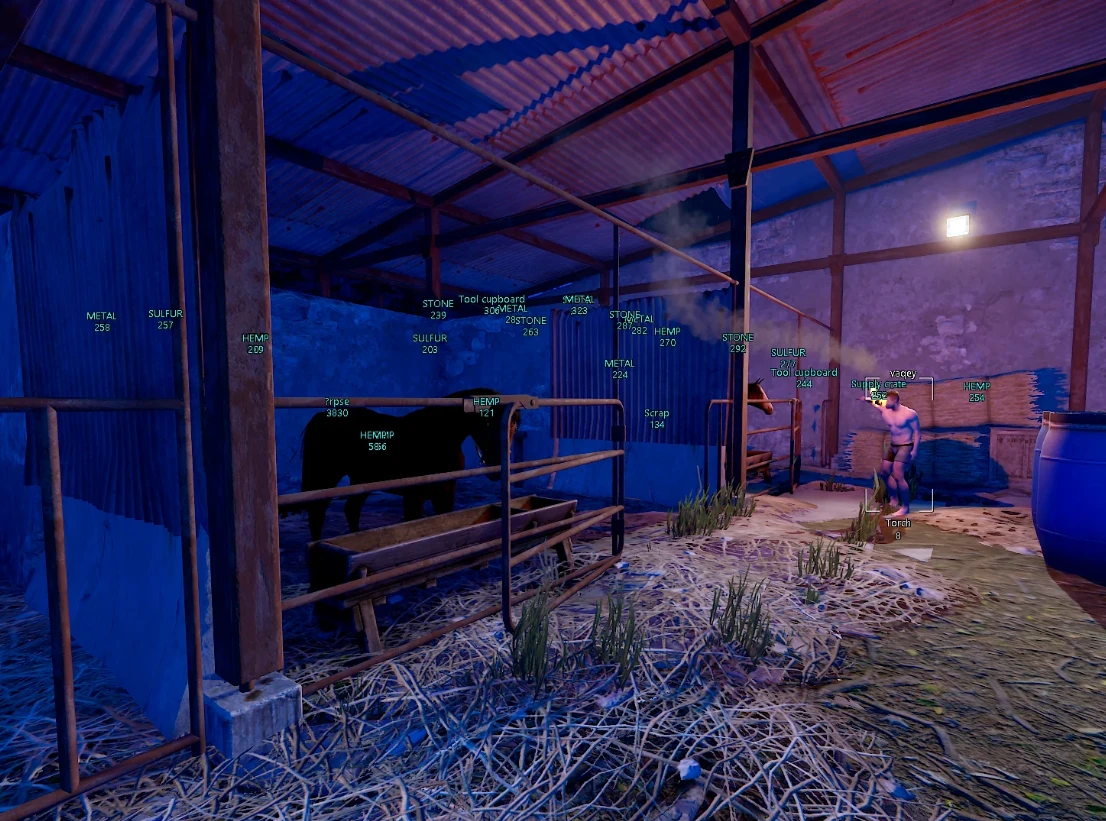
Name – display player nicknames
Skeleton – display ESP skeleton overlay
Weapon – show current weapon (text, icon)
Hot Bar – show players’ quick slots (6 bottom slots)
Team ID – displays the player’s team ID
Ignore NPC – disable NPC display (scientists, patrols, traders, etc.)
Hotbar – shows players’ hotbar (6 slots)
Ignore NPC – disable NPC display (scientists, patrols, traders, etc.)
Max Distance – maximum display distance for players in meters
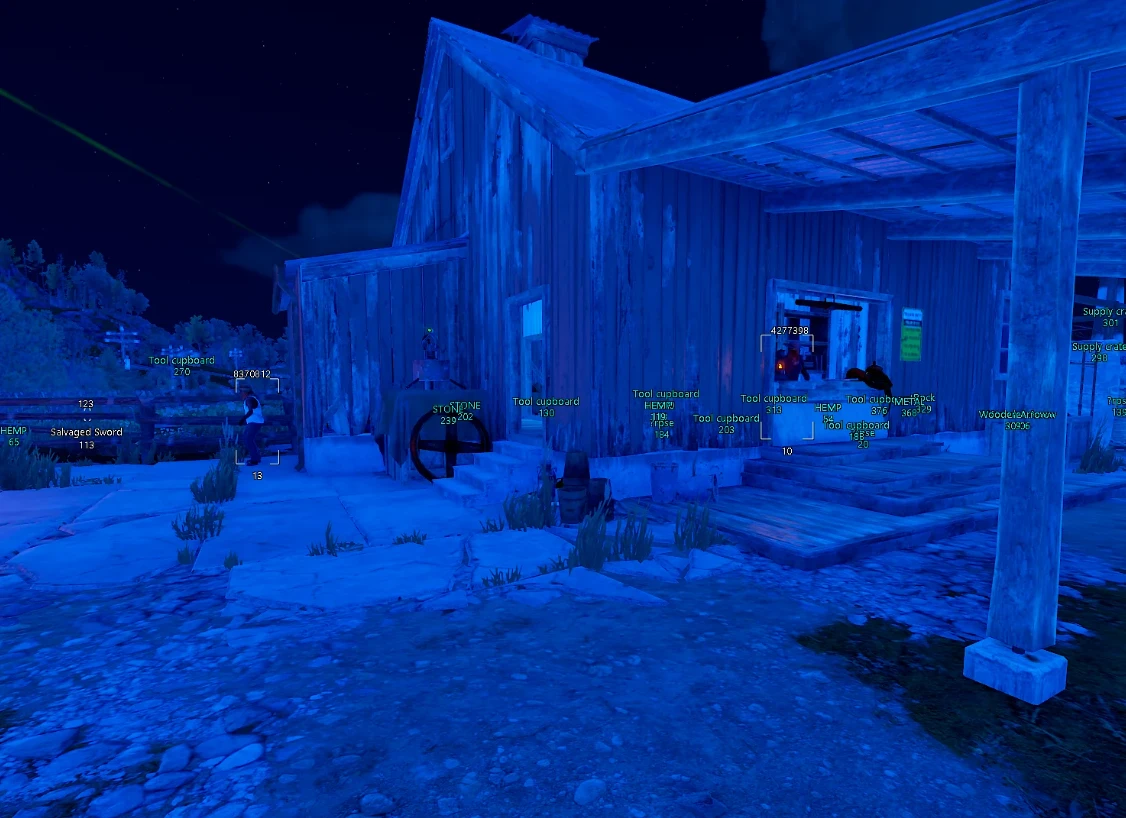
Distance – shows distance to items (in meters)
Name – displays item/object names
Item Colors – set custom ESP color for each item
Category – item display filter (categories)
Resources – resources (stone, metal, sulfur, hemp)
House – structures (TC, beds, sleeping bags, small/large crates)
Loot – various crates (airdrop, military, tool, barrels, medical, elite, etc.)
Traps – traps (turret, shotgun trap, SAM, mines, bear trap, flamethrower, etc.)
Transport – transport (boats, minicopter, helicopter, motorcycle, bicycle, etc.)
Other – other loot (player corpses, dropped items on the ground)
Battle-Mode – disables all ESP except essential ones
Menu Key – key to open the menu
Custom ESP Colors – choose custom colors for many ESP elements
Configs – convenient system to save and quickly load cheat settings
Language – Memez External Rust supports multiple languages (English, Russian, Chinese)
Save Config – save current cheat settings
Load Config – load last settings
Exit – fully unload the cheat from the game (for safety)
Fonts – choose another font for ESP (SegoeUI / Monocraft)
Font Size – text size for ESP elements
Enable – enable/disable aimbot on enemies
Aim Key – key to activate the aimbot
Aimbot Type – select aimbot type
Vector Aimbot – natural target tracking with smoothness adjustment
Silent Aimbot – bullets hit targets within FOV without aiming
Smoothing – smoothing level for aimbot movements
Bone – choose body part (head, body, nearest bone to crosshair)
FOV – size of the aiming target zone
FOV Show – displays the aimbot working area as a circle
FOV Color – color of the aimbot working area
Target HotBar – shows the current target’s hotbar (6 bottom slots)
Target Line – draw lines to targets inside FOV
Target Line Color – choose the color of the target line
Players Chams – enable Chams wallhack for players
Players Chams Type – type of player Chams
Weapons Chams – enable Chams for weapons
Weapon Chams Type – type of Chams material for weapons
White (Wallhack) – default white through walls
Blinking Red – blinking red
Glow Green – glowing green
Pink – pink
Blue – blue
Aquamarine – aquamarine
Glow Red – glowing red
Wireframe – wireframe
Rainbow – rainbow
Lime Green – lime green
Orange – orange
Blue Glitch – glitch effect
Solid Pink – solid pink
Ignore Scopes – do not apply material to scopes
Ignore Hands – do not apply material to hands
Remove Layers – disable textures of various objects/structures
No Construction – disable textures of player buildings
No Clutter – disable display of debris/clutter
No Bush – disable bushes (small trees)
No Terrain – disable some terrain layers
No Recoil – full/partial recoil removal
Recoil % – recoil control strength in percent
No Spread – removes bullet spread
No Sway – removes weapon sway
100% EOKA – instant EOKA shot with no misfires
Rapid Fire – automatic fast firing for any weapon
Spider Man – climb walls without ladders
Debug Camera – free camera mode
Debug Camera Speed – adjust free camera speed
Bright Night – makes the night very bright and beautiful
Bundle Offers
Save when you add all items