Description
All ARC Raiders cheats More about Unnamed cheats
- Enabled - on/off the aimbot
- Aim Key - the key for activating the AIM
- Aim Type - the principle of selecting targets for aim (by sight, by distance)
- Bones - selection of bones where the aimbot will fall
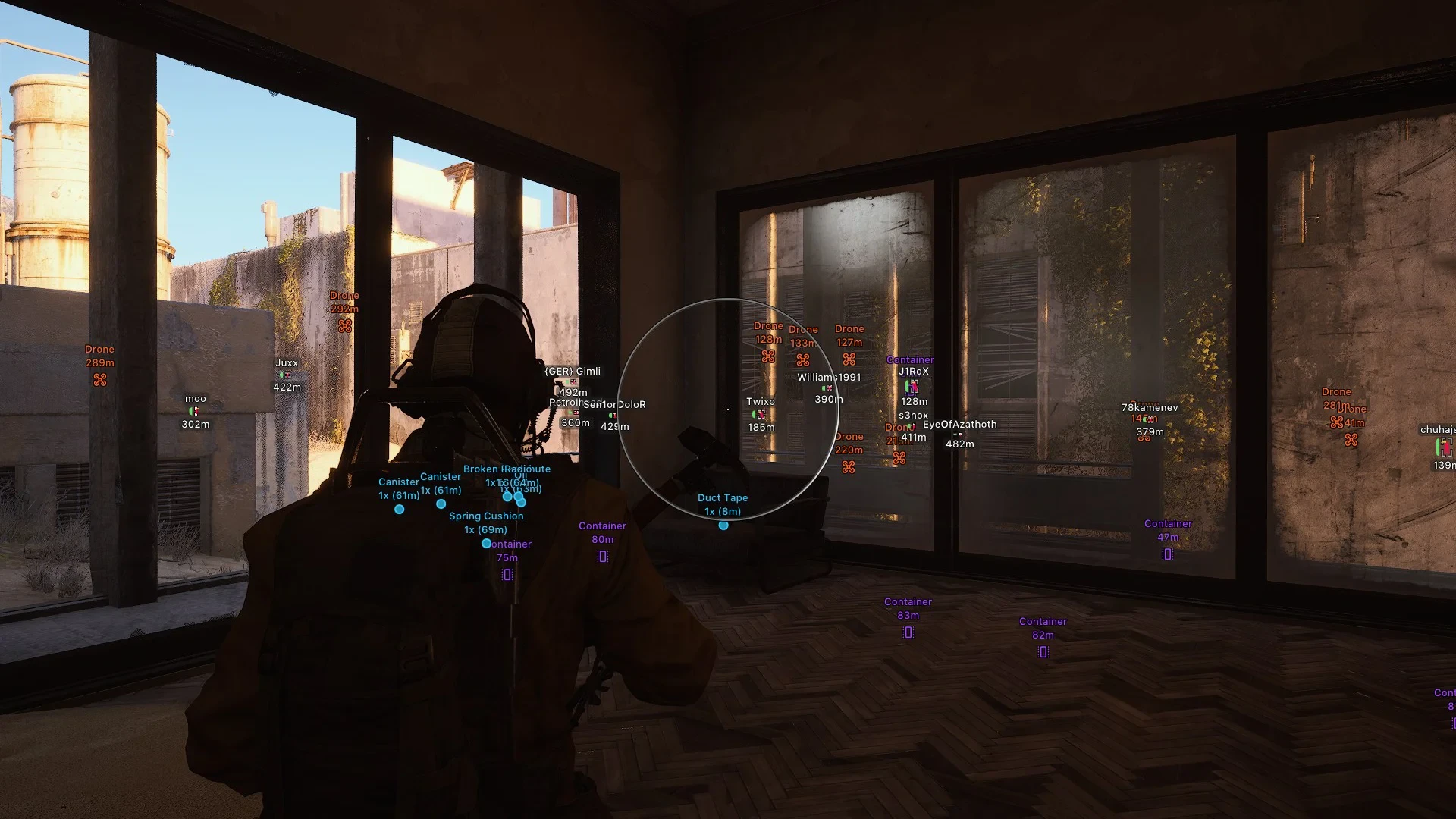
- Draw FOV - show the aimbot's workspace as a circle
- FOV - the scope of the aimbot
- Smooth - smoothing movements during aim operation
- Speed - the speed of aiming at the target
- Stickiness - the level of sticking to the goal
- Max Distance - the range of the aim in meters.
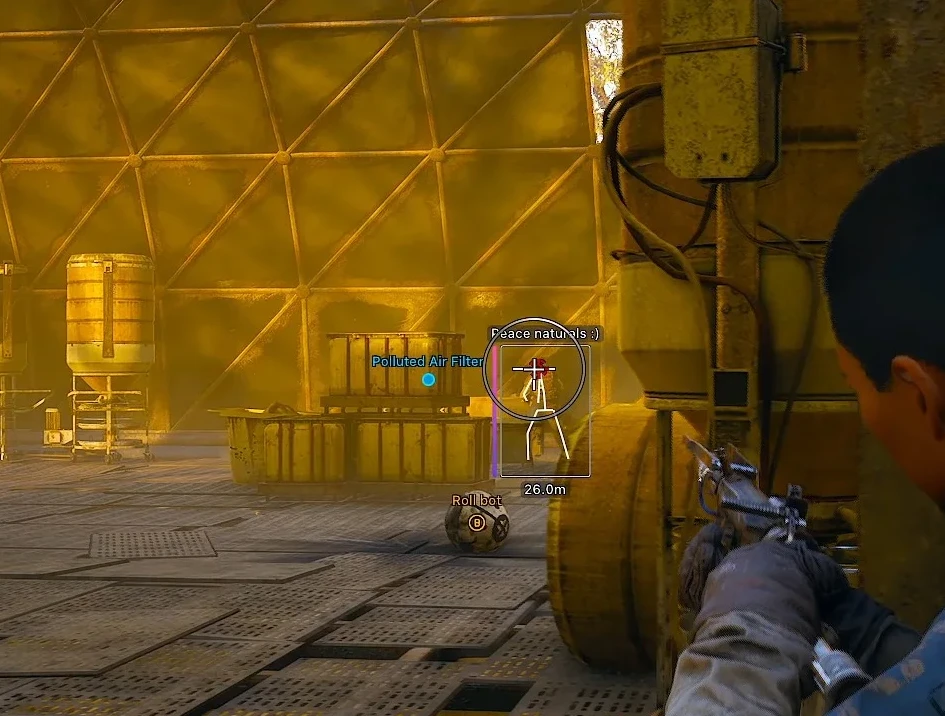
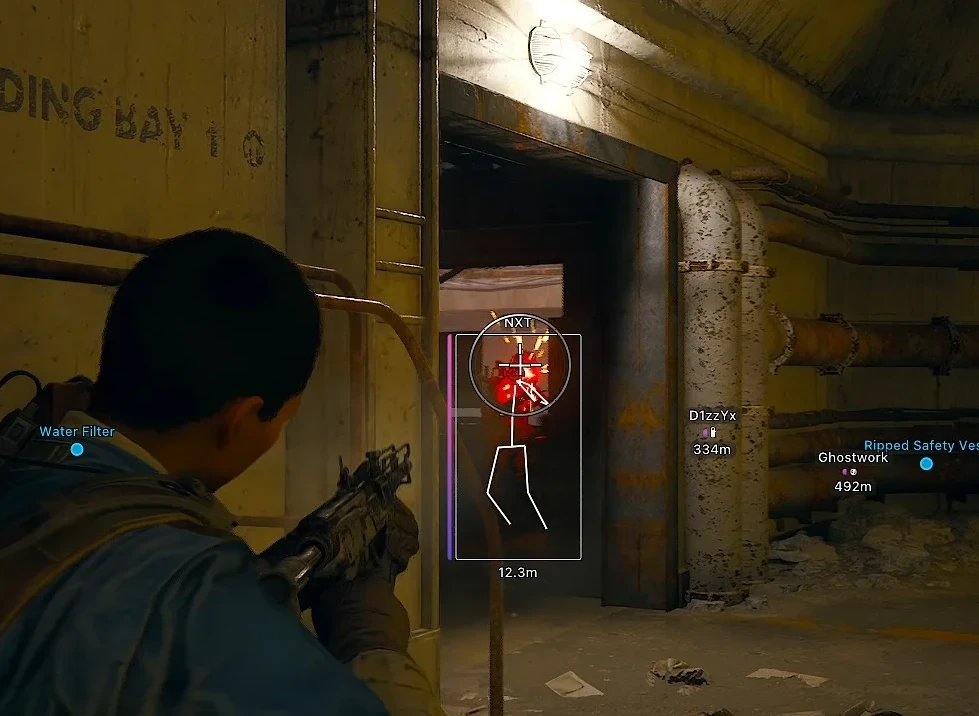
- Box - WH in the form of boxes
- Skeleton - WH in the form of skeletons
- Name - show player nicknames
- Squad Name - display squad names
- Distance - distance to targets
- Health Bar - HP level in the form of a bar
- Shield Bar - armor level in the form of a bar
- Shield Level - shows the shield in different colors depending on the level (light, medium, heavy)
- View Line - shows the sight direction
- Head Dot - displays a dot on the head
- Max Distance - player display range in meters
- Weapon in Hand - show the weapon in the player's hands
- Player Level - displays the level of the players
- Name - display robot names
- Distance - show distance to robots in meters
- Icon - display the robot icon (type) next to its name
- Arc Types - choose which arcs the WH will work on
- Max Distance - arc display range in meters
- Outline Box - information about robots displayed in a dark rectangular box for better readability
- Corpse - display bodies of slain players and arcs
- Mines - displays mines on the map
- Doors - displays doors on the map
- Extraction Points - display evacuation points on the map (trapdoor, elevator, subway)
- Ignore Inactive/Inaccessible Points - do not show non-working evacuation points
- State - display current status of the evacuation point
- Loot - display various loot
- Container - display containers (can configure the types of boxes displayed)
- Distance - display the distance to objects
- Name - display the names of objects
- Max Distance - configure the range for displaying objects in the environment
- Loot Filter - allows you to select only certain items and objects to display via ESP
- Rarity & Type Filter - filters for displaying loot of only a certain type and rarity
- Font Size - configure font size
- Crosshair - custom crosshair in the center of the screen
- Battle Mode - deactivates all World & Loot ESP while keeping only Player/Arc WH active (configurable)
- Configs - profile system for different game styles (create, save, load, delete)
- Scale - adjust menu scaling
- Out of Arrows - show the direction of players and robots outside your field of view (off-screen) as arrows
- Flashlight Bright - the ability to adjust the brightness of the flashlight
- Flashlight Color - the ability to change the color of the flashlight
- Fullbright - disables in-game shadows and dimming (bright picture)
- Long Distance Consumable - allows you to use consumable items at an extended distance
- Long Distance Revive - allows you to raise your allies from an increased distance
- FOV Changer - allows you to enlarge the field of view
- Camera Zoom - zoom level adjustment (zoom hack)
Operating system: Windows 10, Windows 11 (21H2, 22H2, 23H2, 24H2, 25H2)
Processor: INTEL & AMD
RAM: 16 GB
Video card: NVIDIA & AMD
Client: Steam
A normal Windows install is required: not Enterprise, not optimized or repacked.
Unnamed for ARC Raiders is a visual tool designed for comfortable, highly legit play. Its core is a customizable ESP that accurately shows players, ARC robots, loot containers and the bodies of fallen enemies, so you can read any situation in an instant. You can set up your own crosshair and fine-tune how every element is displayed. The menu is clear and pleasant to use, and the config system loads your settings at every launch. A reliable, precise and stylish option for ARC Raiders.
ARC Raiders │ UNNAMED
Undetected- Instant delivery: your key arrives by email and on your order page.
- Setup guide and loader included.
- 24/7 support tickets.
Questions before you buy? Open a ticket
Latest updates
All updatesBundle Offers
Save when you add all items