Description
All Escape from Tarkov cheats More about Ancient cheats
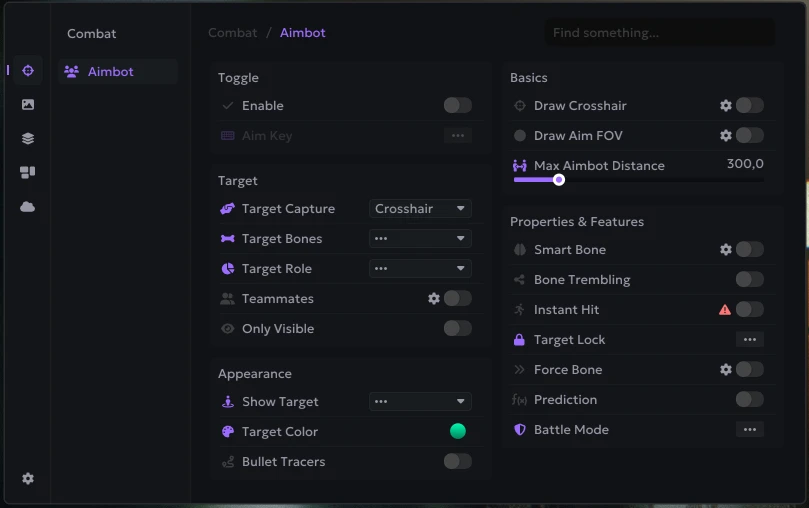
- Enable – enables or disables the aimbot
- Aim Key – key to activate the aimbot
- Target Capture – method of target selection (crosshair, distance, HP level)
- Target Bones – selection of body part to aim at (head, neck, stomach, pelvis, legs)
- Target Role – selection of enemy types the aimbot will work on (bots, scavs, PMCs, bosses)
- Teammates – allows enabling or disabling aiming at teammates
- Visible Check – aimbot works only on visible targets (not behind cover)
- Draw Crosshair – displays an additional crosshair on the screen
- Draw Aim FOV – displays the aimbot FOV circle
- Max Distance – maximum aimbot working distance
- Show Target – shows the current target within FOV using a line and other indicators
- Target Color – allows choosing the target highlight color
- Bullet Tracers – displays bullet flight tracers
- Smart Bone – automatically selects the most optimal body part for aimbot aiming
- Bone Trembling – simulates slight aim shaking for more natural behavior
- Instant Hit – instant hit on the target
- Target Lock – locks onto the selected target until it leaves the FOV
- Force Bone – forces aiming at the selected bone
- Force Key – key to activate forced aiming at the selected bone
- Prediction – predicts target movement for more accurate aiming
- Battle Mode – disables unnecessary ESP visuals during active combat (via bind)
- Smart Bones – list of bones available for the Smart Bone system
- Priority Modification – allows modifying bone priority selection
- Priority Mode – aiming priority mode (Legit, Rage, Limbs)
- Priority Switch – automatic switching of the priority bone
- Auto Shoot – makes an automatic shot when you point at an enemy
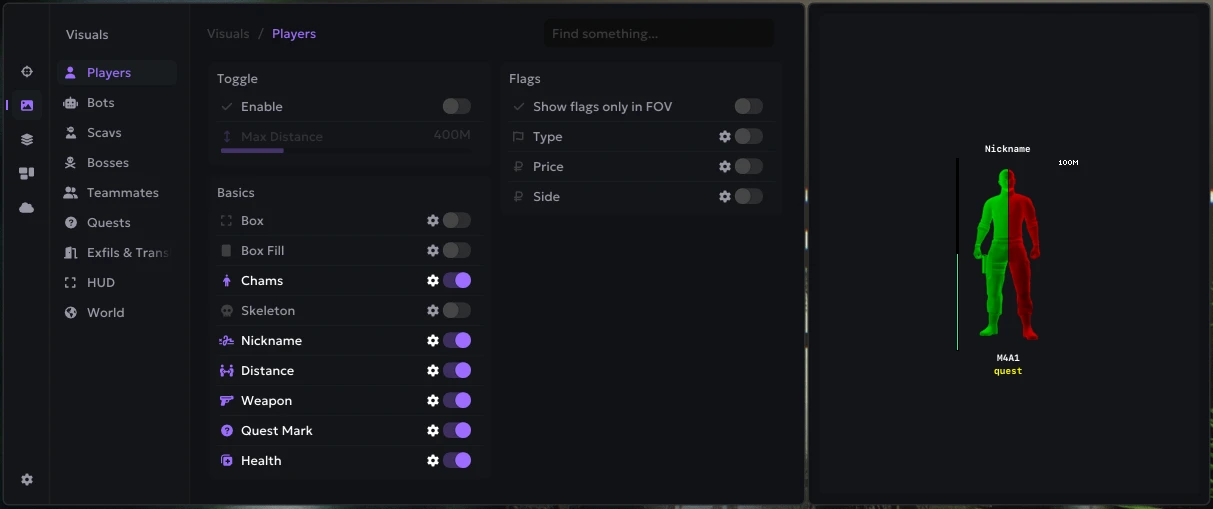
- Enable – enables or disables player ESP
- Players – display real players
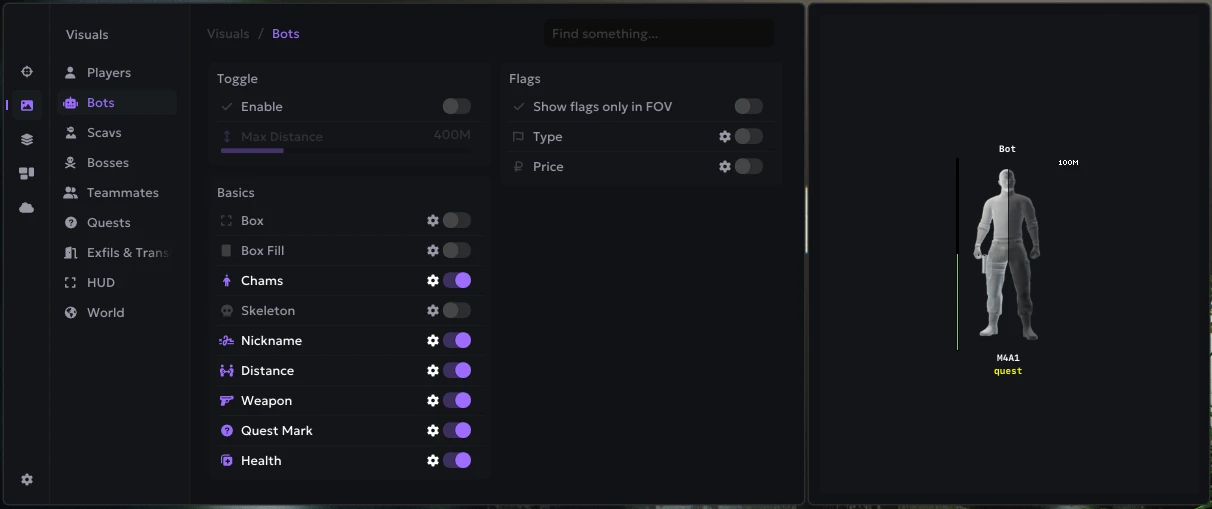
- Bots – display AI bots/NPCs
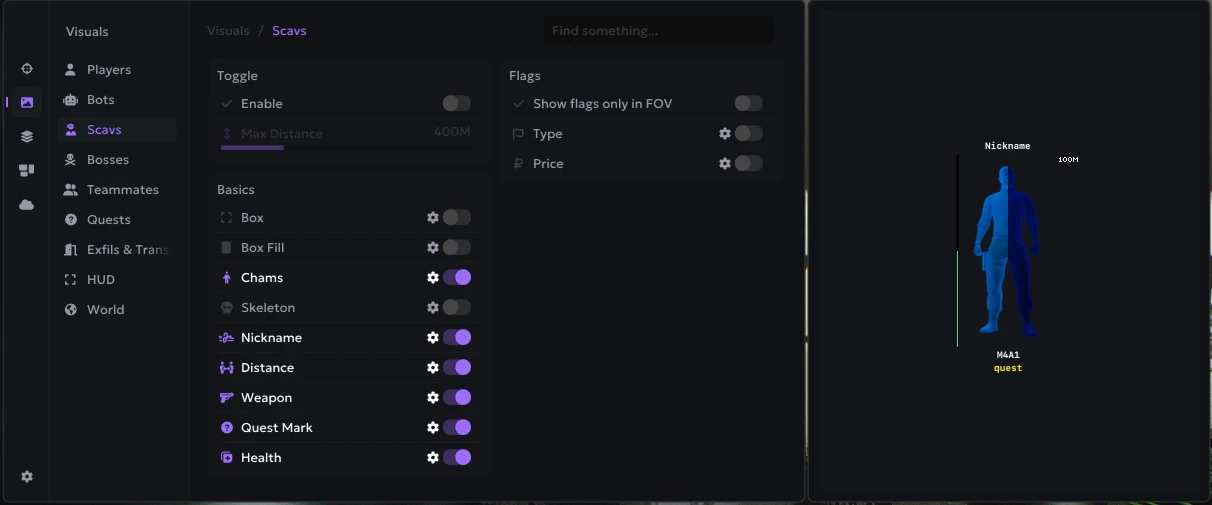
- Scavs – display scav players
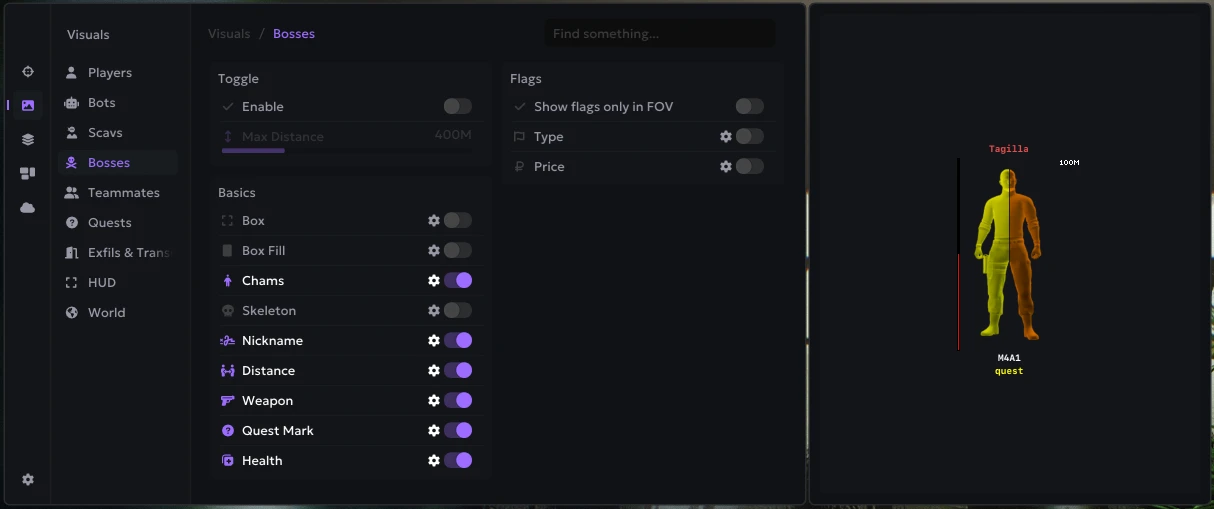
- Bosses – display bosses
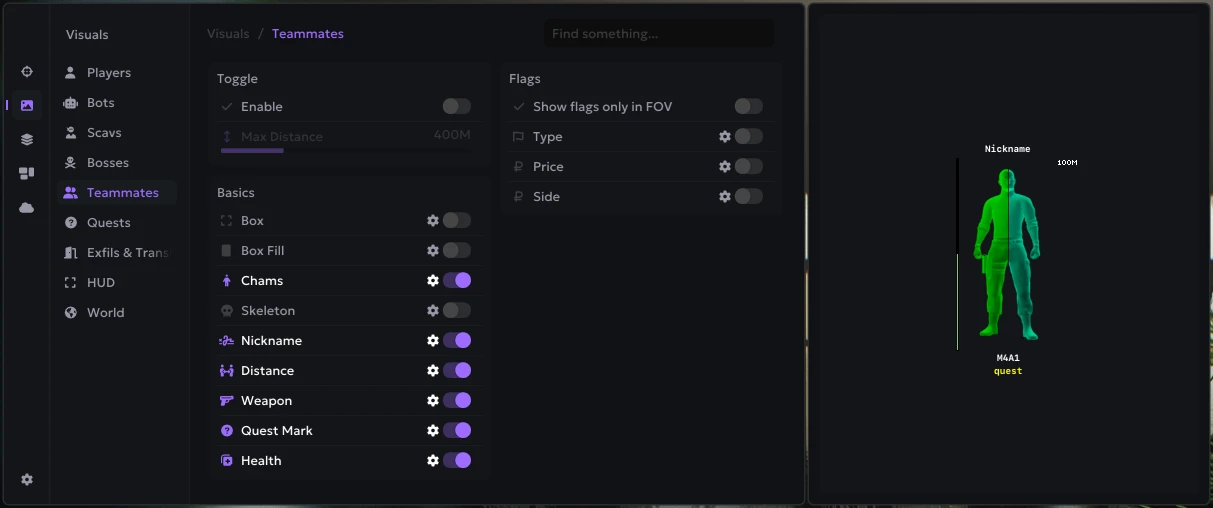
- Teammates – display teammates
- Max Distance – maximum ESP display distance
- Box – draws a box around the player model
- Box Fill – fills the box with color
- Chams – highlights the player model, allowing visibility through objects
- Skeleton – displays the player model skeleton
- Nickname – shows the player's nickname
- Distance – displays distance to the player
- Weapon – shows the player's weapon
- Quest Mark – marks players related to active quests
- Health – displays the player's health bar
- Show Flags Only In FOV – displays additional player flags only inside FOV
- Type – shows the player type
- Price – displays the value of the player's gear
- Side – shows the player's faction or side
- ESP Preview – preview window showing how the ESP elements (boxes, skeleton, text, etc.) will look in real time
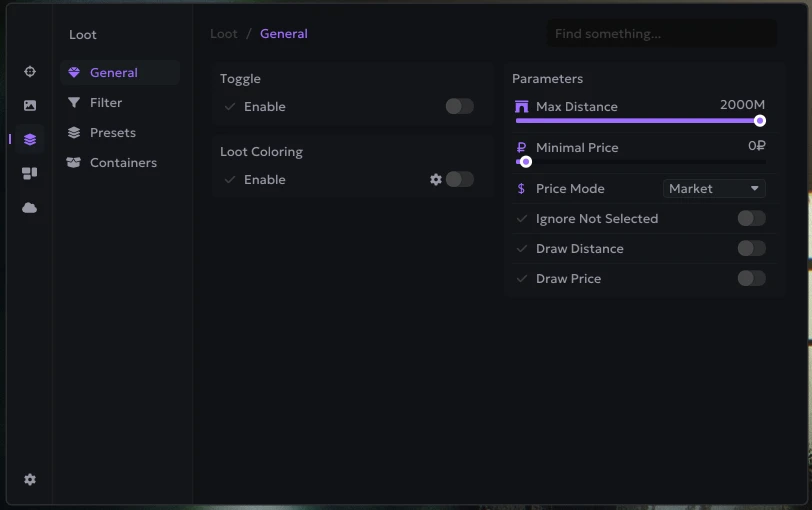
- Loot ESP – enables or disables loot display
- Loot Coloring – enables item color highlight based on item value
- Max Distance – maximum loot display distance
- Minimal Price – minimum value of items to display
- Price Mode – selection of price calculation mode (e.g. Market)
- Ignore Not Selected – hides items not selected in the filter
- Draw Distance – displays distance to the item/container/body etc.
- Draw Price – shows the item price
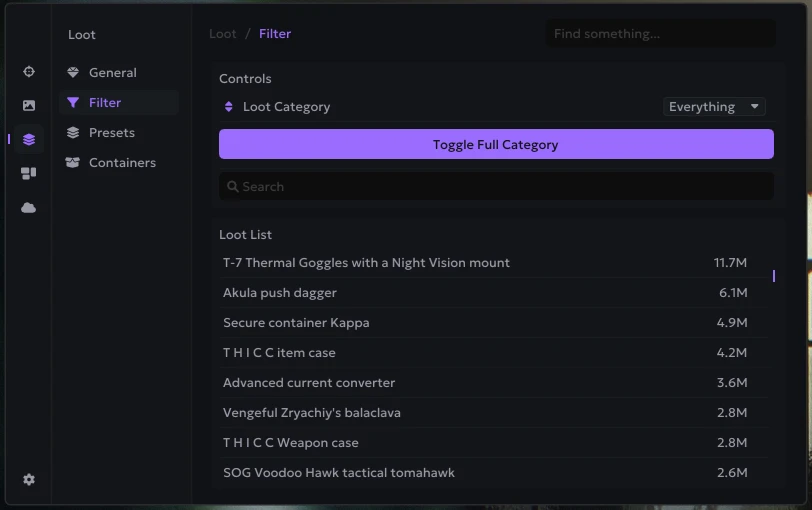
- Loot Category – selection of loot category to display
- Toggle Full Category – toggles display of the entire selected category
- Search – search for a specific item by name
- Loot List – list of items with their current prices (e.g. LEDX)
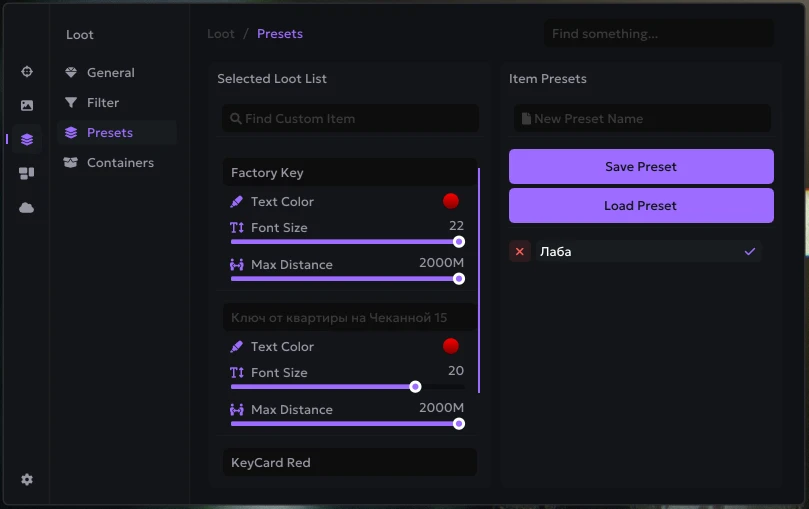
- Item Presets – preset system for saving loot display settings
- Save Preset – saves the current selected item list
- Load Preset – loads a previously saved preset
- Selected Loot List – displays the current selected item list
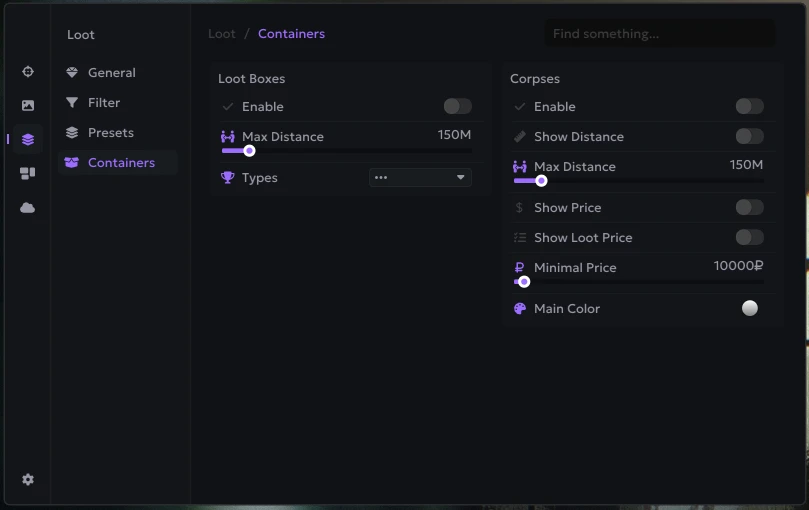
- Loot Boxes – enables container display
- Types – selection of container types to display
- Corpses – enables display of player bodies
- Show Price – shows the player's gear price
- Show Loot Price – displays the value of loot inside the body
- Minimal Price – minimum loot value to display
- Main Color – color used to display the body or container
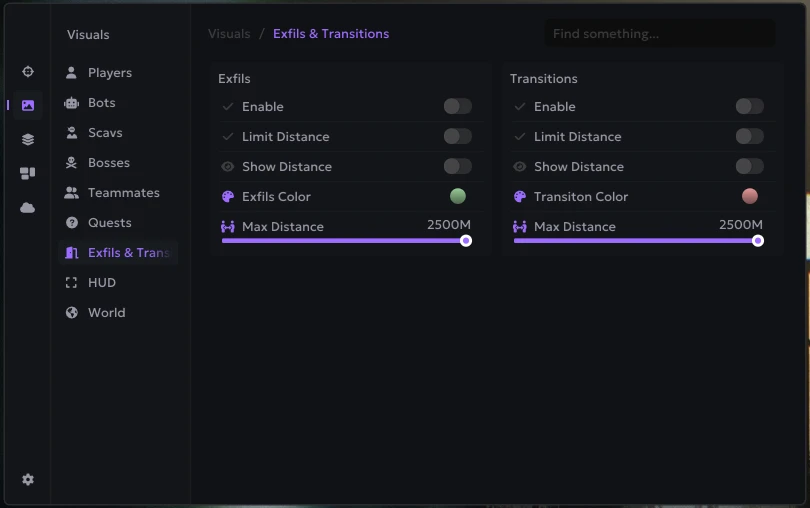
- Enable – enables display of extraction points and location transitions (Exfil/Transitions)
- Limit Distance – limits exfil display by a set distance
- Show Distance – shows distance to the extraction point
- Exfils Color – allows choosing the extraction point display color
- Transition Color – allows choosing the transition display color
- Max Distance – maximum exfil display distance
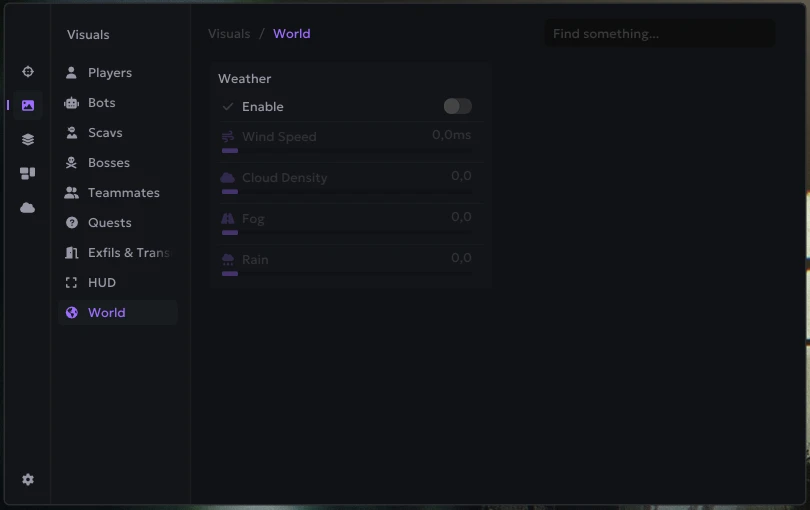
- Enable – enables map weather parameter changes
- Wind Speed – adjusts wind strength
- Cloud Density – changes cloud density
- Fog – adjusts fog level
- Rain – adjusts rain intensity
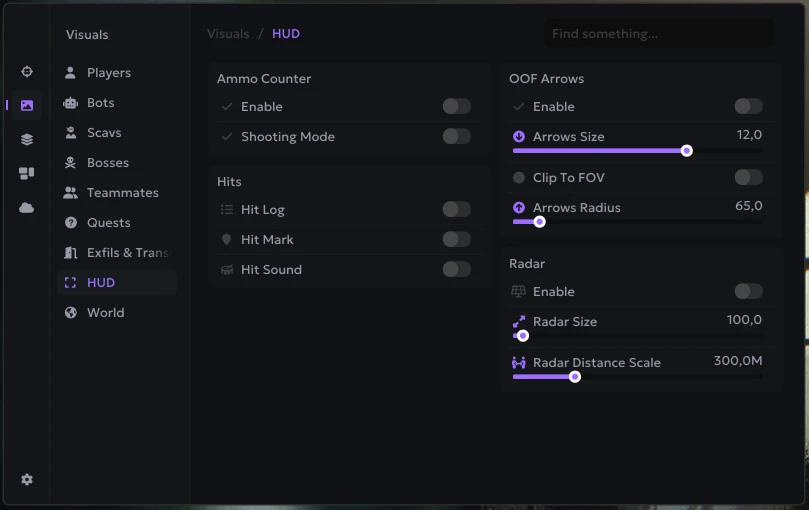
- Ammo Counter – enables ammo counter display
- Shooting Mode – shows the current weapon fire mode
- Hit Log – displays information about hits on targets
- Hit Mark – shows a hit marker when dealing damage
- Hit Sound – plays a sound signal when hitting a target
- OOF Arrows – enables arrows pointing to targets outside FOV
- Arrows Size – adjusts arrow size
- Clip To FOV – limits arrow display to the FOV
- Arrows Radius – distance from screen center to arrows
- Radar – enables radar
- Radar Size – adjusts radar size
- Radar Distance Scale – scales distance of displayed objects on radar
- Map Info – displays players, bosses, bots, etc. on the map
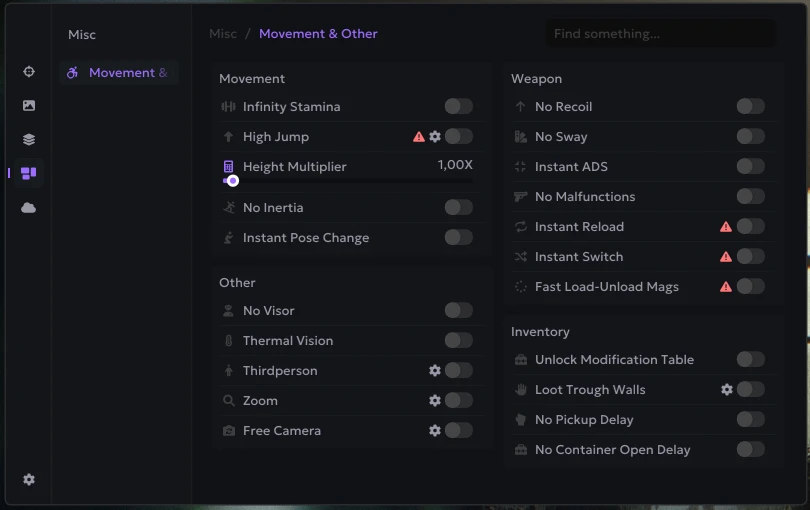
- Infinity Stamina – disables stamina consumption
- High Jump – increases jump height
- Height Multiplier – jump height multiplier
- No Inertia – removes movement inertia
- Instant Pose Change – instantly switches posture (standing / crouching / prone)
- No Recoil – completely removes weapon recoil
- No Sway – disables weapon sway
- Instant ADS – instant aiming down sights
- No Malfunctions – disables weapon malfunctions
- Instant Reload – instant weapon reload
- Instant Switch – instant weapon switching
- Fast Load-Unload Mags – speeds up magazine loading/unloading
- Unlock Modification Table – unlocks access to the weapon modification table
- Loot Through Walls – allows looting containers through walls
- No Pickup Delay – removes item pickup delay
- No Container Open Delay – removes delay when opening containers
- No Visor – removes visor darkness/effects on helmets
- Thermal Vision – enables thermal vision mode
- Thirdperson – switches camera to third-person view
- Zoom – allows camera zooming
- Free Camera – free camera for environment overview
- By Search – search field for any cheat menu parameter
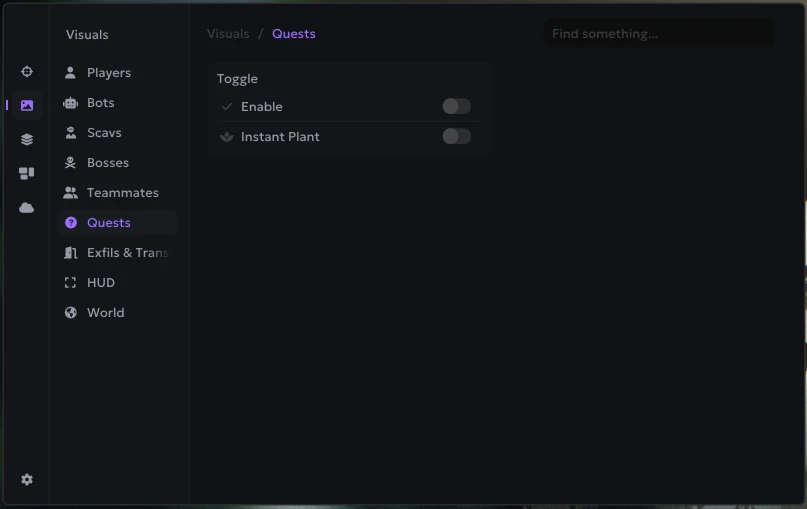
- Quest Helper – highlights quest items and quest-related locations
- Stream-Proof – cheat is invisible on screenshots, recordings, and streams
- Built-in Spoofer – includes built-in hardware ID ban bypass
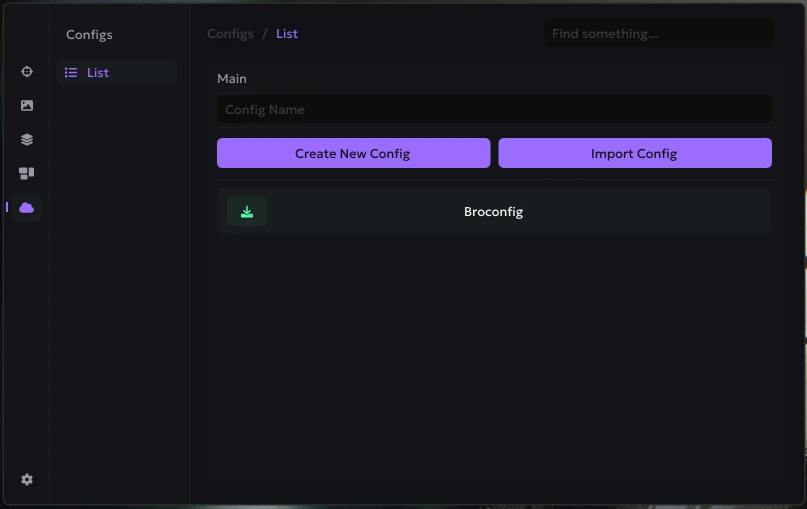
- Configs System – configuration system for saving/loading different settings sets
- Create New Config – creates a new config with current settings
- Import Config – imports a saved config
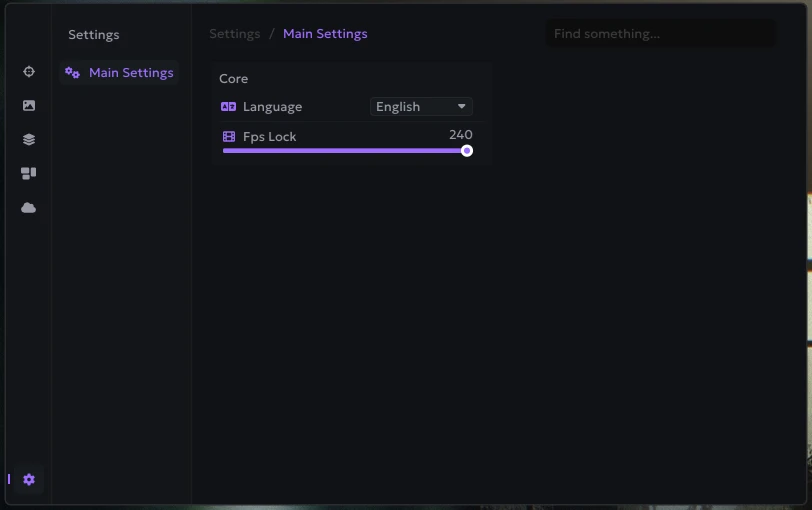
- Language – interface language selection (English / Russian / 中文)
Operating system: Windows 10, Windows 11 (21H2, 22H2, 23H2, 24H2, 25H2)
Processor: Intel & AMD
RAM: 16 GB
Video card: Nvidia & AMD
Client: Battlestate Games Launcher (BSG), Steam
A normal Windows install is required: not Enterprise, not optimized or repacked.
Ancient Full for Escape from Tarkov is the complete Tarkov package. The aimbot lets you choose how targets are captured (crosshair, distance or health), which bones to aim at and which roles to target, from bots and scavs to PMCs and bosses, with teammates optional. The ESP separates players, bots, scavs, bosses and teammates with boxes, fills and chams. The loot ESP colors items by value, filters them by minimum price and market mode, and shows distance to every item, container and body, while exfils and transitions are drawn with their own colors. A HUD adds an ammo counter, fire mode, hit log, hit markers, hit sounds and off-screen arrows. Exploits include infinite stamina, high jump, no inertia, instant pose change, no recoil, no sway, instant ADS and no malfunctions, plus a weather changer, quest helper, stream-proofing and a built-in spoofer.
EFT │ ANCIENT FULL
Undetected- Instant delivery: your key arrives by email and on your order page.
- Setup guide and loader included.
- 24/7 support tickets.
Questions before you buy? Open a ticket
Latest updates
All updatesBundle Offers
Save when you add all items